Support Email Templates That Actually Work in 2026

What are the essential support email templates every team needs?
Good support email templates cover the full arc of a customer interaction, from the first acknowledgment through resolution, escalation, and closure. The goal is not to sound scripted. It is to respond faster, miss fewer steps, and keep your tone consistent whether the ticket arrives at 9 AM or 9 PM.
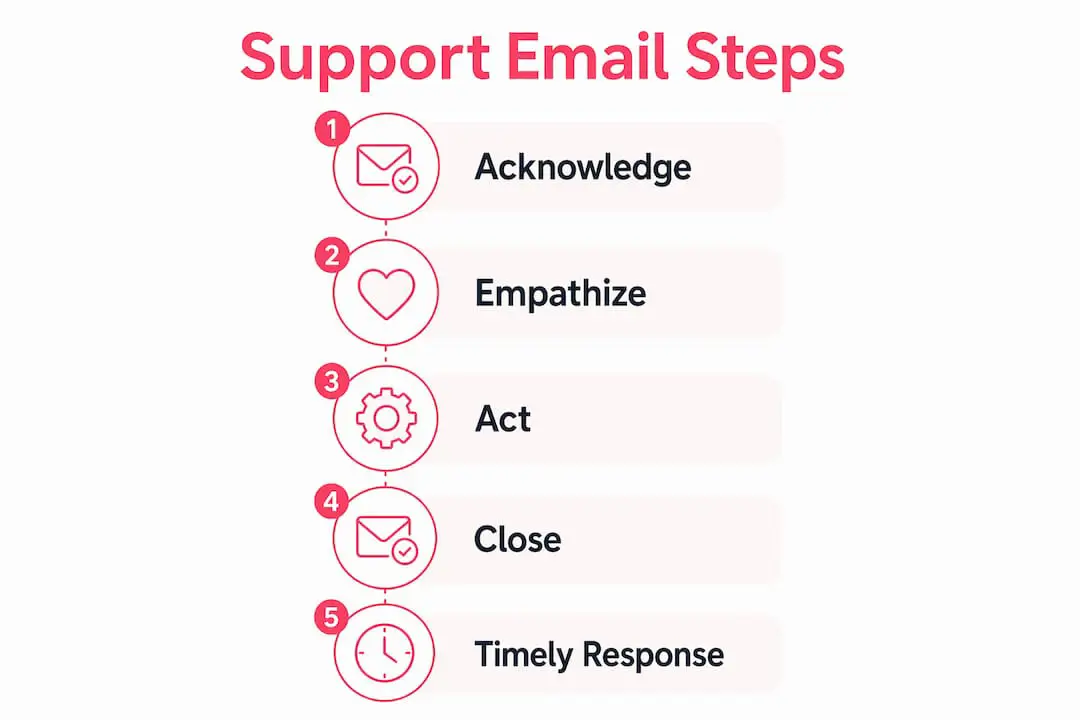
A useful structure for routine support messages is: Acknowledge, Empathize, Act, Close. Every template below is built on that frame, but each one should be adapted to the customer and the situation.
Here are the core template types every support team should have ready:
- First acknowledgment. Confirms receipt, restates the issue in your own words, and sets a response timeline. Subject line: “We received your request. Here’s what happens next.”
- Troubleshooting request. Asks for specific details, such as screenshots, error codes, and steps to reproduce, without making the customer feel interrogated. Subject line: “Quick question about your [Product] issue.”
- Resolution confirmation. Closes the loop clearly and invites the customer to reply if the fix did not hold. Subject line: “Your issue has been resolved, ticket #[ID].”
- Escalation notification. Tells the customer their case is moving to a specialist, with a contact or team and a new timeline. Subject line: “Your case is being escalated. Here’s what to expect.”
- Follow-up check-in. Confirms that the resolution worked and gives the customer a clear way to ask for more help. Subject line: “Checking in on ticket #[ID].”
- Apology for service issues. Owns the problem directly, avoids vague passive language, and explains the next step. Subject line: “We’re sorry. Here’s what happened and what we’re doing.”
- Refund or credit confirmation. States the amount, method, and expected timing near the start. Subject line: “Your refund of $[Amount] is on its way.”
- Shipping delay apology. Acknowledges the delay, gives a revised estimate when available, and offers an appropriate remedy if your policy allows it. Subject line: “Update on your order #[ID].”
- Feature request acknowledgment. Validates the request without promising that it will be built or giving an unconfirmed timeline. Subject line: “Thanks for the suggestion. Here’s what happens next.”
- Subscription renewal check-in. States the renewal date and plan clearly, then links to relevant account or billing information. Subject line: “Your [Plan] renews on [Date].”
- Closing ticket email. Summarizes the resolution and explains how the customer can return if the problem recurs. Subject line: “Ticket #[ID] is now closed.”
Each template maps to a particular moment in the customer journey. A small, maintained library gives your team a reliable starting point without replacing judgment.

What are the best practices for customer support emails?
Response speed matters, but a fast message is useful only when it is accurate and clear. A short acknowledgment with a realistic update time can be better than leaving the customer uncertain while your team investigates.

Speed without structure can create new problems. Here is what separates teams that use email templates well from teams that simply paste and send:
Tone consistency across Users
Every User on your team should sound like the same company. That does not mean robotic. It means the vocabulary, level of formality, and approach to empathy stay consistent whether the customer is talking to an experienced User or someone in their first week. Templates establish a baseline that each person can personalize.
When to use a template versus a personal reply
Templates are well suited to repeatable scenarios such as acknowledgments, information requests, refund confirmations, and ticket closures. A fully custom response is usually better for emotionally charged situations, complex technical issues without a clear precedent, or important accounts where the relationship history changes the answer.
Response time commitments
Even when you do not have a full answer, provide a realistic time for the next update. “I’ll have an update for you by Thursday at noon” is more useful than “we’re looking into it.” Include a timeline placeholder in templates where a follow-up is expected, then make sure the sender replaces it with a genuine commitment.
Audience and channel adaptation
- Choose a greeting and level of formality that fit the customer, your brand, and the context of the request.
- Make the first sentence easy to scan on a phone. Put supporting detail in the paragraphs that follow.
- For multilingual support, have fluent reviewers check important templates for tone, clarity, and local conventions. Build language-specific variants instead of relying on literal word-for-word substitutions. Deskhero also provides multilingual support for ticket translation and reply workflows.
Measuring template effectiveness
- Compare customer feedback, resolution outcomes, and follow-up volume across template types when your support system provides those measures.
- Review tickets that reopen after a resolution message. The template may be unclear, or the underlying fix may not be holding.
- Test subject lines only when the test matches your goal. For many support messages, recognition and clarity matter more than maximizing open rates.
Legal and compliance considerations
Support emails can contain sensitive customer, account, or payment information. Give Users clear rules about what may be included, who may approve refunds or service commitments, and which secure channel to use for confidential data. Teams in regulated industries should have qualified legal or compliance staff review relevant templates and retention practices.
Pro Tip: Schedule a regular template review. Look at frequently used messages, confusing replies, reopened tickets, and recurring edits. The Users who send these templates every day can often spot missing context and awkward language quickly.
Ready-to-use templates for the most common support scenarios
The templates below follow the Acknowledge, Empathize, Act, Close structure. Replace every bracketed placeholder and confirm that any promise matches your current policy before sending.
Complaint resolution
Subject: We hear you. Here’s what we’re doing about it
Hi [Customer Name],
Thank you for writing in about [specific issue]. I can see why this was frustrating, especially given [relevant context from their account or order].
Here is what I am doing now: [specific action]. You can expect an update by [specific date and time].
If anything changes before then, I will reach out. You can also reply directly to this email.
[User Name]
Refund request email template
Subject: Your refund of $[Amount] has been processed
Hi [Customer Name],
Your refund of $[Amount] for [order or product] has been approved and submitted. It should appear on your [payment method] within [time range confirmed by your payment provider].
You do not need to take any further action. If the refund does not appear after [date], reply to this email and I will investigate.
[User Name]
Shipping delay apology email
Subject: Update on your order #[Order ID]
Hi [Customer Name],
Your order #[Order ID] is running behind schedule. The revised delivery estimate is [new date]. The delay is due to [brief, confirmed reason].
I know that is disappointing. As a thank you for your patience, [optional remedy permitted by your policy]. Your tracking link is [URL] and will update when the carrier records new movement.
[User Name]
Technical support email example
Subject: Let’s get this fixed. A quick question about your [Product] issue
Hi [Customer Name],
Thanks for reaching out about [issue description]. To narrow down the cause, could you send the following details?
- What steps did you take right before the error appeared?
- Can you share a screenshot of the error message, with sensitive information removed?
- What browser, device, and operating system version are you using?
Once I have those details, I can suggest a more specific next step. I’ll watch for your reply.
[User Name]
Escalation notification email template
Subject: Your case is moving to our specialist team, ticket #[ID]
Hi [Customer Name],
I want to make sure your issue with [brief description] reaches the right team. I am escalating your ticket to [team or specialist name], who handles this type of situation.
They will contact you by [specific date and time]. Your ticket number remains #[ID]. You will not need to repeat the information already recorded in the ticket.
[User Name]
Onboarding welcome email
Subject: Welcome to [Company]. Here’s how to get started
Hi [Customer Name],
Welcome. Your account is active and ready to use. Here are three useful first steps:
- [First key action, such as “Set up your profile at [link]”]
- [Second key action, such as “Connect your first integration”]
- [Third key action, such as “Invite your team members”]
If you run into a problem, reply to this email or visit our help center at [URL]. Our current response target is [time range].
[User Name]
Closing ticket email template
Subject: Ticket #[ID] is now closed
Hi [Customer Name],
Your ticket #[ID] regarding [brief issue description] has been resolved and closed. Here is a summary of what we did: [one-sentence summary].
If the issue returns or you have follow-up questions, [explain how to reply or open a new ticket according to your actual workflow].
Thanks for your patience.
[User Name]
How do you personalize support email templates without sounding robotic?
A practical personalization technique is to restate the customer’s specific problem in your own words before offering a solution. It shows that you understood the request and gives the customer a chance to correct a mistaken assumption.
Instead of “Thank you for contacting support. We have received your request,” try “It sounds like the discount code you applied at checkout did not register, and you were charged full price.” The second version confirms what you believe happened. The first only confirms receipt.
Personalization tactics that work:
- Include relevant account context in the opening sentence, such as an order number or plan, when it is necessary and appropriate to share.
- Reference the specific product, feature, or page the customer mentioned. “Your issue with the CSV export on the Reporting tab” is clearer than “your technical issue.”
- Match the level of detail to the customer’s question. A structured, multi-part request deserves a response that addresses each part.
- Remove every unused placeholder. A wrong name or a marker such as “[ISSUE]” can damage trust immediately.
Using saved snippets for speed without sacrificing quality
Saved snippets can insert a standard structure in seconds. The User can then focus on the parts that require judgment, such as restating the problem, selecting the correct next step, and setting a realistic time commitment. Keep snippets short enough that personalization remains easy.
Pro Tip: Use a three-question check before sending: Did I restate the specific issue? Did I give a real next step or timeline? Did I remove every placeholder?
If the customer’s question includes something outside the standard template, add or replace a paragraph. The template should support the answer, not force the conversation into a structure that does not fit.
AI-assisted drafting can help produce a starting point, but a User should still check the facts, tone, recipients, and commitments before sending. Treat the draft as editable support, not as an authority on the customer or the issue.
What makes a support email structure effective?
Effective support emails make it easy for the customer to see that their issue was understood, what action is being taken, and what happens next. Speed helps, but it should not come at the expense of accuracy or a promise the team cannot keep.
The four-part Acknowledge, Empathize, Act, Close model is a useful editing checklist for many routine messages. It is not a universal rule, and some emails will need a different order or more detail.
| Part | Purpose | Typical length |
|---|---|---|
| Acknowledge | Confirm receipt and restate the issue in your own words | 1 sentence |
| Empathize | Recognize why the issue matters without exaggerating or admitting unconfirmed fault | 1 sentence |
| Act | State what you are doing and what, if anything, the customer needs to do | As long as needed for clarity |
| Close | Explain what happens next and how the customer can respond | 1 or 2 sentences |
Use the framework as a prompt, not a rigid script. A straightforward confirmation may need only two sentences, while a technical investigation may need numbered steps, warnings, or links to documentation.
On escalation emails specifically
An internal escalation email should stay factual, describe the impact, record the steps already taken, and end with a specific request. Add a deadline when there is a real decision point or service commitment. For customer-facing escalation notices, focus on ownership, continuity, and when the customer can expect the next update.
Internal escalation email structure at a glance:
Subject: “Escalation: [Issue]. Decision needed by [Date]”
- Current issue, stated factually
- Customer or business impact
- Actions already taken
- Specific request and, when appropriate, a deadline
Setting expectations about timing
If an investigation will take time, tell the customer when you will update them next. The date should reflect actual team capacity. A missed promise is worse than a slightly longer but realistic commitment.
Deskhero can generate suggested replies for incoming tickets using workspace knowledge, including answered tickets, approved public FAQ entries, internal knowledge base content, and scraped website pages. The User can accept, edit, or dismiss a suggestion, and an unmodified AI suggestion requires an extra confirmation before it is sent. This reduces the blank-page work while keeping the User responsible for the final reply.
Deskhero turns your existing inbox into a full support system
Deskhero adds ticketing, shared visibility, and AI-assisted drafting around the email addresses your customers already use.
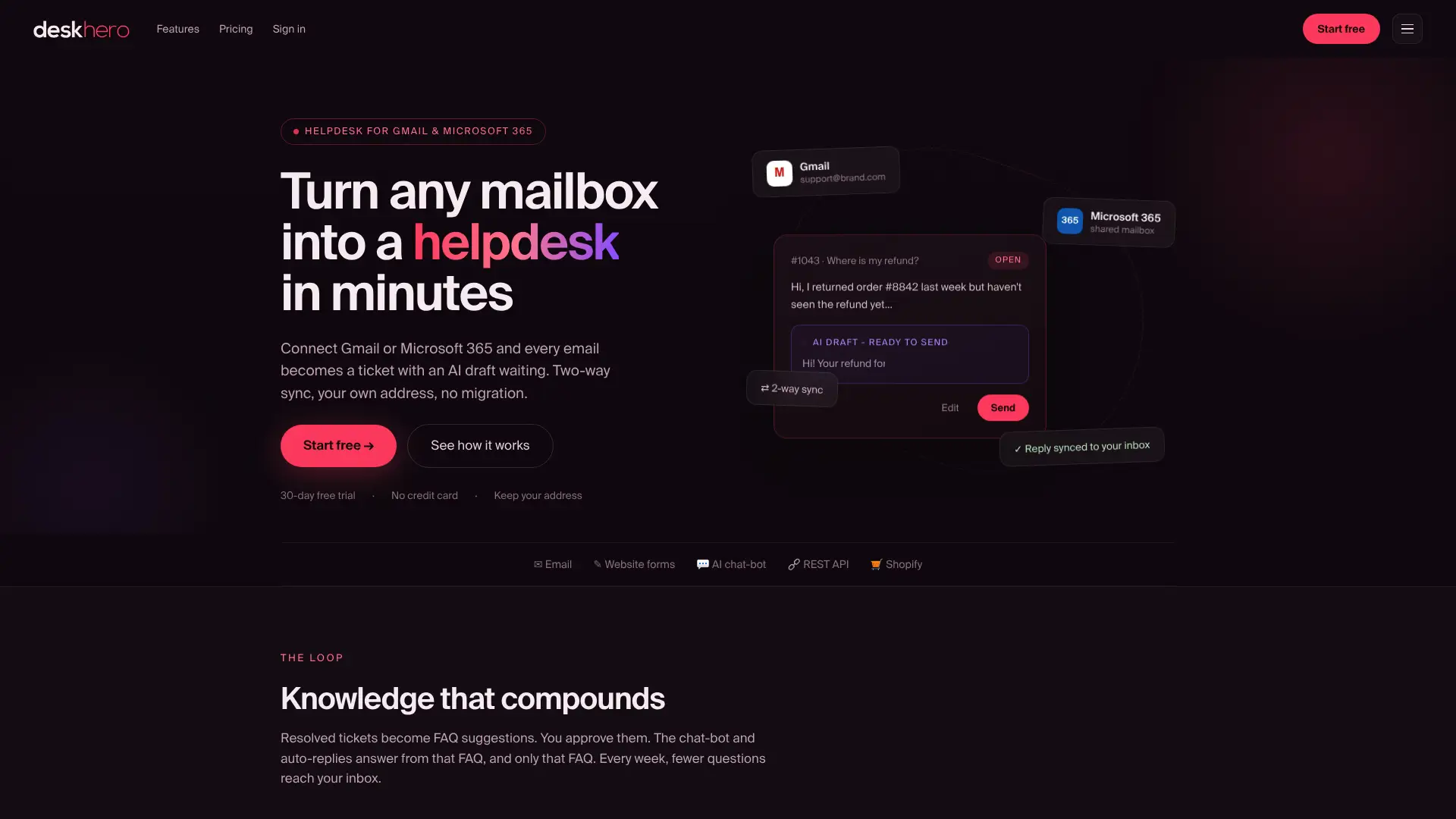
Connect a Gmail, Google Workspace, or Microsoft 365 mailbox and Deskhero turns incoming emails into tickets in a shared inbox. Suggested replies can use the workspace knowledge available to Users, while customer-facing AI auto-replies are restricted to approved public FAQ content and must be enabled for a group. Replies are sent from your company address. Automatic actions are labeled and logged, and Users can review and edit suggested replies before sending.
Deskhero offers a 30-day free trial with no credit card required. Learn more at deskhero.com.
Key Takeaways
Effective support emails combine a clear structure with an accurate next step and a specific restatement of the customer’s issue.
| Point | Details |
|---|---|
| Four-part structure | Acknowledge, Empathize, Act, Close is a useful checklist for routine support messages. |
| Speed with accuracy | A prompt acknowledgment helps when it includes a realistic next step and does not sacrifice accuracy. |
| Restate the issue | Writing the customer’s problem in your own words confirms understanding and makes a template feel relevant. |
| Escalation needs ownership | Say who is taking over, what information has already been captured, and when the next update is due. |
| Deskhero | Provides suggested replies from workspace knowledge so Users can review, personalize, and send faster. |
FAQ
What does a good support email address look like?
A support email address should normally use your company domain, such as support@yourcompany.com or help@yourcompany.com. This makes the sender easy to recognize and keeps support communication consistent with your brand.
How should a support email be structured?
A support email can follow four parts: acknowledge the issue, show that you understand it, explain the action and any customer steps, and close with what happens next. Use this framework as a checklist for routine scenarios, not as a rigid script.
What are the 5 C’s of email etiquette?
Definitions vary across style guides, but one common version is Clear, Concise, Correct, Courteous, and Complete. For support emails, that means focusing on the issue, removing unnecessary wording, checking facts, using a respectful tone, and including every necessary next step.
When should support move to another channel?
There is no universal four-email rule. Consider offering a call, chat, or screen share when repeated replies are not clarifying the issue, real-time troubleshooting would be faster, or the customer asks for another channel. Follow the customer’s preferences and your team’s security requirements.
When should you use a template versus writing a custom reply?
Use a template for routine scenarios such as acknowledgments, refunds, and closings, then personalize the issue summary, action, and timeline. Write a custom reply for emotionally charged situations, complex technical issues without a precedent, or accounts where relationship history requires a more tailored approach.