Best Freshchat Alternatives for SMB Support Teams (2026)

Freshchat is a capable conversational-support platform, but it is not the only fit for a small or mid-sized support team. The best alternative depends on whether you need live chat, email ticketing, broad channel coverage, or AI answers grounded in your own knowledge.
The short shortlist, by use case:
- Mailbox-first helpdesk: Deskhero connects Gmail, Google Workspace, and Microsoft 365 mailboxes to a shared ticket inbox.
- Large service platform: Compare Intercom and Zendesk when you need extensive workflows and are prepared to evaluate usage-based AI pricing.
- Zoho-centered customer engagement: Zoho SalesIQ combines live chat, visitor engagement, and Zoho CRM integration.
- Ecommerce chat: Tidio combines live chat with its Lyro AI product.
- Sales-led web conversations: Drift focuses on conversational sales use cases.
- Traditional live chat or helpdesk: Compare LiveChat, LiveAgent, and ProProfs Chat based on the channels and ticketing depth you need.
Deskhero is a particularly relevant option for teams that want to keep their existing email address. It offers a 30-day free trial with no credit card required. Its customer-facing AI chat-bot and automatic email replies answer only from approved public FAQ entries.
Before replacing Freshchat, write down the channels, routing rules, reports, and AI features you actually use. That list is more useful than comparing vendors by total feature count.

Table of Contents
- Which Freshchat alternatives should you compare first?
- What feature differences actually affect your choice?
- How do vendors price chat and AI, and what does it actually cost?
- How do you choose the right Freshchat replacement?
- Why Deskhero works well for Gmail and Office inbox teams
- Key Takeaways
- The trade-off most buyers get wrong
- Deskhero turns your inbox into a helpdesk, starting today
- Useful sources
- FAQ
Which Freshchat alternatives should you compare first?
The table below is a starting point, not a substitute for a trial. Vendor plans and packaging change, so verify current pricing and feature availability before buying.

| Tool | Best starting point | AI and automation | Main channels | Buying consideration |
|---|---|---|---|---|
| Deskhero | Teams that manage support through Gmail, Google Workspace, or Microsoft 365 | AI drafts use workspace knowledge. The chat-bot and automatic email replies use approved public FAQ entries only. | Email, embedded form, and AI chat-bot | Per-user monthly pricing has a three-user minimum. The chat-bot requires at least 100 approved public FAQ items. |
| Intercom | Teams seeking a broad customer-service platform with an AI layer | Fin AI is billed by outcomes under Intercom's current model. | Chat and email, with additional channels depending on the plan | Model expected AI outcomes as well as subscription costs. |
| Zendesk | Teams with complex service workflows and governance needs | AI capabilities include copilot and autonomous-resolution products. | Email, messaging, voice, and other channels depending on the product configuration | Implementation scope and outcome-based AI usage can affect total cost. |
| Zoho SalesIQ | Zoho customers that want website engagement and live chat | Offers codeless, programmable, and knowledge-based bot options. | Website and mobile chat plus supported messaging channels | Evaluate it alongside Zoho Desk if email ticketing is central to your workflow. |
| LiveChat | Teams focused primarily on staffed website chat | AI and bot capabilities may involve separate products or plan choices. | Website chat plus supported messaging integrations | Confirm the combined cost of chat, ticketing, and bot requirements. |
| Drift | B2B teams focused on sales conversations and qualification | Conversational automation supports sales-oriented flows. | Primarily web conversations | Support teams should test whether its workflow matches service ticketing needs. |
| Tidio | Small ecommerce teams seeking chat and AI in one product family | Lyro AI usage is packaged by conversation allowance. | Website chat and supported social channels | Check both human-handled conversation limits and Lyro allowances. |
| LiveAgent | Teams comparing traditional multichannel helpdesk products | Includes rules and automation, with AI availability depending on the current plan | Email, chat, voice, and supported social channels | Test the ticket workflow and channel setup with your own data. |
| ProProfs Chat | Small teams that want a straightforward website-chat product | Chatbot and automation options vary by package. | Website chat | Confirm whether you also need a separate helpdesk product. |
Pricing quick facts: Freshchat currently publishes a free tier for up to 10 Users and paid tiers priced per User when billed annually. Its Freddy AI Agent is metered by sessions. Intercom prices Fin by outcomes, while Tidio packages Lyro by conversation allowance. Deskhero charges per User per month with a three-user minimum and publishes separate plan quotas.
Watch the billing unit. A seat, session, conversation, resolution, and outcome are not interchangeable. Model your own monthly volume against each vendor's definition before comparing totals.
What feature differences actually affect your choice?
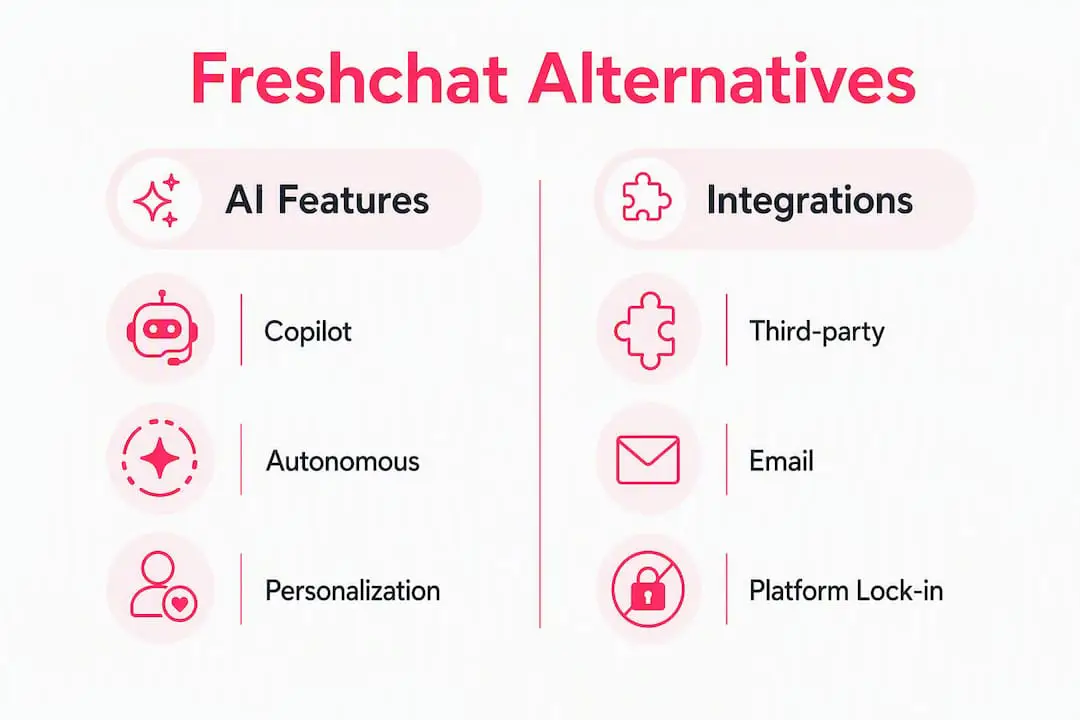
AI copilot vs. RAG-native autonomous resolution
An AI copilot drafts or improves a reply for a person to review. An autonomous AI system answers the customer directly. Those modes need different safeguards and often use different billing units.
Deskhero supports both patterns, but they use different knowledge scopes. Suggested replies for Users can draw on the workspace knowledge pool. The customer-facing AI chatbot and automatic email replies answer only from approved public FAQ entries. The chat-bot hands unresolved questions to an embedded form, and it cannot be enabled until the workspace has at least 100 approved public FAQ items.
Integrations and ecosystem lock-in
Start with the systems that must exchange data with support. A long marketplace list matters less than reliable support for your email provider, CRM, ecommerce platform, identity provider, and reporting workflow.
Deskhero provides two-way mailbox sync for Gmail, Google Workspace, and Microsoft 365. It also supports DNS-based mailboxes, although those use forwarding for inbound mail rather than two-way sync. Shopify is its packaged ecommerce integration, and a REST API is available for custom integrations.
Channel coverage trade-offs
Freshchat is designed for conversational support across web chat, email, social messaging, and other channels, depending on plan. Deskhero is narrower: customer questions arrive through email, an embedded form, or the AI chat-bot. Deskhero does not provide staffed live chat, voice, SMS, WhatsApp, or a native mobile app.
- Sales-led web chat: Drift remains a product to evaluate when pipeline generation is the main goal rather than email ticketing.
Migration checklist and realistic timeline
A replacement project can uncover dependencies that are easy to miss during a demo. Use this sequence:
- Audit Freshchat configuration. Record channels, routing rules, roles, reports, bots, and integrations.
- Export what you need. Decide whether conversation history, contacts, knowledge, and attachments must move.
- Map required fields. List statuses, priorities, groups, tags, and custom fields.
- Choose a cutover scope. Connecting an existing mailbox can avoid an email-address change, but historical Freshchat data may still require export and import work.
- Run a controlled pilot. Test real questions, handoffs, permissions, and reporting before moving all traffic.
- Prepare approved knowledge. Customer-facing automation is only as reliable as the content and governance behind it.
Pro Tip: Put every current Freshchat rule into a spreadsheet with its trigger, conditions, and action. Mark each rule as required, optional, or obsolete before rebuilding it elsewhere.
Pro Tip: Test data export early. A new tool can connect quickly while historical conversations, attachments, and reporting continuity still take time to address.
How do vendors price chat and AI, and what does it actually cost?
Common pricing models
Support products commonly combine per-user subscriptions with limits or charges for AI usage, conversations, outcomes, channels, or add-ons. A low seat price can therefore produce a higher total than a larger subscription with more usage included.
Freshchat's published annual prices currently start with a free tier for up to 10 Users, followed by Growth at $19 per User per month, Pro at $49, and Enterprise at $79. Freddy AI Agent is listed at $49 per 100 sessions, with an included trial allowance on paid plans. Treat these as a dated snapshot and verify the vendor page before purchase.
Pricing model comparison
| Model | Examples | What to forecast | Main risk |
|---|---|---|---|
| Per-user subscription | Freshchat paid tiers and Deskhero | Active Users, minimum seats, and plan quotas | Paying for unused seats or moving into a higher tier |
| Per-session AI | Freshchat Freddy AI Agent | How the vendor defines a session and how many are included | Usage packs increasing the total bill |
| Per-outcome AI | Intercom Fin | Outcome types, success criteria, and monthly volume | Different outcome types may carry different prices |
| Conversation allowance | Tidio Lyro | Monthly AI conversations and overage or upgrade rules | Reaching the allowance during busy periods |
TCO checklist
Build a total-cost model with your own traffic and staffing assumptions.
- User fees: current headcount, minimum-seat requirements, and expected growth.
- AI usage: sessions, conversations, resolutions, outcomes, and included allowances.
- Channel costs: voice, messaging, phone numbers, and third-party connector fees.
- Implementation: configuration, integration development, and data migration.
- Governance: time to review knowledge, test answers, and maintain permissions.
- Operations: staffing for handoffs and questions the automation cannot resolve.
Pricing warning: Ask each vendor to calculate a sample invoice from the same User count and conversation volume. A plan comparison without usage assumptions is not a meaningful cost comparison.
How do you choose the right Freshchat replacement?
Selection checklist
Use requirements that can be demonstrated during a trial.
- Core workflow: Decide whether your primary need is staffed live chat, email ticketing, an AI chat-bot, or a combination.
- Integration fit: Confirm native support for your required email, CRM, ecommerce, identity, and reporting systems.
- Billing clarity: Calculate subscriptions and usage charges at normal and peak volume.
- Channel coverage: Buy the channels customers use now, while checking that likely next channels are available.
- Knowledge controls: Test sources, approval workflows, citations, uncertainty handling, and human handoff.
- Security and residency: Review the vendor's current contracts and trust documentation against your own requirements.
Demo and trial questions to ask every vendor
- Which sources can each AI feature use?
- How is AI usage measured and billed?
- Can we keep our existing support email address?
- What happens when the AI does not have a confident answer?
- Can we export conversations, contacts, knowledge, and attachments?
- Which automated actions are logged?
- Which support commitments apply to our plan?
- Which parts of migration are automated, and which are manual?
- Which integrations are native?
- Can we pilot with a limited group or channel?
- What security and privacy documents are available?
- How do we approve, correct, and retire AI knowledge?
Red flags during demos and pilots
- The vendor cannot explain its usage meter in plain language.
- Data export omits attachments or important metadata.
- The mailbox connection changes the customer-facing sender unexpectedly.
- Automated actions cannot be reviewed in an audit trail.
- The AI answers beyond its configured sources without clear safeguards.
- A critical feature shown in the demo is not included in the quoted plan.
Pilot success metrics
Choose metrics the candidates can measure consistently. Do not compare a vendor's marketing definition with your own operational definition.
- First-response time: measured separately for human and automatic replies.
- Resolution time: based on the same start and stop conditions across tools.
- Human handoff rate: the share of automated conversations that still need a person.
- Answer quality: a manual review of a fixed set of representative questions.
- Total monthly cost: subscription, AI usage, channels, and required add-ons.
Why Deskhero works well for Gmail and Office inbox teams
Deskhero is designed around the existing support mailbox. It connects Gmail, Google Workspace, and Microsoft 365 through two-way sync, including Microsoft shared mailboxes. Replies continue to come from the company's own address. This avoids changing the email address customers already use, although moving historical data from Freshchat is a separate migration decision.
The AI features have distinct scopes. Suggested replies for Users can use answered tickets, imported sent mail, Internal KB content, approved public FAQ entries, scraped website pages, and Shopify product data. The AI chat-bot and automatic email replies are more restricted: they answer only from the approved public FAQ. Both customer-facing automation modes are opt-in, and the chat-bot requires at least 100 approved FAQ items.
Key product facts:
- Gmail, Google Workspace, and Microsoft 365 mailbox integration with two-way email sync
- AI-drafted replies for Users, with review before sending
- AI chat-bot grounded only in approved public FAQ entries, with form handoff when unresolved
- FAQ suggestions generated from resolved tickets and scraped pages for human review
- Automation rules for new-ticket routing, tagging, and other supported actions
- Internal knowledge base for Users and AI draft context
- 14 interface languages available to Users
- Shopify customer panel as the packaged ecommerce integration
- Google and Microsoft sign-in
- REST API and .NET SDK for custom integrations
- Statistics with fixed reporting tabs and Excel export
Deskhero is intentionally narrower than an omnichannel live-chat suite. It does not provide staffed live chat, voice, SMS, WhatsApp, a native mobile app, outbound webhooks, or a custom report builder.
A practical pilot starts by connecting one mailbox, reviewing imported knowledge, and creating an approved FAQ. Test AI drafts first. Test the customer-facing chat-bot only after the FAQ reaches the required 100 approved items.
Pro Tip: Separate the AI draft test from the chat-bot test. Draft suggestions can use the wider workspace knowledge pool, while customer-facing automatic answers use the approved public FAQ only.
Key Takeaways
Deskhero is a strong Freshchat alternative for mailbox-first teams. It is not a like-for-like replacement for every Freshchat channel or live-chat workflow.
| Point | Details |
|---|---|
| Choose the workflow first | Separate live chat, email ticketing, and customer-facing AI requirements before comparing tools. |
| Compare billing units | Seat, session, conversation, resolution, and outcome pricing produce different costs at scale. |
| Plan migration honestly | Keeping an email address can simplify cutover, but historical Freshchat data may still need migration work. |
| Test with fixed questions | Use the same representative questions and scoring method in every pilot. |
| Know Deskhero's scope | It covers email, embedded forms, and an FAQ-grounded AI chat-bot, but not staffed live chat or voice. |
The trade-off most buyers get wrong
The most common mistake is choosing by feature count. A smaller team may get more value from a focused workflow that its Users can operate confidently than from a larger platform whose extra channels and configuration remain unused.
The reverse is also true. A narrow mailbox-first product is a poor fit if staffed live chat, voice, WhatsApp, or a native mobile app is essential. Those are product-scope questions, not minor gaps to solve after signing.
AI billing also deserves its own model. Freshchat sessions, Intercom outcomes, and Tidio conversations are different units. Compare them using your own traffic distribution and include busy months.
Finally, distinguish quick mailbox connection from full migration. Connecting an existing Gmail or Microsoft 365 mailbox may take only a few steps. Recreating rules, importing history, validating permissions, and preserving reports can take longer.
The sensible shortlist is the smallest set of products that meets every mandatory workflow. Run the same test cases in each, review the invoice assumptions, and choose from evidence rather than category rankings.
Deskhero turns your inbox into a helpdesk, starting today
Deskhero connects an existing Gmail, Google Workspace, or Microsoft 365 mailbox to a shared ticket inbox. Customers continue writing to the same address, and replies come from that address.
Users receive AI-drafted replies for review. The optional chat-bot and automatic email replies use only approved public FAQ entries. When the chat-bot cannot answer confidently, it hands the visitor to an embedded form.
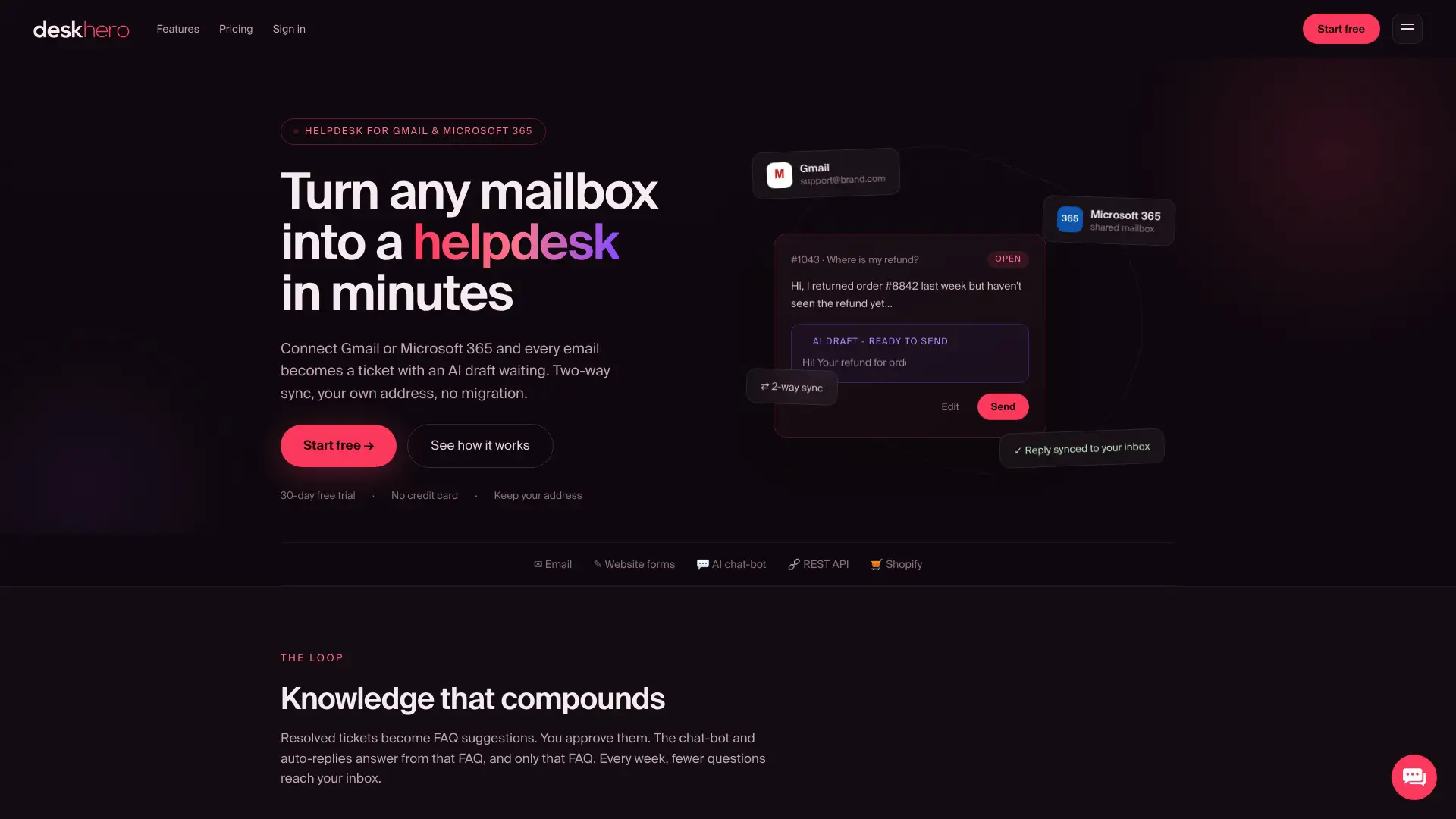
Deskhero uses monthly per-user pricing with a three-user minimum and plan quotas. The 30-day free trial requires no credit card. Shopify is the packaged ecommerce integration, and a REST API is available for custom work. See the Deskhero product site for current plan details.
Use the trial to validate mailbox sync, ticket workflow, AI draft quality, reporting, and export needs. If you plan to use the chat-bot, include the 100-approved-FAQ requirement in the rollout plan.
Useful sources
Review current vendor pricing and product documentation before buying. Independent comparison pages can help build a shortlist, but vendor documentation should decide whether a required feature and price are current.
| Type | Source |
|---|---|
| Independent product comparison | Freshchat alternatives on G2 |
| Independent product comparison | Freshchat alternatives on PeerSpot |
For pricing, AI metering, channel availability, security, and data residency, use each vendor's current official pages and contract documents.
FAQ
What is the difference between Freshchat and Freshdesk?
Freshchat is Freshworks' conversational-support product for web, mobile, email, and supported messaging channels. Freshdesk is centered on ticket-based customer support. Freshworks packaging changes over time, so check the current product pages if you need both.
How much does Freshchat cost per month?
Freshchat currently publishes a free tier for up to 10 Users. When billed annually, Growth is listed at $19 per User per month, Pro at $49, and Enterprise at $79. Freddy AI Agent is listed at $49 per 100 sessions. Verify the current pricing page because prices, allowances, and billing terms can change.
Is Freshchat a CRM tool?
Freshchat is a conversational-support product, not a full sales CRM. It can be connected to CRM and other business systems.
What is the fastest way to migrate from Freshchat?
The fastest safe approach is to define a limited first cutover, test it with real traffic, and move additional workflows after validation. A mailbox-first tool can let you keep your support email address, but historical Freshchat data and rules may still require migration work.
Which Freshchat alternative is best for small support teams?
There is no universal winner. Deskhero suits teams centered on Gmail, Google Workspace, or Microsoft 365 email. Tidio and LiveChat are more natural candidates for chat-first use cases, while Zoho SalesIQ is worth comparing for Zoho-centered customer engagement. Test the finalists against your required channels and billing volume.