The Best Re:amaze Alternatives for Ecommerce Teams in 2026

The best Re:amaze alternative depends on the work your support team actually does. Deskhero is a strong choice for email-first teams that want AI-drafted replies, a shared inbox, and customer-facing automation grounded in an approved public FAQ. Gorgias is aimed at ecommerce teams that need deeper Shopify workflows, while Zendesk offers a broad suite of channels and administration features. Smaller teams may prefer simpler inbox or chat products such as Help Scout, Tidio, or ProProfs Chat.
Quick shortlist:
- Deskhero: mailbox-first helpdesk with AI drafts, approved-FAQ chatbot and auto-replies, and a 30-day free trial
- Gorgias: ecommerce helpdesk with deep Shopify workflows
- Zendesk: broad omnichannel suite for teams with more complex routing and reporting needs
- Help Scout: shared inbox focused on straightforward team collaboration
- Tidio: chat-focused option for ecommerce websites
- Heeya: document-grounded chatbot sold separately from a full helpdesk
Table of Contents
- How do these Re:amaze alternatives compare at a glance?
- 1. Deskhero
- 2. Gorgias
- 3. Zendesk
- 4. Freshdesk
- 5. Intercom
- 6. Help Scout
- 7. Tidio
- 8. Richpanel
- 9. Zoho Desk
- 10. Front
- 11. Heeya
- 12. LiveAgent
- 13. Helpwise
- 14. Delight Chat
- 15. Kayako
- 16. ProProfs Chat
- 17. Enchant
- How do you choose the right Re:amaze replacement?
- How we evaluated these alternatives
- What does Re:amaze actually provide?
- Why Deskhero may be the best Re:amaze alternative for many teams
- Key Takeaways
- When switching from Re:amaze actually makes sense
- Deskhero: a direct Re:amaze alternative worth trialing
- Useful sources and vendor documentation
- FAQ
How do these Re:amaze alternatives compare at a glance?
| Tool | Best fit to investigate | Primary support model | Ecommerce angle |
|---|---|---|---|
| Deskhero | Email-first small and mid-sized teams | Shared inbox, AI drafts, FAQ-grounded automation | Shopify customer and order context in tickets |
| Gorgias | Shopify-centered support teams | Ecommerce helpdesk and automation | Deep Shopify workflows |
| Zendesk | Larger or operationally complex teams | Omnichannel customer service suite | Apps and integrations |
| Freshdesk | Teams comparing conventional ticketing suites | Email-first helpdesk or omnichannel product | Marketplace integrations |
| Intercom | Teams combining support and in-product messaging | Messaging, helpdesk, and AI | Ecommerce integrations available |
| Help Scout | Small teams prioritizing a simple inbox | Shared inbox and knowledge tools | Integration-based |
| Tidio | Chat-first ecommerce teams | Live chat and AI chat | Shopify and ecommerce focus |
| Richpanel | Retailers evaluating self-service | Helpdesk and customer self-service | Order and return workflows |
| Heeya | Teams seeking a document-grounded chatbot | AI chatbot rather than a full shared inbox | Website and ecommerce deployment |
| Other shared inboxes | Teams with narrower workflow needs | Email, chat, or messaging depending on product | Varies by integration |
Features and prices change. Confirm the current plan, channel coverage, integration depth, and usage limits on each vendor's site before buying.
1. Deskhero
Verdict: A strong option for small and mid-sized teams that want to turn an existing mailbox into a helpdesk and keep human review at the center of AI-assisted support.
Deskhero connects Gmail, Google Workspace, Microsoft 365, and other owned-domain addresses. Google and Microsoft connections support two-way synchronization, so replies can continue to come from the company's own address. The shared inbox includes ticket assignment, groups, tags, custom fields, private notes, automation on new tickets, and AI-drafted replies.
The product has two distinct knowledge paths. Suggested replies for Users can draw on workspace knowledge, including answered tickets, internal knowledge, approved FAQ content, scraped website pages, and Shopify product data. Customer-facing chatbot answers and optional AI auto-replies use only the approved public FAQ. The chatbot can be enabled after the workspace has at least 100 approved FAQ entries, and it hands unresolved questions to a form for human follow-up.
Deskhero also offers a Shopify panel that places customer and order context beside a ticket, interface support for 14 advertised languages, Google and Microsoft sign-in, a REST API, and a 30-day free trial. It does not include a native voice channel or a public help center.
Pros: Existing-mailbox setup, approved-FAQ controls for customer-facing automation, Shopify context, and a full shared inbox.
Cons: Chatbot activation requires 100 approved FAQ entries, human live chat and native voice are not included, and automations run only when new tickets are created.
2. Gorgias
Verdict: Put Gorgias near the top of the trial list when support work is tightly connected to Shopify orders and store operations.

Gorgias positions itself as an ecommerce helpdesk with Shopify-centered customer context, automation, and order workflows. That focus can reduce tab switching for store support teams. Its commercial model has included ticket and AI usage allowances, so test the expected monthly volume and overage behavior against the current pricing page.
Pros: Deep ecommerce positioning and Shopify workflows.
Cons: Costs can depend on conversation volume and selected AI capacity, so forecasting matters.
3. Zendesk
Verdict: A candidate for organizations that need a broad service suite across email, messaging, voice, and other channels.
Zendesk Suite combines ticketing, messaging, email, voice, live chat, reporting dashboards, and a marketplace of apps. The breadth is useful when a team needs formal routing and administration across several channels. It also means plan selection and rollout can require more work than a focused shared inbox.
Pros: Broad channel coverage, mature ticketing, reporting, and a large integration ecosystem.
Cons: Per-User pricing, add-ons, and implementation effort can make it more than a small team needs.
4. Freshdesk
Verdict: A conventional helpdesk choice for teams comparing ticketing, self-service, reporting, and automation in one product family.
Freshworks currently separates its email-first Freshdesk product from Freshdesk Omni, its multichannel offering. Paid Freshdesk plans add progressively stronger routing, analytics, customization, and administration. Freddy AI products may be bundled or sold as add-ons depending on the plan. Freshworks also advertises a limited free program, but its duration and seat limits should be checked before relying on it.
Pros: Established ticketing and automation with several plan levels.
Cons: The split between Freshdesk, Freshdesk Omni, and AI add-ons makes a careful plan comparison important.
5. Intercom
Verdict: Best investigated by teams that want support, in-product messaging, and an AI resolution product in the same platform.
Intercom combines a helpdesk with customer messaging and its Fin AI product. That can be useful for software companies and online businesses that want proactive and reactive conversations in one system. Pricing may combine seats, plans, and AI resolution usage, so a realistic trial should include expected human and automated volumes.

Pros: Strong messaging focus and an integrated AI offering.
Cons: The platform and pricing model may be excessive for a team that only needs a shared email inbox.
6. Help Scout
Verdict: A practical shortlist option for smaller teams that value a straightforward shared inbox.
Help Scout centers on email collaboration, customer history, internal notes, saved replies, and knowledge tools. Evaluate it when ease of daily use matters more than having the broadest set of channels or ecommerce actions.
Pros: Focused shared-inbox workflow and collaboration tools.
Cons: Teams needing deep store actions or a large enterprise service stack may need additional integrations or a different platform.
7. Tidio
Verdict: A chat-focused option for ecommerce sites that want live chat and AI assistance.
Tidio markets live chat, automation, and its Lyro AI product to online businesses, with ecommerce integrations including Shopify. Because AI capacity can be measured separately from ordinary chat usage, compare current allowances and overage terms with your actual traffic.
Pros: Ecommerce-oriented chat and a quick website deployment model.
Cons: It may be less natural for teams whose support workload is mainly email.
8. Richpanel
Verdict: Worth evaluating when order tracking, returns, and customer self-service are central to the support strategy.
Richpanel is positioned around ecommerce support and self-service experiences. Its approach can help customers complete common order-related tasks without starting a conventional ticket. Verify the supported store actions, AI options, and pricing components for the plan under consideration.
Pros: Ecommerce self-service and order-oriented workflows.
Cons: A retail-specific product may be a poor fit for non-commerce support teams.
9. Zoho Desk
Verdict: A natural product to compare when the company already uses Zoho applications.
Zoho Desk offers ticketing, automation, reporting, knowledge features, and connections to other Zoho products. The ecosystem connection is the main reason to include it in a trial. Confirm which AI, channel, and customization features are included at each tier.
Pros: Broad helpdesk feature set and Zoho ecosystem integration.
Cons: The value proposition is less distinctive outside the Zoho ecosystem.
10. Front
Verdict: A collaborative inbox for teams that want shared ownership of email and other business conversations.
Front organizes communication around shared inboxes, assignments, comments, rules, and collaborative drafting. Its model can appeal to support, operations, and account teams that want email to feel more like coordinated work than a traditional ticket queue.
Pros: Collaboration around shared communication and flexible inbox workflows.
Cons: Teams expecting a conventional helpdesk model should test the workflow carefully.
11. Heeya
Verdict: A document-grounded chatbot option, not a like-for-like replacement for a complete shared helpdesk.
Heeya's own comparison describes its product as a chatbot that retrieves from uploaded or crawled business content, uses flat plan pricing, and hosts conversation data in the EU. The same comparison says Heeya does not provide a shared ticket inbox or native order and refund write-backs. Treat it as a possible automation layer and verify its current limits, security documents, and escalation path directly with the vendor.
Pros: Document-grounded chatbot and published EU data-residency position.
Cons: It is narrower than a full helpdesk, and the cited comparison is published by Heeya itself.
12. LiveAgent
Verdict: A product to investigate when email, chat, and call-center functions are all required.
LiveAgent markets ticketing, live chat, a customer portal, and call-center capabilities in one product. Compare its current channel limits, integrations, and administration tools with the exact mix your team uses.
Pros: Multiple support channels in one suite.
Cons: Teams that do not need voice or live chat may prefer a more focused inbox.
13. Helpwise
Verdict: A shared-inbox candidate for small teams coordinating several communication channels.
Helpwise focuses on shared inboxes, assignment, collaboration, and workflow automation. It may suit a team whose main need is to bring business conversations into a common workspace. Verify the exact integrations and AI capabilities included in the chosen plan.
Pros: Shared communication and collaboration focus.
Cons: Ecommerce depth and advanced service-management needs should be tested rather than assumed.
14. Delight Chat
Verdict: A messaging-oriented option for ecommerce teams, particularly those that rely on WhatsApp and social conversations.
DelightChat is positioned for ecommerce customer support across messaging channels. It belongs on the shortlist when those channels drive the bulk of customer contact. Confirm current availability, platform integrations, message costs, and supported countries before committing.
Pros: Ecommerce and messaging focus.
Cons: It may not suit teams that need formal ticket administration or broad enterprise reporting.
15. Kayako
Verdict: A helpdesk option for teams that want customer conversations and history gathered into a common view.
Kayako has long emphasized a unified record of customer interactions. Because product packaging and development priorities can change, verify the current channel set, integrations, AI features, and roadmap during a trial.
Pros: Conversation history and customer context.
Cons: Current capabilities should be verified directly rather than inferred from older reviews.
16. ProProfs Chat
Verdict: A live-chat product for small teams that want website chat, chatbot tools, and optional co-browsing.
ProProfs Chat's comparison page presents the product as an alternative centered on chat and chatbot workflows. Review the live pricing page for current free-plan limits and confirm whether chat-first support covers enough of your team's workload.
Pros: Chat-first feature set and website engagement tools.
Cons: It is not automatically a substitute for a full email ticketing platform.
17. Enchant
Verdict: A focused helpdesk to consider when a small team wants email support and API access without a large suite.
Enchant positions itself as a straightforward support product with a shared inbox and developer access. Confirm its current integration catalog, automation options, and support channels against your requirements.
Pros: Focused helpdesk model and extensibility.
Cons: A narrower native feature set may require custom work or integrations.
How do you choose the right Re:amaze replacement?
Start with the work in your queue rather than a long feature list. A product that handles the common cases reliably is usually more valuable than one with many channels your customers never use.
- Channel mix: Measure the share of email, chat, social, messaging, and voice conversations.
- Ecommerce actions: List the order, return, refund, subscription, and customer actions Users must perform.
- AI knowledge: Separate AI drafts for Users from fully automatic customer-facing answers. Ask exactly which sources power each feature.
- Human control: Test what happens when the AI is uncertain, when knowledge conflicts, and when a customer asks for a person.
- Pricing: Model seats, tickets, conversations, AI resolutions, add-ons, and seasonal peaks.
- Migration: Confirm which tickets, contacts, macros, attachments, and knowledge items can actually be imported.
- Security and residency: Review the DPA, sub-processors, sign-in controls, retention settings, and hosting locations relevant to your company.
- Reporting: Verify the exact dashboards, exports, SLA controls, and filters needed by managers.
- Trial design: Use a representative sample of real tickets and measure answer quality, handling time, and escalation behavior.
Useful trial question: Ask every vendor to show an unsupported customer question, explain what the AI does next, and identify the source used for any answer.
How we evaluated these alternatives
This comparison groups products by their published positioning, channel model, ecommerce focus, AI knowledge model, and pricing shape. It does not claim that every platform received a hands-on test. Vendor pages and the linked comparison pages were checked during editing, but plan details can change after publication.
Use this article to build a shortlist, then validate the finalists with current documentation and a trial based on your own tickets. Self-published vendor comparisons are useful for discovering claims, but they are not independent evidence.
What does Re:amaze actually provide?
Re:amaze describes itself as an AI-powered customer-service platform for ecommerce and online businesses. Its published product covers a shared inbox, live chat, automated messaging, FAQ and help content, and ecommerce integrations. Current capabilities extend beyond a simple email inbox, so do not assume a competing product is an upgrade merely because it uses newer AI terminology.
Before switching, identify the specific Re:amaze limitation you need to solve. Common reasons to compare alternatives include deeper store actions, a different AI knowledge model, broader enterprise administration, a simpler email workflow, or a pricing structure that better matches expected usage.
Why Deskhero may be the best Re:amaze alternative for many teams
Deskhero is compelling for email-first teams that want to keep an existing address and add structured ticketing with AI support. It connects mailboxes, organizes work in a shared inbox, and produces AI draft suggestions from workspace knowledge.
Deskhero keeps customer-facing automation tied to reviewed content. The chatbot and optional AI auto-replies answer only from the approved public FAQ. When the chatbot cannot answer confidently, it moves the visitor toward human follow-up instead of relying on unrestricted workspace content.
That distinction matters. Deskhero's User-facing draft suggestions can use broader workspace knowledge, while chatbot and auto-reply answers cannot. The public FAQ therefore needs an active review process, and chatbot activation requires at least 100 approved entries.
Other relevant capabilities include two-way Google and Microsoft mailbox synchronization, groups, ticket assignment, private notes, new-ticket automations, translation tools, a Shopify panel, SLA policies, fixed Statistics views, and REST API access. Limitations include no human live-chat channel, no built-in voice channel, no public help center, and no scheduled or time-based automation rules.
Key Takeaways
| Decision | What to verify |
|---|---|
| Choose the support model first | Decide whether the team needs an email helpdesk, chat product, ecommerce operations tool, or enterprise omnichannel suite. |
| Separate drafts from automation | Ask which knowledge sources power User suggestions and which sources power customer-facing answers. |
| Model the full price | Include Users, tickets, AI usage, channels, add-ons, and seasonal peaks. |
| Test store workflows | Confirm whether the integration only shows order data or can perform the actions your team needs. |
| Use real tickets in the trial | Measure accuracy, escalation behavior, setup effort, and handling time on representative cases. |
When switching from Re:amaze actually makes sense
A switch makes sense when a documented requirement remains unmet after checking configuration, integrations, and the current plan. Examples include a required channel, order action, security control, reporting capability, or knowledge model that Re:amaze does not provide in the way your team needs.
Do not treat migration as a feature checkbox. Export a sample, verify how messages and attachments map into the new product, and confirm whether existing FAQ content, contacts, macros, and ticket history can be imported. Run both systems together only if the routing plan prevents duplicate replies and lost conversations.
The safest decision is based on a scored trial. Use the same real-world cases for each finalist, include an unsupported question for every AI feature, and calculate cost at both ordinary and peak volumes.
Deskhero: a direct Re:amaze alternative worth trialing
If your support work is primarily email and you want an existing Gmail, Google Workspace, or Microsoft 365 address to feed a shared helpdesk, Deskhero is worth a trial.
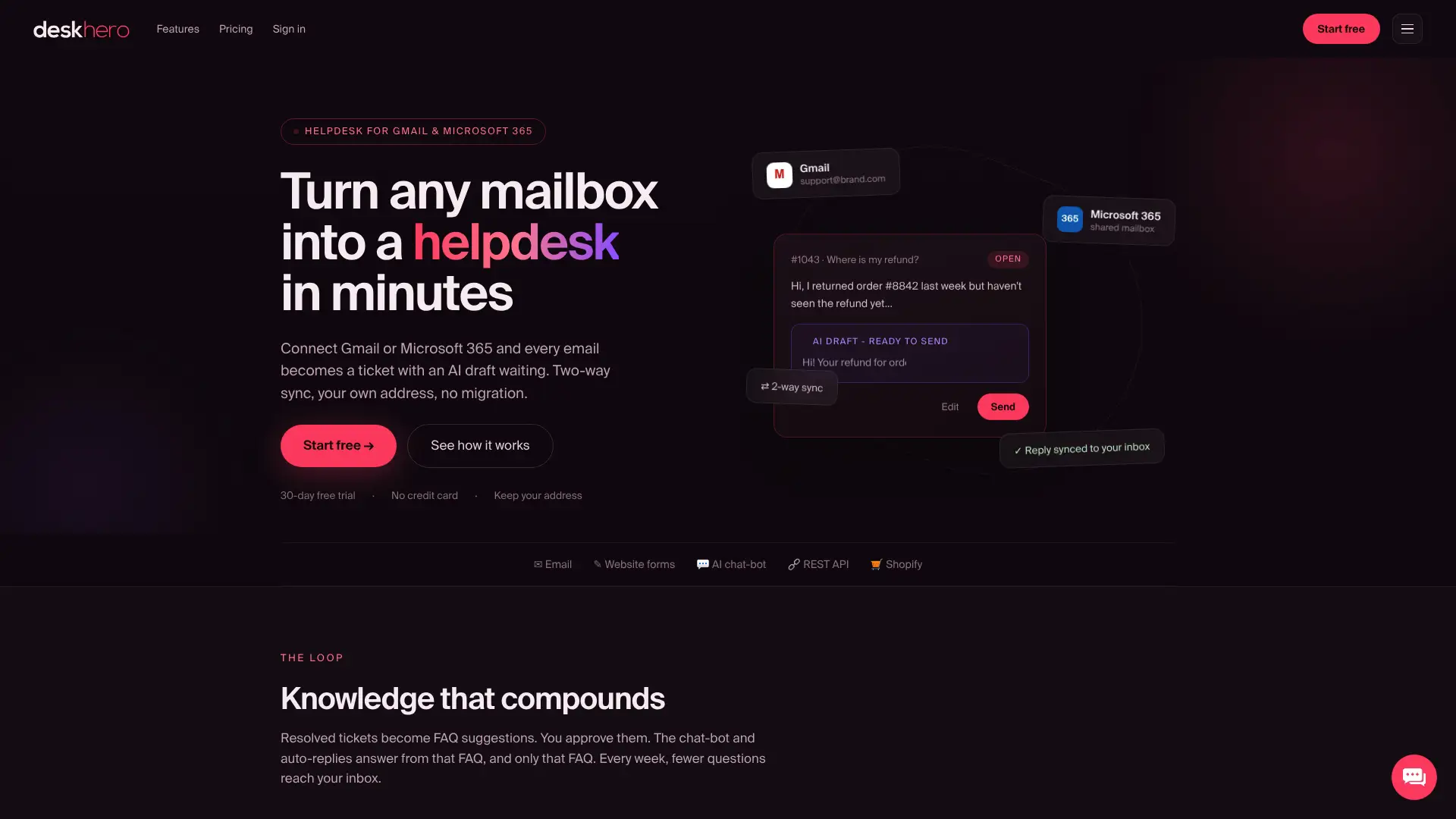
Connect a test mailbox, review how tickets are grouped and assigned, and evaluate AI draft suggestions on representative conversations. If customer-facing automation is part of the plan, remember that the chatbot requires at least 100 approved public FAQ entries. Both the chatbot and AI auto-replies use only that approved FAQ, while User-facing draft suggestions can use broader workspace knowledge.
The 30-day free trial provides time to test the mailbox workflow, Shopify panel, translation, SLA, Statistics, and API requirements. Confirm migration needs separately because connecting a mailbox is not the same as importing a complete Re:amaze ticket history.
Useful sources and vendor documentation
- Re:amaze product site: current product positioning and links to feature and pricing information.
- Heeya's Re:amaze comparison: vendor-authored claims about Heeya and several alternatives.
- ProProfs Chat's Re:amaze comparison: vendor-authored shortlist and product comparison.
- Deskhero articles: Deskhero product and customer-support guidance.
Vendor-authored comparison pages are not independent reviews. Confirm decisive claims with current product documentation, contract terms, and a trial.
FAQ
What is Re:amaze?
Re:amaze is a customer-service platform for ecommerce and online businesses. Its published product includes a shared inbox, live chat, automated messaging, FAQ and help content, and ecommerce integrations.
Is there a free alternative to Zendesk?
Some vendors offer free programs or trials, but limits and eligibility change. Compare the current Freshdesk, Zoho Desk, ProProfs Chat, and Deskhero offers directly. Deskhero advertises a 30-day free trial.
Which Re:amaze alternative is best for Shopify merchants?
It depends on the workflow. Gorgias is strongly centered on Shopify operations. Deskhero places Shopify customer and order context inside tickets while combining it with an email-first shared inbox and approved-FAQ automation. Trial the actual order actions your team performs before deciding.
What does RAG mean in a helpdesk context?
RAG means retrieval-augmented generation. The system retrieves relevant material from a defined knowledge source and uses it as context when generating an answer. RAG alone does not guarantee accuracy, so source scope, confidence behavior, review controls, and escalation still need testing.
How long does migrating from Re:amaze typically take?
There is no reliable universal duration. It depends on the volume and format of tickets, contacts, attachments, FAQ content, macros, integrations, routing rules, and training. Ask each vendor to demonstrate the import with a representative export before setting a schedule.