Best Help Scout Alternatives for Support Managers in 2026

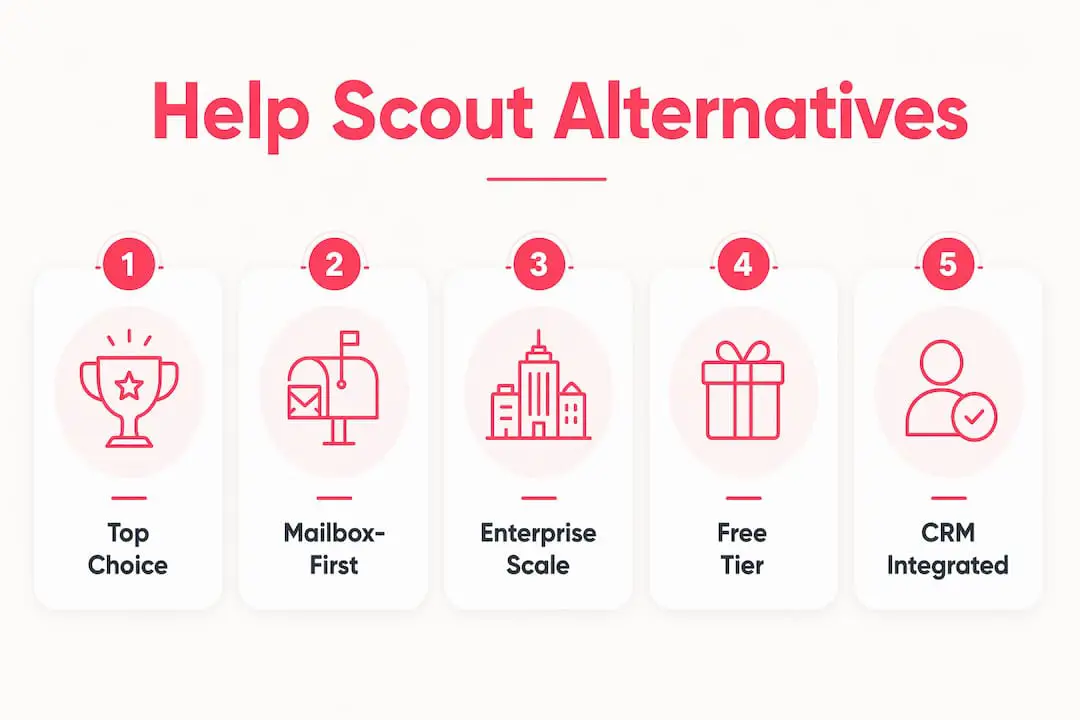
If you need the short answer right now: Deskhero is a strong pick for mailbox-first teams on Gmail or Microsoft 365, Zendesk for enterprise-scale ticketing, Gorgias for Shopify-heavy ecommerce, Intercom for chat-led product engagement, Hiver for Gmail-native shared inboxes, and Freshdesk for very small teams that can use its six-month free program.
Those six cover the most common reasons support managers go looking for Help Scout replacement options. The rest of this article fills in the gaps: pricing realities, AI cost traps, migration friction, and a decision framework you can actually use.
Quick-scan shortlist by use case:
- Mailbox-first / Gmail or Microsoft 365 teams: Deskhero, two-way email sync, no new address, AI drafts from workspace knowledge, 30-day free trial
- Enterprise ticketing at scale: Zendesk, deep SLA management, a large marketplace, and substantial administration
- Ecommerce / Shopify support: Gorgias, native Shopify context with ticket-volume and AI-outcome pricing
- Chat-first product engagement: Intercom, in-app messaging, product tours, and usage-priced Fin automation
- Gmail-native shared inbox: Hiver, lives inside Gmail, low onboarding friction, limited channel breadth
- Time-limited free program: Freshdesk, free for one or two Users for six months, with paid AI usage beyond included allowances
| Best for | Starting price | Free option? | AI included? |
|---|---|---|---|
| Mailbox-first (Gmail/M365) | From $29.85/month for three Users | Trial only | Yes |
| Enterprise ticketing | $19/User/month, billed yearly | No | Core AI included; usage limits apply |
| Ecommerce / Shopify | Ticket-volume pricing | No | Outcome-based charges |
| Chat-first engagement | $29/User/month plus Fin usage | No | Add-on (Fin) |
| Gmail-native inbox | Per-User pricing | No | Limited |
| Free-tier multichannel | Time-limited free program | Yes | Paid add-on |
Table of Contents
- How do the top Help Scout alternatives compare at a glance?
- Detailed breakdown: which tool fits your team?
- How were these alternatives selected and evaluated?
- How do you choose the right Help Scout alternative for your team?
- Why do teams leave Help Scout?
- Key Takeaways
- When an inbox-first approach is the smarter call
- Deskhero is worth a serious look before you commit elsewhere
- Sources and further reading
- FAQ
How do the top Help Scout alternatives compare at a glance?
The table below maps each pick across the dimensions that actually drive purchase decisions: channels, AI, price, integrations, and how painful the migration will be.
| Tool | Best for | Core channels | AI capabilities | Key integrations | Starting price | Free option | Scalability | Migration effort |
|---|---|---|---|---|---|---|---|---|
| Deskhero | Mailbox-first small/mid teams | Email, web form, AI chatbot | Drafts from workspace knowledge; chatbot and auto-replies from approved FAQ content | Gmail, Microsoft 365, Shopify, REST API, SSO | From $29.85/month for three Users | Trial only | Mid-market | Low |
| Zendesk | Enterprise / high-volume | Email, chat, voice, social | AI assistant, macros, intent detection | 1,000+ apps, Salesforce, Jira | $19/User/month, billed yearly | No | Enterprise | Medium to high |
| Freshdesk | Budget-conscious multichannel | Email, chat, phone, social | Freddy AI (paid add-on) | 650+ apps, Shopify, Slack | Time-limited free program | Yes | Mid to enterprise | Low to medium |
| Front | Collaborative team inboxes | Email, SMS, social, chat | Plan-dependent AI assistance | CRM, Salesforce, HubSpot | $25/User/month, billed yearly | No | Mid-market | Medium |
| Gorgias | Ecommerce / Shopify merchants | Email, chat, social, SMS | AI automation and macros | Shopify, WooCommerce, Klaviyo | Ticket-volume pricing | No | SMB to mid | Low to medium |
| HubSpot Service Hub | CRM-integrated service teams | Email, chat, phone | AI drafts, chatbot | HubSpot CRM (native), 1,000+ | Free tier for up to two Users | Yes (limited) | Mid to enterprise | Medium |
| Zoho Desk | Budget-friendly with CRM tie-in | Email, chat, phone, social | Zia AI (paid tiers) | Zoho CRM, Salesforce, Slack | Region-dependent paid editions | Yes (3 Users) | Mid to enterprise | Low to medium |
| Intercom | Chat-first / product-led growth | Live chat, in-app, email | Fin, summaries | Salesforce, Stripe, Segment | $29/User/month plus Fin usage | No | Mid to enterprise | Medium |
| Hiver | Gmail-native teams | Email in Gmail; Hiver Omni is separate | AI drafts, summarization | Gmail, Slack, Zapier | Per-User pricing | No | SMB | Low |
| Tidio | Live chat + lightweight bot | Live chat, email, Messenger | Lyro AI chatbot | Shopify, WordPress, Wix | Limited free plan | Yes | SMB | Low |
| eesel AI | AI layer for an existing helpdesk | Connected helpdesk and chat channels | AI handling for tickets and chat sessions | Zendesk, Freshdesk, Intercom, Slack, Notion | $0.40 per regular support task | $50 usage credit | Usage-based | Low to medium |
Pricing models to watch. Seat pricing scales with team size, while ticket, conversation, and outcome pricing scale with usage. Gorgias bills the helpdesk by ticket volume and adds outcome-based AI charges. Intercom combines seat pricing with Fin outcome charges. Always model your actual monthly ticket volume and likely AI usage before signing.
Free tier vs. free trial: Zoho Desk and HubSpot Service Hub offer ongoing free tiers with limits. Freshdesk currently offers a free program for one or two Users for six months. Deskhero, Intercom, and Front offer time-limited trials. An ongoing free tier supports longer evaluation, while a trial or time-limited program has a fixed decision window.
Detailed breakdown: which tool fits your team?
Deskhero, best for mailbox-first small and mid-sized teams
If your team already lives in Gmail or Microsoft 365, Deskhero is the fastest path to a real helpdesk without disrupting how you send email. Connect an existing Gmail or Microsoft 365 mailbox, and incoming messages can flow into a shared inbox. Replies go out from your company address because of two-way email sync, not a forwarding alias.

What separates Deskhero from most alternatives is how it handles AI. The chatbot and AI auto-replies draw only from the approved public FAQ and hand off when they cannot answer confidently. Suggested reply drafts can use the wider workspace knowledge pool, including answered tickets, internal knowledge, approved FAQ content, scraped pages, and Shopify product data. Nothing goes out automatically unless you opt in, and every automated action is labeled and logged.
Key features:
- Two-way email sync (Gmail and Microsoft 365), replies come from your own domain
- AI reply drafts from workspace knowledge, plus a chatbot grounded only in the approved public FAQ
- Auto-replies, automation rules, and internal knowledge base
- Shopify customer panel with order context
- A User interface available in 14 supported languages
- Google and Microsoft SSO, full REST API
- Ticket insights map and analytics
Pros:
- Low setup friction, with no new email address or conversation export required to begin
- Customer-facing AI answers restricted to the approved public FAQ
- 30-day free trial, no credit card needed
Cons:
- No native voice or WhatsApp channel
- No public customer help center or ticket-status portal
- No live chat with human Users; the widget is a bot with email handoff
Pricing: Paid subscription tiers based on user count; 30-day free trial with no credit card required. AI features are included, not sold as a separate add-on.
Integrations: Gmail, Google Workspace, Microsoft 365, Shopify, REST API, Google SSO, Microsoft SSO.
Migration effort: Low. Because Deskhero syncs your existing mailbox, there is no email routing reconfiguration and no conversation import required to get started.
Who should test it: Small or mid-sized support teams using Gmail or Microsoft 365 that want AI-assisted support, customer-facing answers restricted to approved FAQ content, and no per-resolution Deskhero AI charge.
Zendesk, best for enterprise ticketing at scale
Zendesk is a strong candidate when ticket volume, SLA complexity, or compliance requirements push past what lighter tools can handle. It supports email, chat, voice, and social channels in one place, and its marketplace of more than 1,000 apps provides a broad integration ecosystem.
Key features:
- Omnichannel: email, live chat, voice, social, messaging
- Advanced SLA policies, routing rules, and escalation paths
- AI assistant with intent detection and suggested replies
- Robust reporting and custom dashboards
- Large app marketplace
Pros:
- Designed for high-volume support operations
- Deep SLA and compliance tooling
- Huge integration ecosystem
Cons:
- Steep learning curve and significant admin overhead
- Automated-resolution allowances and optional Copilot capabilities can raise total cost
- Can require more administration than a small team needs
Pricing: Support Team starts at $19/User/month when billed yearly. Zendesk includes core AI capabilities and baseline automated-resolution allowances, with charges or add-ons for additional usage and capabilities.
Migration effort: Medium to high. Importing conversation history, reconfiguring routing, and training Users on a new UI takes real time.

Freshdesk, best free-tier option for multichannel teams
Freshdesk currently offers a six-month free program for one or two Users with ticketing, a knowledge base, and prebuilt reports. Paid plans add broader capabilities, while Freddy AI usage has its own allowances and charges.
Key features:
- Six-month free program for one or two Users
- Email, chat, phone, and social channels
- Freddy AI (paid tiers) for suggested replies and summarization
- An app marketplace that includes ecommerce and collaboration integrations
- SLA management and canned responses
Pros:
- Useful time-limited program for very small teams
- Email and social ticketing in the free program
- Low migration friction from Help Scout
Cons:
- AI is a paid add-on, not included in base tiers
- Reporting depth lags behind Zendesk at higher volumes
- UI can feel cluttered as ticket volume grows
Pricing: Free for one or two Users for six months; paid ticketing plans start at $19/User/month when billed annually.
Migration effort: Low to medium. Freshdesk provides import options, but teams should test conversation and attachment handling before a full move.
Front, best for collaborative team inboxes
Front treats every support channel as a shared inbox with threaded conversations, internal comments, and assignment rules. It suits teams that handle a mix of email, SMS, and social without wanting to rebuild their entire workflow around a ticketing system. AI features vary by plan and add-on.
Key features:
- Shared inbox for email, SMS, social, and chat
- Internal comments and @mentions on threads
- AI assistance, depending on plan and add-on
- CRM integrations (Salesforce, HubSpot)
- Analytics and SLA tracking
Pros:
- Familiar inbox UI reduces User training time
- Strong collaboration features (comments, assignments)
- Good CRM integration depth
Cons:
- Pricing jumps significantly between tiers
- Less suited to high-volume ticket routing than Zendesk
- Several AI capabilities are add-ons on lower plans
Pricing: Starts at $25/User/month when billed annually, for up to ten seats.
Migration effort: Medium. Email routing and conversation history import require setup time.
Gorgias, best for ecommerce and Shopify merchants
Gorgias is purpose-built for online merchants. Its native Shopify panel surfaces order data, shipping status, and customer history directly inside each ticket, so Users spend less time tab-switching. Ecommerce integrations like this are a genuine differentiator for merchants where most queries are order-related.
Key features:
- Native Shopify, WooCommerce, and BigCommerce panels
- Order context and customer history in every ticket
- AI assistant for eligible order and policy questions
- Social and SMS channels
- Macro-based automation
Pros:
- Deep Shopify integration
- AI automation can handle eligible repetitive order queries
- Built around ecommerce support workflows
Cons:
- Pricing is per ticket volume, not per seat, costs rise with order volume
- Less suited to SaaS or non-ecommerce support
- AI assistant adds an outcome-based charge when it fully resolves a conversation
Pricing: Helpdesk pricing scales with ticket volume. AI assistant is billed separately when it fully resolves a conversation.
Migration effort: Low to medium for Shopify merchants already using email-based support.
HubSpot Service Hub, best for CRM-integrated service teams
If your sales and support teams share a CRM, HubSpot Service Hub keeps tickets, contacts, and deal history in the same platform. A free tier supports up to two Users, while the Professional tier adds the full help desk workspace and Customer Agent capabilities.
Key features:
- Native HubSpot CRM integration
- Shared inbox, ticketing, and live chat
- Customer Agent and advanced help desk capabilities on Professional+
- Knowledge base and customer portal
- 1,000+ integrations via HubSpot marketplace
Pros:
- Keeps support and CRM records in one platform
- Free tools for up to two Users
- Strong reporting tied to revenue data
Cons:
- Full AI features require Professional tier (significant price jump)
- Overkill if you do not use HubSpot CRM
- Can become expensive as contacts and seats grow
Pricing: Free for up to two Users; Professional starts at $90/User/month when billed annually and has a required onboarding fee.
Migration effort: Medium. Conversation import is supported; CRM mapping takes configuration time.
Zoho Desk, best budget-friendly option with CRM integration
Zoho Desk offers a free tier for up to three Users, plus paid editions with broader channel, automation, SLA, and AI capabilities. Zia, Zoho’s AI assistant, is available on higher tiers and handles suggested replies and sentiment analysis.
Key features:
- Time-limited free program (up to 3 Users)
- Email, chat, phone, and social channels
- Zia AI (paid tiers) for suggestions and sentiment
- Native Zoho CRM integration
- SLA management and workflow automation
Pros:
- A free tier for up to three Users
- Solid CRM integration if you use Zoho ecosystem
- Broader channel support on paid editions
Cons:
- UI is less polished than Zendesk or Front
- Zia features depend on the selected paid edition
- Best value only if you are already in the Zoho ecosystem
Pricing: Free for up to three Users; paid pricing varies by edition, billing term, and region.
Migration effort: Low to medium. CSV import and a documented Help Scout migration path are available.
Intercom, best for chat-first product-led teams
Intercom is designed for SaaS teams that want to blend support with onboarding and product engagement. Its Fin can automate eligible routine queries, and in-app messaging lets support happen inside the product itself. Product-first platforms add session context and bug-report data that email-only tools simply cannot match.
Key features:
- In-app messaging and product tours
- Fin for automated outcomes
- Live chat, email, and in-app channels
- Customer data platform with event tracking
- Salesforce, Stripe, and Segment integrations
Pros:
- Strong in-app engagement and onboarding tooling
- Fin can handle eligible queries across supported channels
- Strong product and CRM integration depth
Cons:
- Expensive at scale; Fin adds outcome-based usage charges to seat fees
- Email-first teams get less value from the product tour features
- Steeper learning curve than inbox-first tools
Pricing: Essential starts at $29/User/month before promotional discounts, and Fin is billed from $0.99 per outcome.
Migration effort: Medium. Conversation import is available; in-app setup requires developer involvement.
Hiver, best for Gmail-native shared inboxes
Hiver in Gmail adds shared-inbox workflows inside Gmail. Users can assign emails, add internal notes, and manage support work from a familiar interface. Hiver also sells a separate Omni product for broader channels and email providers.
Key features:
- Gmail-native interface (no new app to learn)
- Shared inbox with assignments and notes
- AI assistance, depending on plan and add-on
- AI assistance on paid plans
- Workflow and collaboration integrations
Pros:
- Familiar workflow for teams already centered on Gmail
- A familiar interface for Google Workspace teams
- SLA capabilities depend on the selected product and plan
Cons:
- Hiver in Gmail is limited to Gmail; Microsoft and other providers require Hiver Omni
- Channel breadth is limited at entry tiers
- Less suitable as team size or ticket complexity grows
Pricing: Hiver uses per-User plans; verify current regional pricing before purchase.
Migration effort: Low to medium. Test mailbox connection, historical conversation handling, and any move between Hiver in Gmail and Hiver Omni before rollout.
Tidio, best lightweight live chat with a bundled bot
Tidio is one option for small teams that need live chat and a basic AI bot without the overhead of a full helpdesk. Its Lyro AI answers from supplied support content. Tidio also has a limited free plan, while paid support plans are usage-based. It integrates with Shopify, WordPress, and Wix out of the box.
Key features:
- Live chat and AI chatbot (Lyro)
- Limited free live-chat plan
- Shopify, WordPress, and Wix integrations
- Email and Messenger channels
- Basic analytics
Pros:
- Easy setup for non-technical teams
- Limited ongoing free plan for light live-chat use
- Lyro handles repetitive questions without User involvement
Cons:
- Not a full helpdesk, no deep ticketing or SLA management
- Scales poorly beyond small teams
- Reporting is basic compared to Freshdesk or Zendesk
Pricing: A limited free plan is available. Paid support plans start at $24.17/month when billed annually, with usage allowances.
Migration effort: Low. Primarily a chat tool, so migration from Help Scout is minimal.
eesel AI, best for adding AI to an existing helpdesk
eesel AI connects to existing helpdesks and knowledge sources rather than replacing the ticketing platform. Its listed integrations include Zendesk, Freshdesk, Intercom, Slack, Notion, and Shopify. Teams can run it in a review-first mode before enabling automated handling.
Key features:
- AI handling for support tickets and chat sessions
- Connections to helpdesks, collaboration tools, and knowledge sources
- Usage controls that pause processing at a configured limit
- No per-seat fee or monthly minimum on standard usage pricing
Pricing: Regular support tasks are listed at $0.40 each. New accounts receive $50 in usage credit without a credit card.
Migration effort: Low to medium. The helpdesk remains in place, but knowledge access, permissions, review rules, and escalation behavior still need testing.
Pro Tip: Before finalizing your shortlist, check whether each vendor’s AI feature is included in the base plan or billed separately. Per-resolution AI charges are the most common source of bill shock when ticket volume spikes.
How were these alternatives selected and evaluated?
Use a consistent set of criteria to build a shortlist. The following checks make vendor comparisons more concrete.
Evaluation criteria:
- Channel coverage: Does it handle the channels your team actually uses (email, chat, social, voice)?
- AI capabilities: Is AI included in the base plan, or is it a per-resolution add-on? Can you control what the AI draws from?
- Pricing transparency: Are all tiers and AI charges publicly listed without a sales call?
- Migration friction: How hard is it to move conversation history, routing rules, and knowledge base content?
- Integrations: Does it connect to your CRM, ecommerce platform, and authentication provider?
- SLA and reporting: Can you track first-response time, resolution time, and CSAT without a custom build?
- Admin complexity: How long does it take a non-technical admin to configure the tool?
- Security and SSO: Is Google or Microsoft SSO available without an enterprise contract?
For mailbox-first teams, give extra attention to migration friction and two-way email behavior. Before choosing a plan, confirm current pricing and model AI usage against your own ticket volume.
How to read the verdicts: Each “best for” label describes the use case where a tool is most relevant, not a universal ranking. A tool suited to ecommerce may be a poor fit for a SaaS team with no storefront integration. Match the label to your team’s dominant workflow, then validate it with a two-to-four-week pilot.
Treat a new platform as part of your operating workflow. Check how it centralizes customer context and where it still requires handoffs to other tools.
How do you choose the right Help Scout alternative for your team?
Start with use case, then filter by migration friction and AI cost exposure. That order matters because the best-featured tool is worthless if it takes three months to migrate and doubles your monthly bill.
Step-by-step decision checklist:
- Map your dominant channel. If most of your tickets arrive by email, a mailbox-first tool like Deskhero or Hiver will outperform a chat-first platform like Intercom for your team’s daily workflow.
- Count your Users and model seat costs. Per-seat pricing scales linearly; flat workspace pricing favors larger teams. Run the math at your current headcount and a realistic growth scenario.
- Audit your CRM and ecommerce integrations. If you run Shopify, native order context (Gorgias, Deskhero’s Shopify panel) saves Users real time. If you run HubSpot CRM, Service Hub removes a data handoff entirely.
- Assess your AI goals and risk tolerance. Do you want AI to draft replies for User review, or to resolve tickets autonomously? Autonomous resolution is faster but carries hallucination risk if the AI is not grounded in approved content.
- Check your budget shape. Identify whether AI is included or billed per resolution. Model the cost at your peak ticket volume, not your average.
- Confirm SSO and security requirements. SSO availability varies by vendor and plan. If your IT policy requires SSO, verify it is not locked behind an enterprise contract.
Questions to ask vendors during trials and demos:
- How does data migration work, can you import conversation history and attachments?
- What does the AI draw from, and can you restrict it to approved content only?
- How are SLA breaches surfaced to managers in real time?
- What is the admin overhead for adding a new channel or automation rule?
- What is your support SLA for customers on the plan we are evaluating?
Red flags to watch for:
- AI pricing that is opaque or requires a sales call to understand
- No true two-way email sync (replies come from a platform address, not your domain)
- Forced workspace-level pricing that penalizes you for adding a single User
- Required multi-tool assembly just to cover basic email and chat
Pilot scope and timeline. A short, time-boxed pilot can expose workflow and migration issues. Migrate one inbox or one ticket category first, not your entire operation. Track three metrics: time-to-first-response, time-to-resolution, and User ramp time (how long before a new User handles tickets independently). If all three improve or hold steady, the tool is a fit.
Example decision flow. A small SaaS support team handling mostly email with a Shopify store on the side needs two-way email sync, basic AI drafting, and a Shopify order panel. Deskhero covers all three with low migration friction and no per-resolution AI charge. If that same team had much higher ticket volume and needed voice support, Zendesk or Freshdesk would be the more appropriate shortlist.
Why do teams leave Help Scout?
Help Scout now covers shared inboxes, live chat, SMS, major social messaging channels, knowledge bases, workflows, SLA policies, reporting, and AI. The case for switching is therefore about fit and cost, not a blanket lack of capability.
Reasons to compare alternatives:
- Mailbox connection model: Teams may prefer a product that directly syncs an existing Gmail or Microsoft 365 mailbox
- AI pricing: Help Scout AI Answers is priced per resolution after its introductory trial, while competing tools use different AI billing models
- Voice requirements: Help Scout provides phone and voice through integrations rather than as a built-in channel
- Plan fit: SLA policies, routing, SSO, and workflow allowances differ across Help Scout plans
- Ecommerce depth: Storefront-focused teams may prefer a product built around Shopify order context and actions
Switching platforms is not free. You will spend time reconfiguring routing rules, retraining Users on a new UI, and rebuilding automation workflows. The administration cost is real, and it is worth factoring into your total cost of ownership alongside the monthly subscription fee. Underestimating administration and retraining costs can make a second migration more likely.
Pro Tip: Run a parallel inbox pilot before cutting over. Export your Help Scout conversations in scoped batches (by tag or date range) rather than all at once. This limits the blast radius if something goes wrong and lets you validate the new tool on real traffic without risking your primary support queue.
Key Takeaways
Choosing the right Help Scout alternative comes down to matching your dominant channel, AI cost model, and migration constraints to the tool that fits your team’s actual workflow, not the one with the longest feature list.
| Point | Details |
|---|---|
| Match tool to dominant channel | Mailbox-first teams may prefer Deskhero or Hiver, while chat-first teams may prefer Intercom. |
| AI pricing varies widely | Some tools charge per resolution; Deskhero includes AI in the base plan with no per-resolution fees. |
| Free tiers exist | Zoho Desk and HubSpot Service Hub offer ongoing free tiers. Freshdesk offers a six-month free program for one or two Users. |
| Pilot before committing | A two-to-four-week pilot can test response time, resolution time, and workflow fit before a wider move. |
| Deskhero for mailbox-first teams | Deskhero connects Gmail or Microsoft 365 to a shared helpdesk, with customer-facing AI grounded in the approved public FAQ and a 30-day free trial. |
When an inbox-first approach is the smarter call
The conventional wisdom in support software circles is that more channels and more AI automation always mean better outcomes. That framing sells enterprise platforms well. It does not always serve small and mid-sized teams well.
The teams that struggle most after switching to a feature-heavy platform are not the ones who lacked ambition. They are the ones who underestimated how much operational drag comes with complexity. Every new channel is a new queue to manage. Every AI feature that fires autonomously is a potential trust problem with a customer if it gets the answer wrong. Every integration that requires a developer to maintain is a hidden cost that does not show up in the per-seat price.
The inbox-first model, done well, can reduce that drag. When the workflow resembles the email environment your team already uses, User ramp time can be shorter. In Deskhero, draft suggestions can use workspace knowledge, while the chatbot and AI auto-replies answer only from the approved public FAQ and hand off when they cannot answer confidently. Two-way sync also keeps replies coming from your company address.
Low-friction tools can improve time to first response and time to resolution sooner when they match the team’s actual workflow. That is not an argument against Zendesk for a large operation. It is an argument for being honest about what your team actually needs before signing a two-year contract.
Deskhero is worth a serious look before you commit elsewhere
Many helpdesk pilots involve email routing, imports, or a new sending configuration. Deskhero can instead connect an existing Gmail or Microsoft 365 mailbox. Replies continue to go out from the company address, and a team can begin without importing its full conversation history.
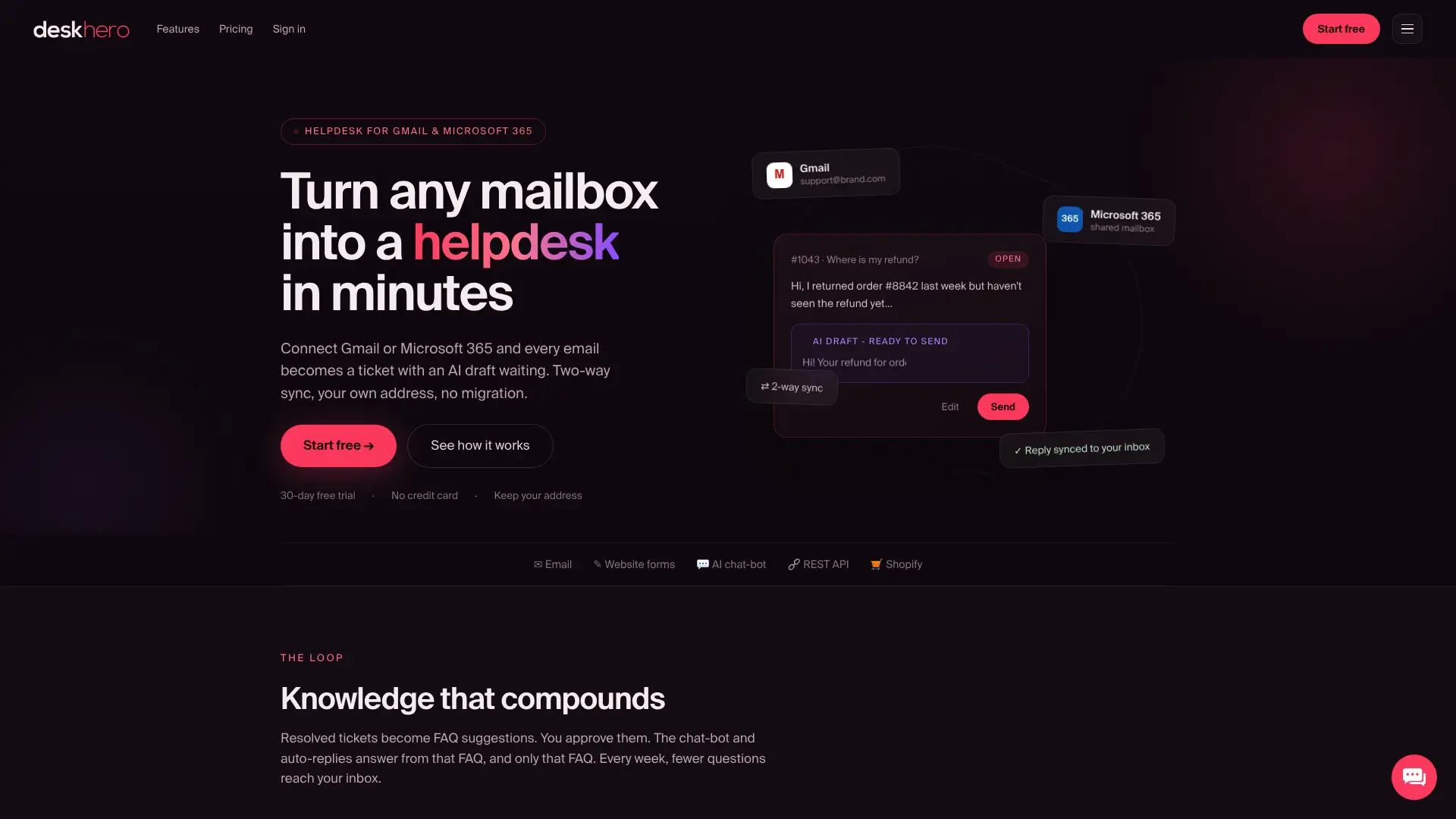
The AI in Deskhero is worth understanding before you compare it to competitors. Suggested reply drafts can use the wider workspace knowledge pool, while the website chatbot and AI auto-replies answer only from the approved public FAQ. The chatbot hands off when it cannot answer confidently. Nothing is sent automatically unless you opt in, and every automated action is labeled and logged. That separation between draft knowledge and customer-facing FAQ knowledge is an important control to test during a pilot.
What to pilot in your first 30 days:
- Connect your primary support mailbox and assign two to three Users
- Build and approve at least 100 public FAQ items before activating the AI chatbot
- Track time-to-first-response and resolution time against your Help Scout baseline
- If you run Shopify, enable the Shopify customer panel and measure how often Users need to tab-switch for order context
Deskhero’s 30-day free trial requires no credit card. Start the pilot at Deskhero’s website and measure the difference against your current baseline before making any final decision.
Sources and further reading
- Deskhero product overview, mailbox, trial, and AI positioning
- Help Scout pricing and plan comparison
- Zendesk pricing and Zendesk Marketplace
- Freshdesk pricing
- Front pricing
- Gorgias pricing
- HubSpot Service Hub pricing
- Zoho Desk pricing
- Intercom pricing
- Hiver Omni pricing
- Tidio pricing
- eesel AI pricing
FAQ
What is the best free alternative to Help Scout?
Zoho Desk offers an ongoing free tier for up to three Users, and HubSpot Service Hub is free for up to two Users. Freshdesk currently offers a six-month free program for one or two Users rather than an indefinite free tier.
How is Gorgias different from Help Scout?
Gorgias is purpose-built for ecommerce merchants and surfaces Shopify order data directly inside each ticket. Help Scout is a general-purpose shared inbox; Gorgias trades that breadth for deep storefront integration and per-ticket-volume pricing that suits high-order-frequency merchants.
What companies typically use Help Scout?
Help Scout serves teams that want a shared inbox, live chat, knowledge base, workflows, and reporting in one support platform. Its current plans span a free tier for up to five Users through paid plans for larger and more complex operations.
Is there a free alternative to Zendesk?
Zoho Desk offers an ongoing free tier for up to three Users, while HubSpot Service Hub is free for up to two Users. Freshdesk currently offers a six-month free program for one or two Users.
Does Deskhero work without changing your email address?
Yes. Deskhero syncs your existing Gmail or Microsoft 365 mailbox with two-way sync, so replies continue to come from your company address. No new email address is required for a Gmail or Microsoft 365 pilot.