Best Intercom Alternatives in 2026: Pricing and AI Guide

For small and mid-sized SaaS teams, the best Intercom alternative is usually the one whose pricing, channels, and AI controls fit the way support actually works. Deskhero belongs on that shortlist for email-first teams: it turns an existing Gmail or Microsoft 365 mailbox into a shared helpdesk and keeps customer-facing AI grounded in approved public FAQ content.
Three commercial models are worth evaluating first:
- Per-user plans: the bill follows support-team size, with possible charges for AI or higher usage
- Volume-based plans: the bill follows tickets, conversations, or successful AI outcomes
- Base plans with allowances: a monthly subscription includes defined limits, with extra capacity priced separately
The billing model can matter as much as the feature list. Map your number of Users, monthly conversation volume, seasonal peaks, and expected AI usage before comparing headline prices.
Table of Contents
- How do these Intercom alternatives compare at a glance?
- What does each alternative actually deliver?
- How do pricing models affect your real monthly bill?
- How we compared these tools
- How do you choose the right Intercom replacement?
- Why human-in-loop AI controls matter more than deflection rates
- Which tool should you pick for your specific situation?
- Key Takeaways
- The gap between deflection rates and actual support quality
- Deskhero is built for teams that want email-first, controlled AI support
- Useful sources and verification links
- FAQ
How do these Intercom alternatives compare at a glance?
| Tool | Best fit | Commercial model | AI approach | Primary channels |
|---|---|---|---|---|
| Deskhero | Small and mid-sized email-first teams | Monthly plans with included capacity and additional-user pricing | Draft suggestions use workspace knowledge. Chat-bot and auto-replies use approved public FAQ only | Email, web forms, AI chat-bot |
| Zendesk | Teams needing broad routing and channel coverage | Per-user plans, with AI and automated-resolution charges depending on the product | Copilot assistance and automated customer service | Email, messaging, chat, voice, and other digital channels |
| Freshdesk | Small businesses through larger support operations | Per-user plans, with Freddy AI packaging and usage varying by plan | AI assistance, insights, and customer-facing automation | Ticketing, email, and broader channels through Freshdesk Omni |
| Help Scout | Teams that want an email-centered inbox and knowledge base | Current contact-based plans and legacy user-based plans, with some AI usage charges | AI drafts and Beacon AI Answers | Email, Docs, Beacon messaging, and live chat |
| Gorgias | Ecommerce support teams | Helpdesk plans based on ticket volume, plus AI resolution usage | Ecommerce-focused customer automation | Helpdesk inbox, chat, with voice and SMS available as add-ons |
| Drift | B2B sales and website conversion teams | Quote-based | Sales chat, qualification, routing, and playbooks | Website chat, calls, and meetings |
| Front | Cross-functional teams working from shared inboxes | Per-user plans, with AI add-ons on some tiers | Compose, translate, summarize, Copilot, and automation options | Email, chat, SMS, social, WhatsApp, and integrations, depending on plan |
| Kustomer | Larger teams that want customer context and omnichannel workflows together | Per-user enterprise plans | AI capabilities layered onto CRM, workflows, and reporting | Omnichannel customer service |
| Tidio | Small ecommerce and website-chat teams | Helpdesk and Lyro usage plans | Lyro answers from connected knowledge and product data | Live chat, ticketing, and connected digital channels |
| Re:amaze | Multi-brand ecommerce operations | Either user-based or conversation-volume pricing | Chatbots, workflows, and response tools | Email, live chat, social, SMS, and VOIP |
Billing details to check:
- What counts as a ticket, conversation, AI resolution, or other billable outcome?
- Does a silent customer count as an assumed resolution after an AI answer?
- Are AI assistance and customer-facing automation included, add-ons, or metered separately?
- Which plan limits apply to channels, mailboxes, knowledge, tickets, and integrations?
What does each alternative actually deliver?
Rather than forcing every product into one ranking, grouping alternatives by use case gives a clearer comparison. The right choice depends on whether your main problem is email collaboration, ecommerce context, enterprise routing, website sales, or AI usage costs.
Deskhero: email-first support with controlled AI
Deskhero connects Gmail or Microsoft 365 with two-way sync, so replies continue to come from your own address. AI draft suggestions can use the workspace's broader knowledge, including prior tickets, internal knowledge-base material, approved public FAQ entries, scraped website pages, and Shopify product data. The customer-facing chat-bot and AI auto-replies are more restricted: they answer only from approved public FAQ entries and hand off when they cannot answer.

The chat-bot requires at least 100 approved public FAQ entries before activation. Automatic actions are opt-in, labeled, and logged. Deskhero also includes a Shopify customer panel, a REST API, and 14 supported interface languages.
Pros: Existing-mailbox setup, controlled customer-facing knowledge, human handoff, and no per-resolution charge.
Cons: No native voice channel or live human chat. The web app is desktop-focused.
Ideal for: Small and mid-sized SaaS or ecommerce teams that primarily support customers by email.
Zendesk: broad routing and integrations
Zendesk combines ticketing, messaging, live chat, help-center tools, and voice options. Its pricing is based on plan tier and User seats, while some AI automation is priced by successful automated outcomes. Zendesk Copilot adds AI assistance and intelligent workflows.

Pros: Broad channel coverage, routing capabilities, and a large app ecosystem.
Cons: Plan, seat, AI, and usage choices make total cost harder to estimate from a single headline price.
Ideal for: Organizations that need mature routing and omnichannel support.
Freshdesk: accessible ticketing with optional AI
Freshdesk offers user-based ticketing plans, a time-limited free program for very small teams, and a 14-day trial. Freddy AI capabilities vary by product and plan, and some are sold as add-ons or by session volume. Teams that need a wider set of channels should compare standard Freshdesk with Freshdesk Omni.
Pros: A low-cost entry path, established ticketing, knowledge-base tools, and broader channel options.
Cons: AI and channel packaging requires close plan-by-plan comparison.
Ideal for: Small teams starting with ticketing and organizations that want a path to a broader Freshworks suite.
Help Scout: shared inbox, Docs, and Beacon
Help Scout centers on inboxes, Docs, and the Beacon website widget. AI Drafts can generate editable replies from prior conversations, Docs, and configured sources. AI Answers can respond in Beacon and hand visitors to human help when needed.
Pros: Focused email workflows, customer-facing Docs, live chat options, and editable AI drafts.
Cons: Pricing depends on whether an account uses current contact-based billing or a legacy user-based plan, and AI Answers is metered by resolution after its trial.
Ideal for: Teams that value an email-centered workflow and a customer-facing knowledge base.
Gorgias: ecommerce helpdesk with usage pricing
Gorgias is built around ecommerce conversations and order context. Its helpdesk plans scale by ticket volume rather than User count. Its customer-facing AI is available across plans and is charged when it resolves a conversation.
Pros: Ecommerce focus, one inbox for customer conversations, and pricing that does not increase with every User.
Cons: Ticket and AI-resolution volume can raise costs during busy periods.
Ideal for: Ecommerce teams whose support workflow depends on store and order data.
Drift: sales-led conversational support
Drift, now part of Salesloft, focuses on website conversations that identify, qualify, and route buyers. Its live chat, Bionic Chatbots, playbooks, and meeting handoff make it closer to a revenue-conversation platform than a conventional support inbox.
Pros: Website sales conversations, lead qualification, routing, and meeting workflows.
Cons: Quote-based buying and a sales-first product focus.
Ideal for: B2B teams using chat to create and route pipeline.
Front: shared inbox with team collaboration
Front combines shared inboxes and ticketing with channels such as email, chat, SMS, social, and WhatsApp, depending on plan. Its AI options include writing assistance, summaries, translation, Copilot, and other add-ons.
Pros: Familiar inbox-style work, cross-functional collaboration, and broader channel support on higher tiers.
Cons: Omnichannel and advanced AI capabilities require careful tier and add-on selection.
Ideal for: Teams that want customer communication to feel like a collaborative inbox.
Kustomer: CRM-native customer service
Kustomer combines customer-service conversations with CRM context, omnichannel tools, workflows, reporting, and integrations. Its public pricing is per User and billed annually, with higher tiers adding more advanced capabilities.
Pros: Customer context, workflows, and multiple service channels in one platform.
Cons: The product and implementation scope can be more than a small email-only team needs.
Ideal for: Larger operations that want CRM context embedded in service work.
Tidio: website chat and Lyro AI
Tidio combines a helpdesk with live conversations and Lyro AI. Lyro can use FAQ, website, and connected product sources. The first 50 Lyro conversations are free for the lifetime of an account, after which conversation limits and pricing depend on the selected package.
Pros: Website-chat focus, ecommerce product connections, and a small free Lyro allowance for evaluation.
Cons: Costs depend on both human-handled conversations and AI usage.
Ideal for: Small stores and websites that want chat as the primary entry point.
Re:amaze: multi-brand ecommerce inbox
Re:amaze supports multiple brands and stores in one account. It offers two plan structures: pricing by staff User with unlimited conversations, or pricing by conversation volume with unlimited Users.
Pros: Multi-brand support, multiple digital channels, and a choice of pricing meter.
Cons: The most economical plan structure depends on both team size and conversation volume.
Ideal for: Ecommerce operators managing multiple storefronts or brands.
Self-hosted open-source inboxes
Self-hosted platforms can provide greater infrastructure control, but your team becomes responsible for hosting, updates, monitoring, backups, security, and availability. A community edition may avoid license fees while still carrying meaningful engineering and operational costs.
Pros: Infrastructure control and the ability to inspect or extend the code.
Cons: Ongoing operations, security, and upgrade work.
Ideal for: Engineering-led teams with requirements that justify running the service themselves.
How do pricing models affect your real monthly bill?
The main pricing meters are Users, tickets or conversations, AI outcomes, and fixed plan allowances. Some vendors combine more than one of them.
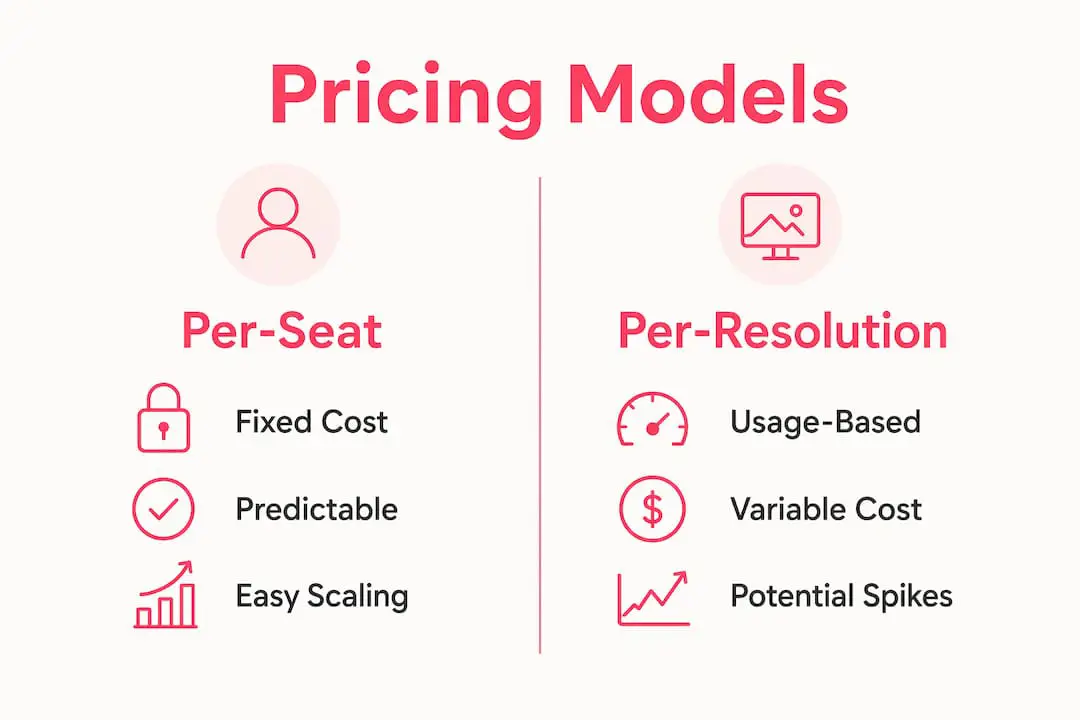
| Pricing model | Main cost driver | Risk to model | Often suits |
|---|---|---|---|
| Per User | Support-team size | Costs rise as more people need access | Stable teams with variable ticket volume |
| Per ticket or conversation | Inbound demand | Seasonal peaks can move the account into a higher tier | Small teams with predictable contact volume |
| Per AI outcome | Successful automated conversations | High automation volume increases the bill | Teams comfortable paying for measured automation results |
| Base plan with allowances | Plan tier and included quotas | Several limits may need monitoring at once | Teams that can forecast usage across the included limits |
| Combined | Users plus one or more usage meters | Costs can rise along two dimensions | Teams that need the bundled product despite added complexity |
Intercom illustrates why definitions matter. Its published pricing combines a per-User platform charge with Fin outcome pricing. An AI answer followed by no request for more help can count as an assumed resolution, while some configured procedure handoffs can also be billable outcomes. Review the vendor's current definition, not just the unit price.
Model at least three situations:
- Small team with seasonal traffic. Compare a quiet month, a normal month, and your busiest month. Include any ticket-tier changes and AI usage.
- Growing team with steady volume. Project the number of Users twelve months from now, then add every required AI or channel add-on.
- High-volume omnichannel operation. Include voice, SMS, messaging, implementation, and premium routing instead of comparing helpdesk seats alone.
Questions to ask every vendor before signing:
- What event creates a billable ticket, conversation, resolution, or outcome?
- Can an unanswered AI response become a billable assumed resolution?
- Which AI functions are included, optional, or metered?
- What happens to the bill during a traffic spike?
- Which channel, API, mailbox, knowledge, and storage limits apply?
How we compared these tools
This guide compares current public product pages, pricing pages, and vendor documentation. It does not claim a hands-on benchmark or a controlled test of every platform. Product packaging changes frequently, so use the comparison to build a shortlist and confirm the final plan, limits, and contract terms directly with each vendor.
The comparison focuses on five practical dimensions:
- How the vendor charges for Users, conversations, and AI
- Which channels are included at the relevant tier
- Whether AI drafts and customer-facing automation have distinct controls
- How knowledge sources, handoff, and conversation records work
- Whether the product fits email support, ecommerce, enterprise service, or website sales
How do you choose the right Intercom replacement?
Run a focused evaluation using your own requirements and a small, safe sample of real support work.
Must-have criteria:
- A billing model you can forecast at normal and peak volume
- The exact channels your customers use now
- Clear controls over AI knowledge, review, sending, and human handoff
- The integrations needed to answer customers without constant tab switching
- Export, security, and administration capabilities that meet your policies
Useful, depending on the team:
- Voice, SMS, social, or WhatsApp
- Customer-facing help-center content
- Multi-brand and multilingual support
- Custom reporting and customer-satisfaction measurement
Evaluation playbook:
- Document your current channels, Users, monthly volume, peak volume, and required integrations.
- Shortlist two or three products using the same requirements sheet.
- Connect a test inbox or controlled data set and configure the minimum viable workflow.
- Check draft quality, knowledge sources, escalation behavior, and conversation records.
- Test the integrations and exports you would depend on in production.
- Model a normal month, a peak month, and a larger future team.
- Confirm pricing and limits in writing before signing.
Red flags during evaluation:
- The vendor cannot explain what creates a billable outcome
- You cannot inspect or control the knowledge used for customer-facing answers
- Human handoff loses the prior conversation
- Required features appear only after an unplanned tier upgrade
- Exports, retention, or integration limits are unclear
Why human-in-loop AI controls matter more than deflection rates
A high deflection rate is not useful if customers receive incorrect answers or cannot reach a person. Evaluate the controls around AI, not just the percentage of conversations it closes.
Four capabilities are worth checking:
- Source control: administrators can choose, review, and update the material used for customer-facing answers
- Human review: AI drafts remain editable before a User sends them
- Conversation records: the team can inspect what the AI said and how the conversation ended
- Handoff behavior: unresolved requests reach a person with the relevant history attached
Some vendors also expose guardrails, thresholds, or workflow conditions. Test the available controls with questions that are answered, ambiguous, outdated, and absent from the knowledge base.
For Deskhero specifically, draft suggestions and customer-facing automation use different knowledge scopes. Drafts can draw from the workspace's broader knowledge. The chat-bot and AI auto-replies answer only from approved public FAQ entries, and the chat-bot requires at least 100 approved entries before activation.
Which tool should you pick for your specific situation?
Email-first SaaS team: Prioritize mailbox sync, shared ownership, draft quality, and predictable User pricing. Deskhero is a strong candidate when keeping Gmail or Microsoft 365 is central.
Small team seeking a conventional helpdesk: Compare Freshdesk and Help Scout alongside Deskhero. Pay close attention to the channels, knowledge-base model, and AI packaging on the exact plan you would buy.
Ecommerce team: Compare Gorgias, Re:amaze, Tidio, and Deskhero based on store context, brand count, channels, and whether ticket volume or User count is the better pricing meter.
Cross-functional shared inbox: Front is designed around collaborative inbox work and offers broader channel coverage on higher tiers.
Enterprise or complex routing: Zendesk and Kustomer provide broader platform scope, but budget for configuration, administration, and any AI or usage charges.
Website sales and qualification: Drift is the most specialized option in this list for buyer conversations, qualification, and meeting workflows.
Key Takeaways
| Point | Details |
|---|---|
| Model every pricing meter | Users, tickets, conversations, AI outcomes, channels, and quotas can all affect the bill. |
| Read outcome definitions | An assumed resolution or workflow handoff may be billable, depending on the vendor. |
| Separate drafts from automation | AI that assists a User and AI that sends directly to a customer need different controls. |
| Test handoff and records | When AI cannot answer, the customer should reach a person without losing context. |
| Deskhero fits email-first teams | It combines Gmail and Microsoft 365 sync, controlled customer-facing AI, Shopify context, and a 30-day trial. |
The gap between deflection rates and actual support quality
Deflection measures how often a conversation avoids human support. It does not prove that the answer was correct, complete, or useful.
A better evaluation pairs automation rate with answer review, repeat-contact rate, escalation quality, and customer feedback. Sample both successful and unsuccessful conversations. Check whether the AI cited the right knowledge, whether the customer returned with the same problem, and whether the human handoff included enough context.
Migration and operating effort also belong in the decision. Setup time, mailbox changes, data import, workflow configuration, training, and ongoing knowledge maintenance can outweigh a small difference in subscription price.
Deskhero is built for teams that want email-first, controlled AI support
Deskhero is designed for teams that want to keep an existing Gmail or Microsoft 365 address. Two-way sync turns that mailbox into a shared helpdesk, and replies continue to come from the connected address.
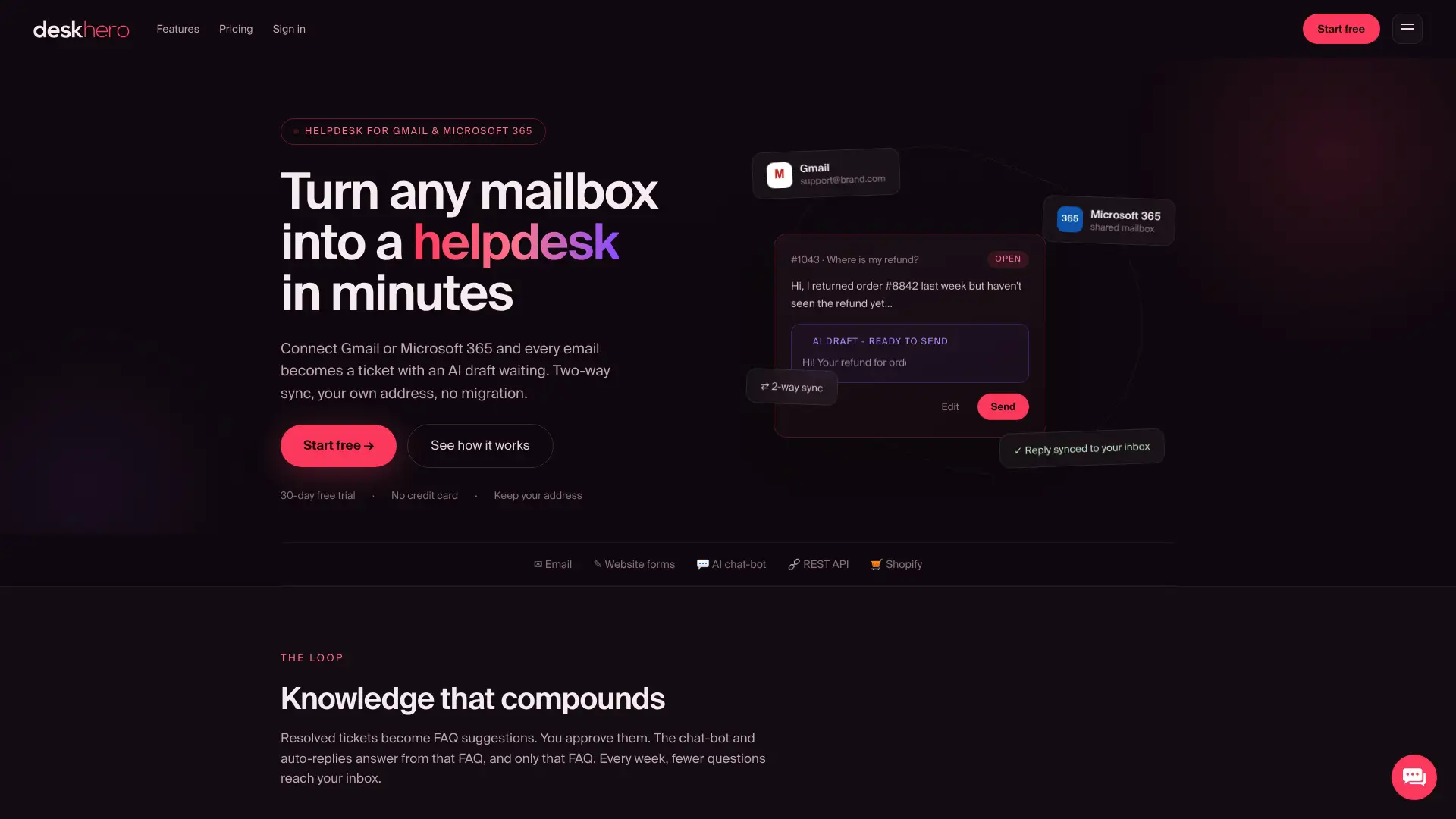
Its AI controls are deliberately split by task:
- Draft suggestions can use broad workspace knowledge and remain available for a User to review and send
- The AI chat-bot and auto-replies answer only from approved public FAQ entries
- The chat-bot requires at least 100 approved FAQ entries before activation
- Automatic actions are opt-in, labeled, and logged
- Unanswered chat-bot questions can hand over into a ticket for human follow-up
Deskhero also provides web forms, a Shopify customer panel, a REST API, multilingual conversations, and a 30-day free trial with no credit card required. Paid plans use monthly subscriptions with included limits and additional-user pricing, not per-resolution billing.
Useful sources and verification links
Pricing and packaging can change. Confirm the live plan and contract terms before making a purchase decision.
- Intercom Fin outcome definitions and pricing
- Zendesk pricing and channel overview
- Freshdesk pricing and Freddy AI packaging
- Help Scout AI Answers and resolution billing
- Gorgias helpdesk and AI pricing
- Salesloft chat products
FAQ
What is the best Intercom alternative for small SaaS teams?
The best fit depends on channels, team size, integrations, and AI controls. Deskhero is a strong candidate for email-first teams that want to keep Gmail or Microsoft 365 and use controlled customer-facing AI.
How do per-resolution pricing models work?
The vendor charges when AI reaches its defined resolution or outcome. Read that definition carefully because an assumed resolution, configured handoff, or other successful action may be billable even when no human-free case closure occurs.
What AI governance features should I require from any vendor?
Check source control, editable drafts, conversation records, guardrails, and human handoff. Test what happens when the answer is missing, ambiguous, or outdated.
Are there affordable Intercom alternatives with a free trial or allowance?
Yes. Offers vary by vendor and can include time-limited trials, small-team programs, or a limited number of free AI conversations. Compare the paid price you would face after the offer ends.
How long does it take to migrate from Intercom to a new platform?
It depends on data volume, channels, integrations, and workflow complexity. Connecting an existing mailbox can be quick, while importing history and rebuilding enterprise routing can require a longer implementation.