How to Reply from a Company Address: Setup, Best Practices, and Templates

The recommended approach is simple: use a monitored, authenticated company mailbox as your reply-from address for every customer-facing email. Never use a noreply address where customers are expected to respond.
- Authenticate your sending domain with SPF and DKIM, then publish a DMARC policy before sending at scale. Authentication reduces spoofing risk and supports deliverability, but each protocol has a different role.
- Route replies to a monitored inbox or helpdesk, not a personal account or a distribution list no one checks. Missed replies erode trust faster than slow ones.
- For commercial email, follow CAN-SPAM requirements: use accurate routing information, include a valid physical postal address, and provide a working opt-out mechanism that processes requests within 10 business days.
One exception holds: purely system-generated, non-interactive notifications (server alerts, automated receipts, two-factor codes) can use an unmonitored address. If you go that route, add a line in the email body directing recipients to a real contact address for questions.
Key Takeaways
Authenticated, monitored role addresses are the foundation of reliable reply routing, every other configuration decision builds on that.
| Point | Details |
|---|---|
| Use a monitored role address | Route replies to support@, billing@, or hello@, never a noreply address for customer-facing mail. |
| Authenticate before sending | Configure SPF and DKIM, publish DMARC, and verify that at least one aligned authentication path passes before sending at scale. |
| Reply-To and From serve different jobs | From controls sender identity and DMARC alignment; Reply-To controls where replies land. |
| CAN-SPAM requires accurate headers | From and Reply-To must not mislead recipients; opt-outs must be processed within 10 business days. |
| Deskhero centralizes reply handling | Deskhero syncs two-way replies with your existing Gmail or Microsoft 365 mailbox, no new address needed. |
Table of Contents
- What does “reply from company address” actually mean? From, Reply-To, and Return-Path explained
- When should you use a different reply-to address than your From?
- Best practices for deliverability, brand reputation, and legal compliance
- How to configure Reply-To and From on common platforms
- Common mistakes with reply-from setup and how to fix them
- Reply-from address examples and 3 templates your team can copy
- Legal and industry guidance that shapes reply address decisions
- What support teams get wrong about reply routing
- Deskhero keeps your replies in sync with your existing mailbox
- Sources
- FAQ
What does “reply from company address” actually mean? From, Reply-To, and Return-Path explained
These three headers look similar on the surface but do different jobs. The From address is the sender identity recipients usually see in their email client. The Reply-To address tells the client where to direct a reply. The Return-Path (also called the envelope sender) is normally hidden from recipients and is used for bounce notifications and delivery status reports.
| Header | Visible to recipient? | Protocol role | Who configures it |
|---|---|---|---|
| From | Yes (display name + address) | Sender identity; DMARC alignment check | Marketing team / IT admin |
| Reply-To | Only when replying | Directs reply messages to a specific inbox | ESP settings / campaign config |
| Return-Path | No | Bounce and DSN delivery; SPF alignment check | Sending service / SMTP config |
When From and Reply-To differ, DMARC evaluates alignment against the domain in the visible From header, not the Reply-To domain. DMARC passes when at least one authenticated identifier aligns with that From domain: either the SPF-authenticated envelope sender domain or the domain in a valid DKIM signature. A Reply-To such as support@company.com does not determine DMARC alignment.
Here is what a simplified raw header block looks like for a transactional email:
From: Acme Support <hello@acme.com>
Reply-To: support@acme.com
Return-Path: <bounce@mail.acme.com>
Received: from mail.acme.com ([203.0.113.10]) by mx.recipient.com
In multi-company software stacks, this gets more complex. An Odoo mail module fix illustrates the problem well: the system was defaulting the reply_to field to the first company in the database rather than the company associated with the specific record. The fix computes reply_to per record. Any team running multi-tenant or multi-brand email should audit this behavior before assuming replies land in the right inbox.
When should you use a different reply-to address than your From?
The short rule: use a monitored role address (support@, billing@, hello@) for customer-facing flows, and reserve personal addresses for genuine one-to-one relationship communications.
Support and ticketing. Route replies to a shared inbox or helpdesk. Many ticketing systems can attach a reply to the correct thread, often by using a ticket identifier in the reply address or message headers. This keeps context intact and prevents replies from disappearing into an individual User's inbox when they are unavailable.

Sales follow-up. A sales rep’s personal address works well here because the relationship is intentionally one-to-one. The risk is continuity: if the rep leaves, replies to their address go unanswered. A shared sales@ address with forwarding rules to the assigned rep is a safer default.
Billing and invoicing. Always use a role address (billing@, accounts@). Customers replying to billing emails often have time-sensitive questions about charges or disputes. A personal address creates a single point of failure.
Executive and PR communications. Founder emails and press releases often come From a named executive address for credibility. Set Reply-To to a monitored team address (press@, founders@) so replies reach someone who can act on them.
System notifications. Password resets, order confirmations, and two-factor codes may be non-interactive by design. An unmonitored noreply@ can be reasonable for these messages, but include a visible contact route in the body. Some deliverability specialists recommend avoiding noreply addresses where a genuine reply path can be monitored.
Pro Tip: If you are using a shared inbox, set a reply SLA in your helpdesk and assign an owner for each queue. An unowned shared inbox behaves exactly like an unmonitored one: replies pile up and nobody acts.
The operational trade-off is staffing. A single support@ address is easy to remember and monitor, but it requires clear routing rules and coverage schedules. Multiple role addresses give you granular routing but add monitoring and administration overhead. Addresses on the same domain can share domain-level authentication. For most small and mid-sized teams, one or two monitored role addresses with routing rules inside a helpdesk is a practical balance.
Best practices for deliverability, brand reputation, and legal compliance
Authenticate your sending domain and route replies to a monitored mailbox. These are two foundational controls, alongside content, consent, list quality, and provider-specific requirements.
Authentication checklist
| Protocol | What it protects against | Where it applies |
|---|---|---|
| SPF | Envelope sender spoofing (Return-Path domain) | DNS TXT record on sending domain |
| DKIM | Message integrity and authentication by a signing domain | DNS TXT record; signing key in the sending service |
| DMARC | From domain spoofing; ties SPF and DKIM to From | DNS TXT record; aggregate reports to your inbox |
| Envelope sender alignment | SPF-based DMARC alignment problems | Configured in the sending service or SMTP setup |
DMARC alignment is easy to misread. SPF authenticates the envelope sender domain, while DKIM authenticates the domain identified by the signature's d= value. DMARC then compares those authenticated domains with the visible From domain. One aligned mechanism must pass. Strict alignment requires an exact domain match, while relaxed alignment permits an organizational-domain match. The Reply-To domain is not part of this test.
Operational checklist
- Confirm the reply address resolves to a monitored inbox or a helpdesk queue before sending any campaign.
- Set up auto-forwarding or routing rules so replies reach the right team within your SLA window.
- Keep the display name consistent with your brand so recipients can recognize the sender.
- Use reply templates that include the customer's name and ticket reference so Users can respond consistently and preserve context.
CAN-SPAM compliance
The CAN-SPAM Act applies to messages whose primary purpose is commercial. Its requirements include accurate header and routing information, a valid physical postal address, a clear opt-out method, and processing opt-out requests within 10 business days. Transactional or relationship messages are exempt from most provisions, but they still may not use false or misleading routing information.
Pro Tip: If you separate mail streams by subdomain, configure and monitor authentication for each sending domain. Changing Reply-To alone does not isolate sender reputation because Reply-To is not used for DMARC alignment.
How to configure Reply-To and From on common platforms
The decision rule is quick: change the From field to control sender identity and brand recognition; change the Reply-To field to control where replies land. Change the Return-Path (via your ESP or SMTP config) to control where bounces go.
Step-by-step configuration
- Choose your addresses. Pick a monitored role address for Reply-To (
support@company.com) and confirm the From address matches your authenticated sending domain. - Set the display name. Use your brand name or team name, not a personal name, unless the email is intentionally personal (a sales sequence, a founder note).
- Verify domain ownership in your ESP or Google Workspace / Microsoft 365 admin console.
- Add SPF and DKIM records to your DNS. Most ESPs provide the exact TXT record values in their setup wizard.
- Publish a DMARC record starting at
p=noneto collect aggregate reports, then move top=quarantineonce you have confirmed all legitimate sending sources pass. - Configure Return-Path / bounce handling in your ESP. Most modern ESPs handle this automatically, but verify the bounce address domain is covered by your SPF record.
- Set routing rules in your shared inbox or helpdesk to assign incoming replies to the right queue.
Platform-specific notes
Gmail / Google Workspace. Add and verify a send-as address in Gmail's account settings, then choose it in the From field. Available Reply-To and group-routing options depend on your Google Workspace configuration, so test both sending and inbound delivery before rollout.
Outlook / Microsoft 365. Configure Send As or Send on Behalf permissions for shared mailboxes in Microsoft 365. Support for a custom Reply-To header varies by Outlook version and sending workflow. If the client does not expose it, use a sending service or approved workflow that does. Follow your tenant's policy when forwarding replies to external domains.
ESPs (Mailchimp, Klaviyo, Brevo, etc.). Reply-To is typically a dedicated field in the campaign settings, separate from the From address. Platform reply-handling settings control which address appears in the Reply-To header and can route replies to a specific inbox, group owners, or a personalized per-subscriber address.
SMTP / transactional services (SendGrid, Postmark, Amazon SES). Set the Reply-To header in the API call or SMTP message. The provider usually manages the default Return-Path. A custom bounce domain may require provider-specific DNS records, so follow that service's current documentation.
Testing checklist
- Send a test message to accounts on Gmail, Outlook, and Apple Mail. Reply to each and confirm the reply lands in the correct inbox.
- View raw headers in each client (Gmail: “Show original”; Outlook: File → Properties → Internet headers). Confirm From, Reply-To, and Return-Path show the correct addresses.
- Check the
Authentication-Resultsheader for SPF, DKIM, and DMARC results. DMARC needs at least one passing and aligned SPF or DKIM path. - After 24-48 hours, review DMARC aggregate reports (sent to the address in your
rua=tag) for any alignment failures from unexpected sending sources. - Verify inbound routing: confirm a reply sent to your Reply-To address creates a ticket or appears in the correct helpdesk queue.
Common mistakes with reply-from setup and how to fix them
The most frequent root causes are unmonitored inboxes, mismatched headers, DMARC alignment failures, and a Return-Path that points to a domain with no SPF record.
Troubleshooting steps
- Confirm header setup. View raw headers on a received test message. Verify From, Reply-To, and Return-Path all show the addresses you intended.
- Check SPF, DKIM, and DMARC results. Inspect
Authentication-Resultsin the raw headers. Investigate any failed mechanism and confirm that at least one passing SPF or DKIM identifier aligns with the From domain. - Inspect the Return-Path. Confirm its domain is authorized for SPF and, if you rely on SPF for DMARC, that it aligns with the visible From domain. Authentication failures can contribute to rejection, deferral, or spam placement.
- Run a seed test. Send to test accounts across major providers and check inbox placement. Tools like MXToolbox’s Email Header Analyzer or Google’s Postmaster Tools surface domain reputation and authentication issues.
- Review DMARC aggregate reports. Look for sources using your From domain without aligned SPF or DKIM. They may be unauthorized senders or legitimate services that are configured incorrectly.
Quick fixes
- Replies going to the wrong inbox: update the Reply-To field in your ESP campaign settings or mail client send-as configuration.
- SPF failures: add the ESP’s sending IP range or include mechanism to your SPF TXT record. Keep the lookup count under 10 to avoid
permerror. - DKIM failures: confirm the selector, signing domain, and published public key against your provider's instructions, then allow for DNS propagation.
- Unmonitored inbox: set up forwarding to a monitored address immediately, or point the Reply-To to a helpdesk address while you fix the underlying routing.
- DMARC quarantine or reject failures: identify the legitimate sender that lacks alignment and correct its SPF or DKIM configuration. Coordinate any temporary policy change carefully rather than weakening enforcement as a first step.
Reply-from address examples and 3 templates your team can copy
Use role-based addresses as your default format: support@, billing@, hello@, or reply+ticketid@ for systems that parse the local part for routing. Avoid addresses like donotreply@ or no-reply@ for any flow where a customer might reasonably want to respond.
Address naming conventions:
support@company.com, general customer support queue; easy to remember, easy to authenticatebilling@company.com, invoice and payment queries; keeps financial replies separate from support volumehello@company.com, friendly, brand-forward address for onboarding and marketing flowsreply+ticket123@company.com, plus-addressed format for helpdesks configured to route by ticket IDpress@company.com, PR and media inquiries; monitored by comms team, not support
Keep display names short. “Acme Support” is easier to recognize on a small screen than a long department label. Constant Contact's guidance on choosing From and Reply-To addresses likewise emphasizes a recognizable sender identity.
Three ready-to-use reply templates
These are adapted from customer service email best practices and work well for teams using a shared inbox or helpdesk.
1. Basic acknowledgment
Hi [First Name], thanks for reaching out. We have received your message and a member of our team will follow up within [X hours / 1 business day]. Your reference number is [#TICKET-ID]. If anything changes in the meantime, just reply to this email.
2. Escalation with timeline
Hi [First Name], we are looking into this and need to loop in our [billing / technical / senior] team. You can expect an update by [specific date or time]. We will keep you posted here, no need to open a new ticket.
3. Billing or invoice confirmation
Hi [First Name], we have received your payment of [$AMOUNT] for invoice [#INV-ID]. Your account is now up to date. If you have any questions about this charge, reply directly to this email and our billing team will respond within one business day.
Dos and don’ts:
- Do include the ticket or invoice reference in every reply so customers can search their inbox and find context.
- Do keep the display name consistent with the From address domain.
- Do use the customer’s first name. Generic openers (“Dear Customer”) reduce perceived personalization.
- Don’t use a noreply address as the From on any template where a customer might need to respond.
- Don’t include more than one call-to-action per reply. Pick the most important next step.
For a broader library of copy-ready templates, the Deskhero support email template collection covers common scenarios from refund requests to escalation notices.
Legal and industry guidance that shapes reply address decisions
Laws and platform standards require accurate headers and a working opt-out path. Physical Business Reply Mail is a separate postal product with its own rules and has nothing to do with email Reply-To headers.
The CAN-SPAM Act sets requirements for commercial email in the United States. Covered messages need accurate routing information, a valid physical postal address, and an opt-out method, with opt-out requests honored within 10 business days. Failure to comply can lead to civil penalties.
USPS Business Reply Mail is a postal product with its own permit and mailpiece-design requirements. It is entirely separate from email Reply-To configuration. Teams combining physical and digital reply channels should verify current postal requirements before printing and should not assume the two channels share any configuration.
Metrics to track after switching reply routing:
- Reply routing success rate: what percentage of customer replies reach the intended monitored inbox without forwarding or routing errors
- Inbox SLA: time from reply received to first User response
- DMARC failure rate: track via aggregate reports; a rising failure rate signals a new unauthorized sending source
- Unsubscribe processing time: confirm opt-outs are processed within the 10-business-day CAN-SPAM window
What support teams get wrong about reply routing
The conventional wisdom says “just set up a noreply address for transactional mail and a support address for everything else.” That is not wrong, but it misses the harder problem: most reply routing failures are not configuration errors. They are staffing and process failures that a correct header setup exposes.
You can have a perfectly authenticated support@company.com address with DMARC at p=reject, SPF passing on every send, and DKIM signing every message, and still have replies go unread for 72 hours because nobody owns the shared inbox queue on weekends. The technical setup is table stakes. The operational layer is where teams actually lose customers.
Teams also underestimate the operational cost of a noreply address. Customers may try to answer a receipt or notification even when no reply was expected. If those messages disappear, useful context and early warning signs disappear with them. Use a monitored address wherever a response would be reasonable, and provide a clear contact route when the sender address is unmonitored.
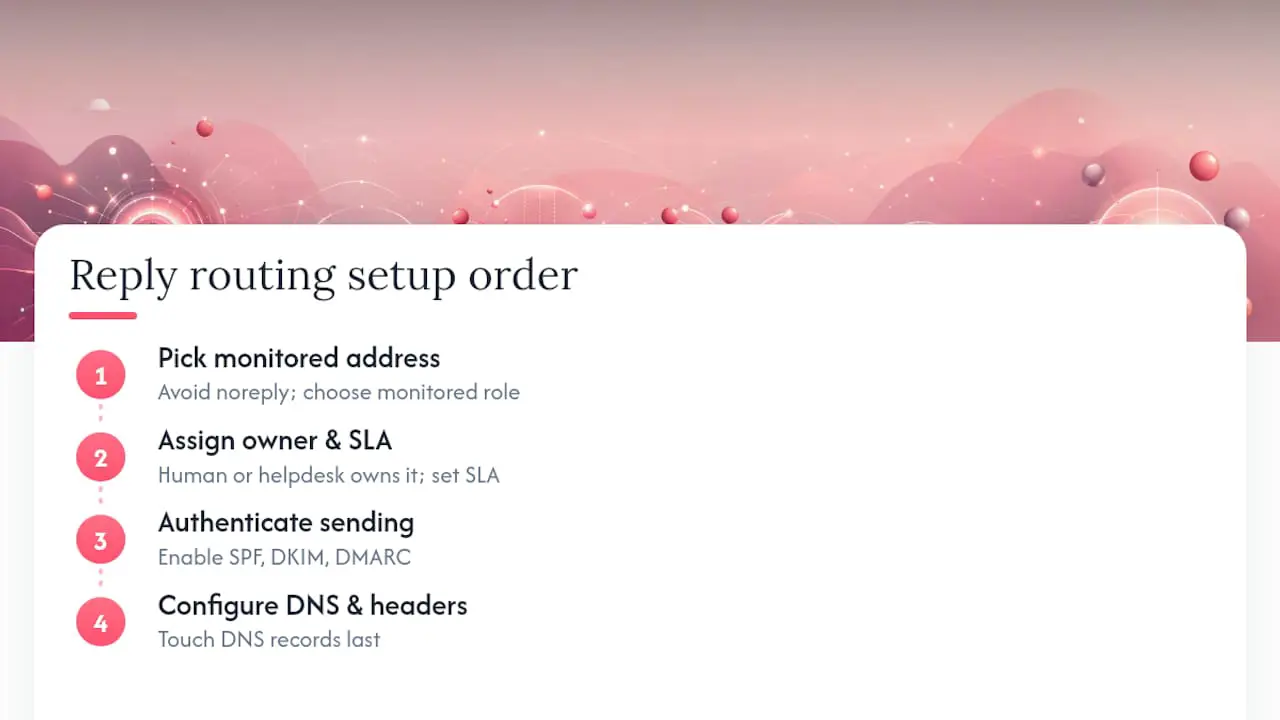
Before rollout, pick one monitored role address, confirm a person or helpdesk queue owns it, and set a written target for first response. Configure authentication and routing, then test both directions before sending at scale. Reliable delivery and reliable handling are separate requirements, and both need an owner.
Deskhero keeps your replies in sync with your existing mailbox
Deskhero supports two-way sync with Gmail, Google Workspace, and Microsoft 365, including Microsoft shared mailboxes. With those OAuth connections, replies can be sent from your existing company address. Deskhero also supports DNS-based mailboxes for other owned domains, which require DNS authentication records and inbound forwarding.
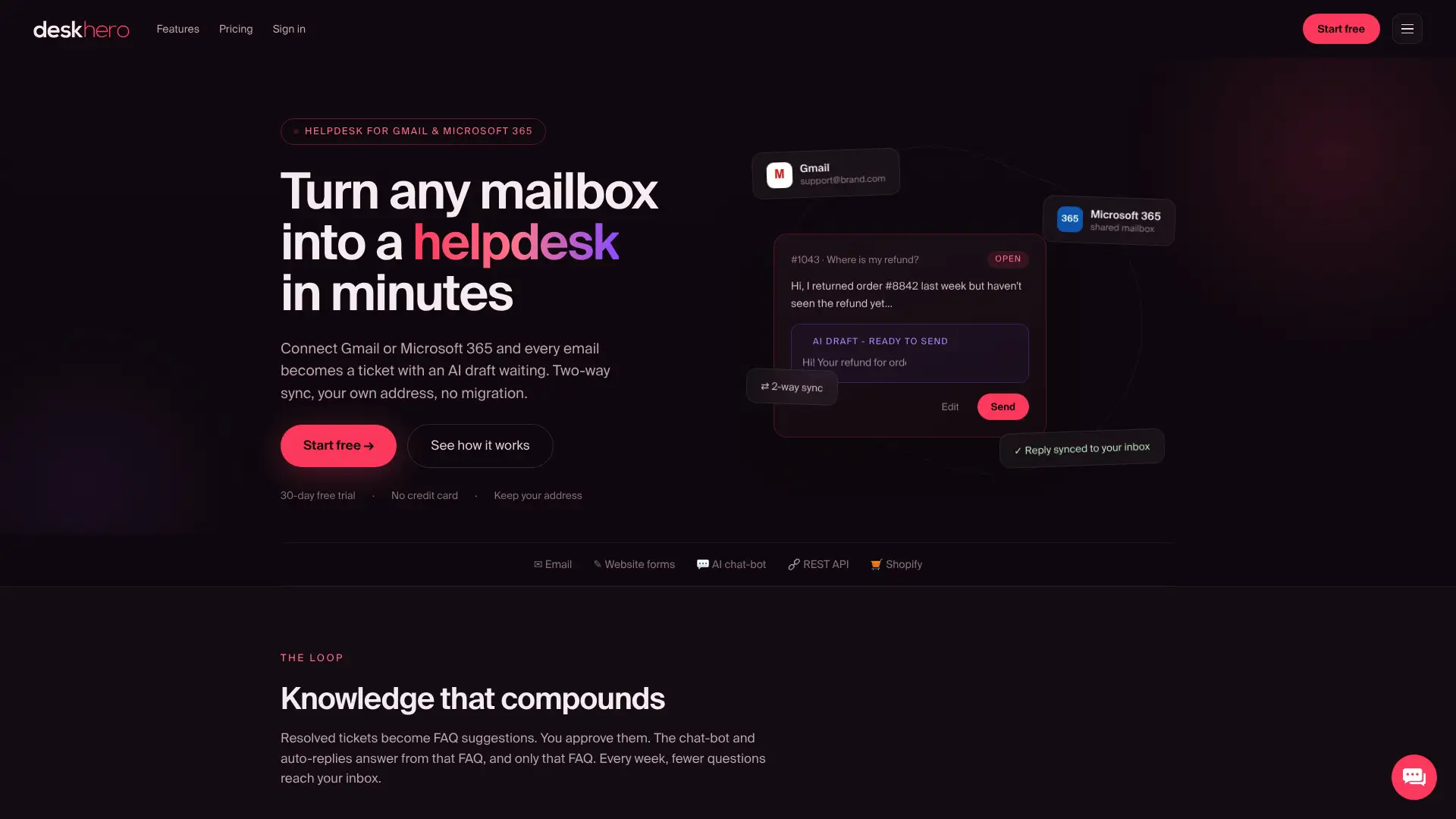
When a customer replies in the same conversation, Deskhero threads the message into the existing ticket. Each mailbox routes to a configured group, and Users work from the shared ticket inbox with SLA tracking. AI-drafted replies can use the workspace's ticket history, internal knowledge base, approved public FAQ, scraped website pages, and other connected knowledge. Customer-facing AI auto-replies use only approved public FAQ content and leave the ticket for a person when no confident answer is available.
Deskhero offers a 30-day free trial with no credit card required. Gmail and Microsoft 365 mailboxes can be connected in a few clicks.
Sources
- CAN-SPAM Act: A Compliance Guide for Business | Federal Trade Commission
- From Address / Reply handling documentation | Mapp
- FIX mail: set correct reply_to company · 27d4a74 · odoo/odoo
FAQ
What is a Reply-To address?
The Reply-To address is the email address where a recipient’s reply is delivered when they click “Reply” in their email client. It can differ from the From address, which controls sender identity.
Is it okay to use a noreply address for customer emails?
For purely non-interactive system notifications, an unmonitored address can be acceptable if the message includes a visible contact route. For any flow where a customer might reasonably respond, use a monitored address.
How do I reply professionally to a company email?
Use the customer’s name, reference their specific issue or ticket number, state a clear next step or timeline, and keep the message under three short paragraphs. The three templates in this article cover the most common scenarios.
How do I reply to an email from a company using my own company address?
Use the send-as or shared-mailbox features supported by your email provider, verify the address, and select it in the From field. If your sending platform supports a separate Reply-To field, point it to a monitored company inbox and test the result before rollout.
Does Deskhero let replies come from my existing company address?
Yes. Deskhero supports two-way sync with Gmail, Google Workspace, and Microsoft 365, so OAuth-connected mailboxes can send replies from the existing company address. DNS-based mailboxes for other owned domains require DNS authentication and inbound forwarding.