How to Automate SLA Reminders Before They Turn Into Breaches

Automated SLA reminders should surface a ticket while there is still time to act, then make an overdue ticket unmistakable. The right setup depends on the helpdesk. Some platforms provide native due-soon and breach alerts, while a custom workflow may need scheduled checks and explicit escalation steps.
Start with the clock, not the notification:
- Define separate targets for first reply and resolution.
- Decide whether targets use calendar time or business hours.
- Choose which ticket statuses pause the resolution clock.
Pro Tip: Test every SLA state with sample tickets before relying on live alerts. Include due-soon, breached, paused, reassigned, and already-completed cases.
Key Takeaways
Reliable reminders begin with accurate deadlines. Alert timing, recipients, and escalation procedures come after the policy itself is correct.
| Point | Details |
|---|---|
| Define both clocks | Track first reply and resolution separately because they finish on different events. |
| Respect working time | Use a business schedule when nights and weekends should not consume the target. |
| Configure pause statuses | Pause the resolution target while the ticket is waiting on the customer or another outside party. |
| Choose recipients deliberately | Make sure due-soon and breach alerts reach someone who can act on the ticket. |
| Test before rollout | Verify deadlines, pause behavior, and notification delivery with controlled tickets. |
| Use native SLA features first | A helpdesk with built-in policies, business schedules, alerts, filters, and reporting avoids a separate polling workflow. |
Authoritative docs and walkthroughs to consult next
For a platform-specific example, see Jira's automated follow-up documentation. It describes both scheduled rules and an SLA-threshold approach, including a recommendation to test against a small query scope before widening it.
Table of Contents
- Building SLA Reminders Automation Step by Step
- Choosing Thresholds That Don't Trigger Alert Fatigue
- What SLA Alerts Should Say and Where They Should Go
- Keeping SLA Timers Accurate With Pause Statuses
- Testing and Tuning Before You Trust the Automation
- How Deskhero Handles SLA Reminders
- What to Track Once Your Alerts Are Live
- Managing Overlapping SLAs Without Alert Collisions
- Staying Audit-Ready When SLAs Run on Autopilot
- Writing SLA Messages for Users, Managers, and Customers
- Connecting SLA Automation to the Tools You Already Use
- Editorial Take: The Alert Isn't the Point, the Action Is
- Get Your SLA Reminders Running Without a Migration Project
- Sources
- FAQ
Building SLA Reminders Automation Step by Step
Write down exactly what each SLA measures before configuring an alert. A first-reply target and a resolution target are different clocks. Decide which ticket event starts each clock, which event completes it, and whether the deadline follows calendar time or a business schedule.
Then configure the reminder path.
- Define the policy. Map groups and priorities to first-reply and resolution targets. Include a catch-all policy for tickets that do not match a more specific rule.
- Set the working calendar. Add the operating hours and time zone that apply to the target. If the commitment runs continuously, use calendar time.
- Configure pause behavior. Select statuses that stop the resolution clock while the team is waiting for information. Confirm whether the first-reply clock can pause, because many systems treat it differently.
- Enable notifications. Decide who receives the due-soon and breached states and which supported channels the helpdesk will use.
- Add an operating response. Document what the recipient should do, such as reply, change priority, reassign, or involve a lead. The notification and the corrective action do not have to be the same technical rule.
If the helpdesk lacks native SLA thresholds, a scheduled workflow can inspect open tickets and compare their deadlines with the current time. A 15-minute polling example is documented by LOW/CODE, but the appropriate interval depends on the shortest target, API limits, business hours, and how much delay the team can tolerate. Store an alert state so later runs do not resend the same notification.
Choosing Thresholds That Don't Trigger Alert Fatigue
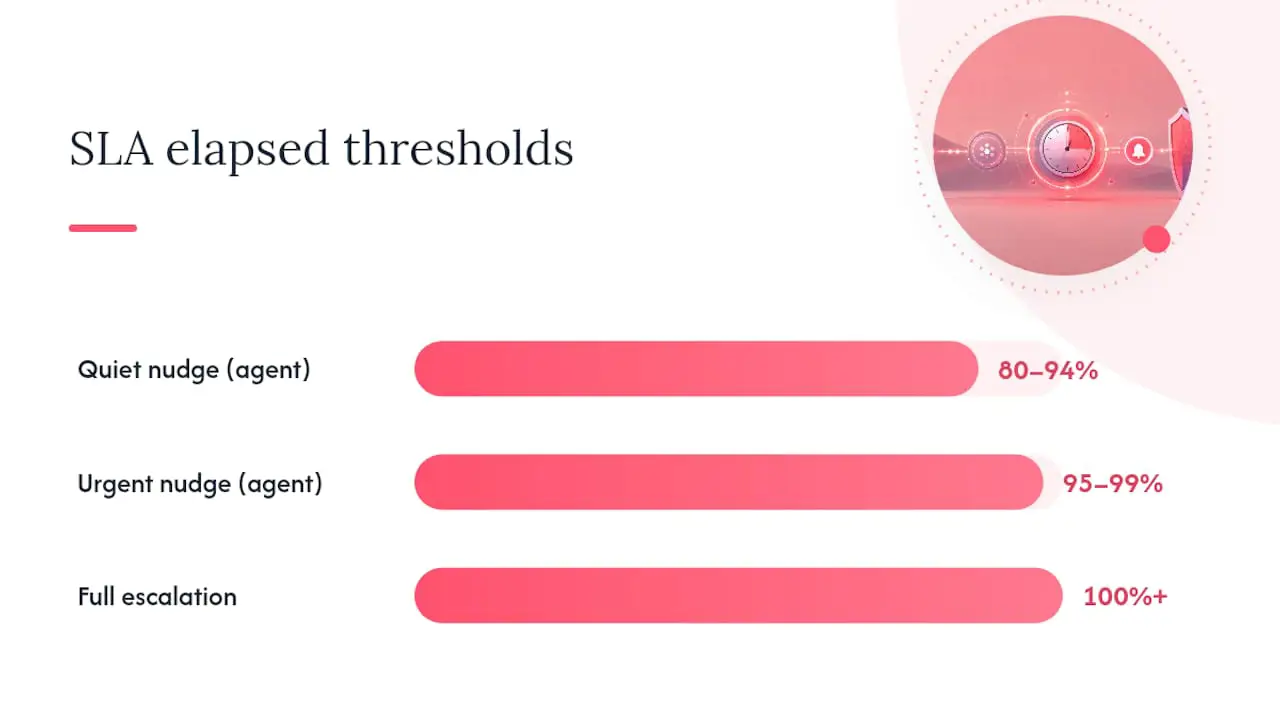
A useful warning leaves enough time for the recipient to respond. A percentage threshold can work in a custom system, but a fixed warning window is often easier to understand across policies with different durations.
- Comfortably on time: Keep the ticket visible in normal queue views without sending a warning.
- Due soon: Notify the responsible User or group while the target is still recoverable.
- Breached: Mark the ticket as overdue and follow the team's documented escalation process.
Do not copy a universal 80 percent threshold without checking the underlying targets. On a one-hour target it leaves 12 minutes, while on a three-day target it leaves more than half a day. Measure how much action time the team actually needs.
Repeated reminders create noise quickly. Native helpdesk alerts should notify on a state transition rather than on every screen refresh. A custom polling workflow should record that it sent the due-soon or breach notice and reset that state only when the policy genuinely restarts.
What SLA Alerts Should Say and Where They Should Go
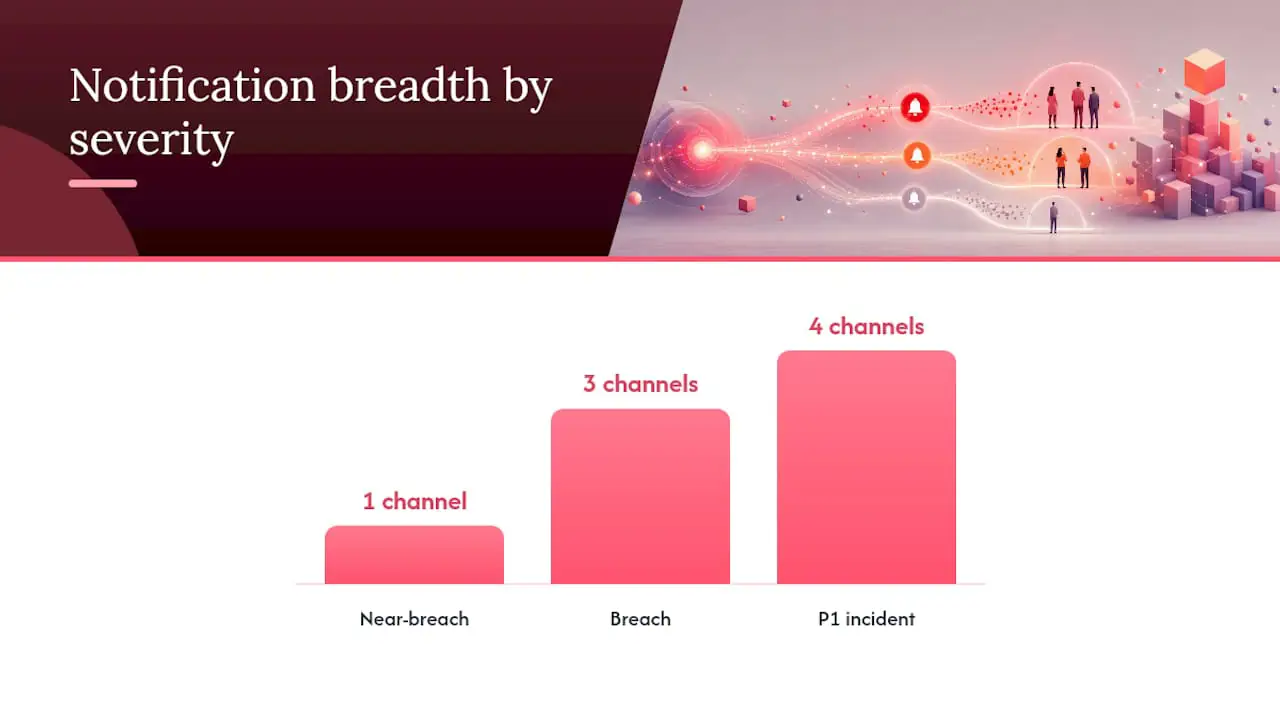
An alert should identify the ticket, show the deadline, and make the expected response clear. Avoid adding customer data that the recipient does not need.
- Ticket ID and link so the recipient can open the correct conversation.
- Target type, such as first reply or resolution.
- Deadline or overdue duration in an unambiguous time zone.
- Current status, priority, group, and assignee when those fields affect ownership.
- One next step, such as reply, reassign, or ask a lead to review.
Use channels the support team already monitors. In-app and email notifications are often sufficient when they reliably reach the assignee or the responsible group. If a separate paging or messaging system is required, confirm that the helpdesk supports the integration before designing the process around it.
Pro Tip: Show a precise deadline or countdown. A concrete time is easier to prioritize than a vague warning.
Keeping SLA Timers Accurate With Pause Statuses
A reminder is only as trustworthy as its clock. Resolution targets commonly pause while a ticket is waiting on the customer, but the exact statuses should match the team's real workflow.
- Select explicit pause statuses and document why each one stops the clock.
- Resume the clock when the ticket leaves a pause status.
- Test tickets that move in and out of a pause status more than once.
- Confirm whether first-reply and resolution targets follow the same pause rules.
Business schedules solve a different problem. They exclude closed hours from the target itself, while pause statuses exclude time based on ticket state. Configure and test both. A weekend should not consume a business-hours target, and a weekday ticket waiting on the customer should remain paused even while the team is open.
Testing and Tuning Before You Trust the Automation
Use controlled tickets to test the full lifecycle. Historical data can help identify realistic targets, but a live-state test is better for verifying notification delivery and deadline changes.
- Cover every policy. Create a test ticket for each group and priority combination that can select a different SLA policy.
- Use short temporary targets. Confirm the due-soon and breached states without waiting hours or days, then restore the real values.
- Exercise pause statuses. Pause and resume the resolution clock and verify that the deadline changes as expected.
- Check recipients. Test an assigned ticket and an unassigned ticket so the correct people receive each notification.
- Inspect the record. Confirm the ticket shows which policy applied and when each clock was met or missed.
After launch, review false warnings and missed handoffs. If alerts are accurate but still ignored, the problem may be ownership or staffing rather than threshold timing.
How Deskhero Handles SLA Reminders
Deskhero has dedicated SLA policies. These are separate from its general automation rules, which are not scheduled or time-based.
- Owners and admins can order SLA policies that match ticket groups and priorities. The first matching policy sets first-reply and resolution targets.
- Each policy can use a named weekly business schedule with its own time zone, or count calendar time.
- The resolution clock pauses in workspace-selected statuses. The first-reply clock does not pause.
- Deskhero marks a ticket at risk during the final 60 minutes before its next deadline and marks it breached after the deadline passes.
- A background check runs every five minutes and sends in-app notifications plus an email digest to the assignee, or to group members when the ticket is unassigned. Users can control SLA notification channels by group.
The ticket list includes an SLA column and SLA filters, the dashboard highlights at-risk and breached tickets, and the ticket timeline records policy and clock events. Statistics provides SLA attainment views after the workflow is live.
What to Track Once Your Alerts Are Live
The first question is whether the reminders are preventing breaches. Compare at-risk tickets with the number that later miss the target, then investigate the cases that warnings did not recover.
Track first-reply attainment and resolution attainment separately. Also review the number of tickets currently due within the warning window, the number already breached, and which policies or group-priority combinations produce the most misses.
Pair the percentages with operational context. A strong overall percentage can hide one queue that repeatedly breaches. A sudden drop may reflect a changed business schedule, a newly added priority, or an ownership gap rather than slower work.
Managing Overlapping SLAs Without Alert Collisions
A ticket can have both a first-reply target and a resolution target. Treat them as separate clocks because a reply completes only the first one. The resolution target continues until the ticket reaches the event that fulfills it.
The ticket interface should show which outstanding deadline comes next while retaining details for both targets. Filters and reporting should also distinguish first reply from resolution so one healthy metric does not conceal trouble in the other.
When customers have different commitments, use separate policies that match stable ticket fields such as group and priority. Order specific policies before the catch-all policy, then test a ticket against every meaningful combination. Avoid inventing hidden contract tiers that Users cannot see or verify on the ticket.
Staying Audit-Ready When SLAs Run on Autopilot
Keep a record of which policy applied, the calculated deadlines, and when each clock was met or missed. If a group, priority, or schedule change causes a deadline to be recomputed, that change should also be traceable.
Document policy changes outside the notification inbox. Record who approved the change, when it took effect, and whether it applies to existing tickets. This makes later customer questions easier to answer and prevents silent changes to the meaning of an SLA report.
For contractual reviews, confirm the platform's behavior rather than assuming every visible event is an audit log. Deskhero's ticket timeline records SLA policy application and clock outcomes, while its Statistics area reports attainment. Organizations with formal retention requirements should verify that these records meet their own obligations.
Writing SLA Messages for Users, Managers, and Customers
Internal alerts and customer updates serve different purposes. Keep each one focused on what its reader can do next.
User-facing alerts should lead with the ticket link, target type, deadline, and immediate action. Avoid a paragraph of policy background when the User needs to work the ticket.
Manager-facing reviews should show patterns across a group, priority, or policy. One missed ticket needs action, while repeated misses need a staffing or process decision.
Customer-facing communication should be accurate and specific. If the team expects a delay, a human-reviewed update can set a realistic next contact time. Do not expose internal alert labels or promise a resolution time the team cannot support.
Connecting SLA Automation to the Tools You Already Use
Start with native SLA functions when they cover the required policies, calendars, pause states, alerts, filters, and reporting. Native deadlines usually stay aligned with ticket changes more reliably than a parallel spreadsheet.
Where native support is limited, teams have used community plugins and forum-documented workarounds. Review maintenance status and version compatibility before depending on that approach.
A separate workflow can be appropriate when several systems must feed one escalation channel. Define the source of truth first. Duplicate SLA calculations in a helpdesk and an integration layer can drift, especially around time zones, business hours, pause statuses, and reassignment.
Editorial Take: The Alert Isn't the Point, the Action Is
A due-soon notification is useful only when ownership is clear. The recipient needs permission, context, and time to move the ticket forward.
Timer accuracy comes first. A wrong business schedule or pause configuration produces confident but misleading alerts. Fix the deadline calculation before adjusting message wording or adding channels.
Build in this order: policy targets, business schedules, pause behavior, notification recipients, operating response, and reporting. That sequence keeps the reminder tied to a deadline everyone understands.
Get Your SLA Reminders Running Without a Migration Project
Deskhero connects to Gmail or Microsoft 365 with two-way sync, so teams can keep their existing support address while adding shared ticket handling and SLA policies.
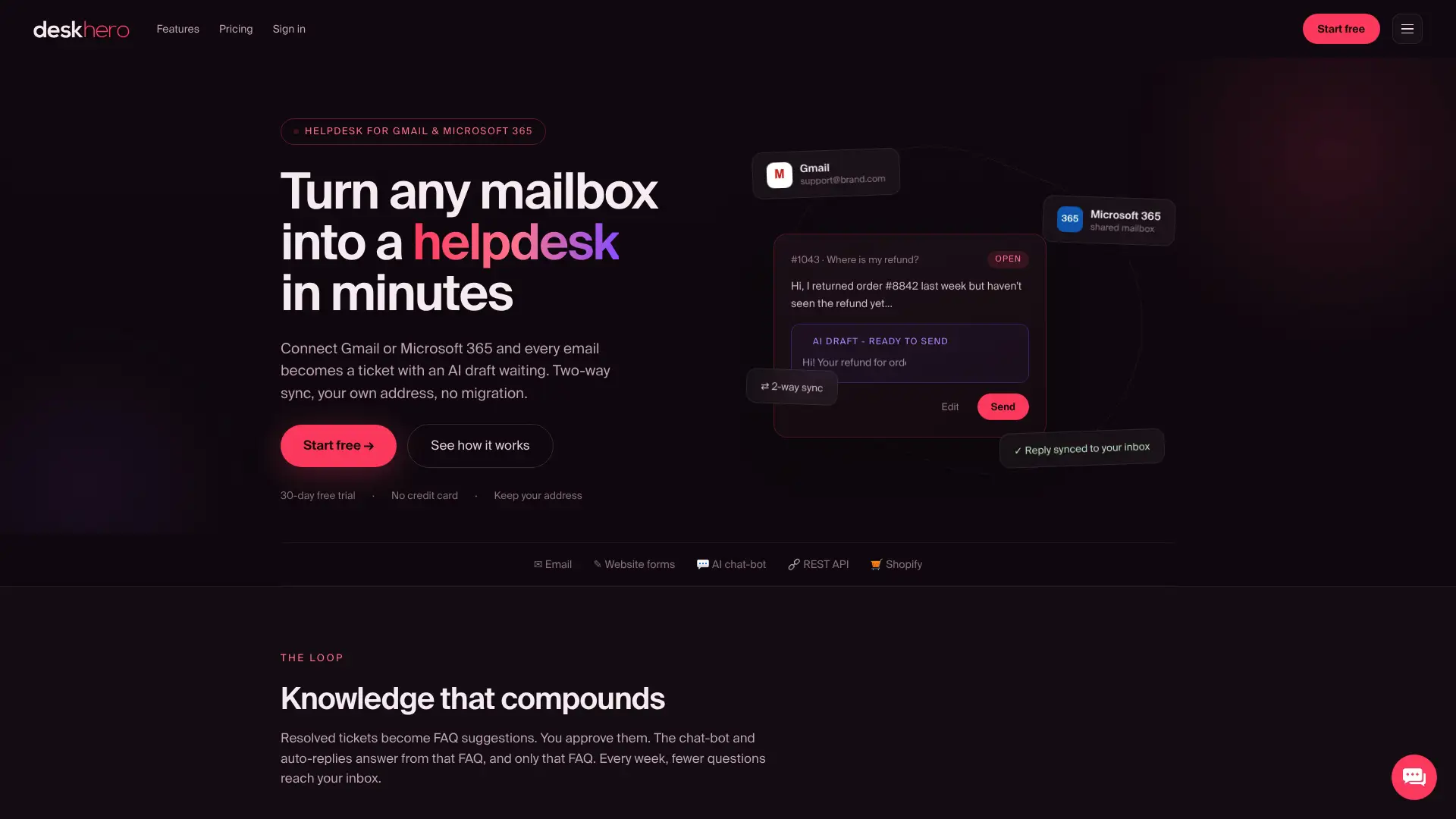
Configure first-reply and resolution targets by group and priority, add a weekly business schedule when needed, and choose which statuses pause resolution. Deskhero then displays the next deadline, highlights tickets due within one hour, notifies the responsible Users, and records SLA outcomes.
The 30-day free trial does not require a credit card. Connect one mailbox, configure a small set of policies, and test the complete SLA lifecycle before extending the setup across more groups.
Sources
- Automate follow-ups in Jira Service Management Cloud | Atlassian Support
- Build SLA Breach Alerts Without Coding | LOW/CODE
FAQ
What Is the Difference Between an SLA, an SLO, and an SLI?
An SLA is a service commitment between parties. An SLO is a target for a service's performance, often used internally to stay within that commitment. An SLI is the measured value used to evaluate the target.
What Counts as an SLA Breach Alert?
A breach alert indicates that an outstanding first-reply or resolution deadline has passed. A due-soon alert is different because the team still has time to meet the target.
What Does a 4-Hour SLA Mean?
It means the action named by the policy, such as first reply or resolution, is due within four hours as calculated by that policy. The clock may use calendar time or a business schedule.
How Is an SLA Different From a KPI?
An SLA states a service commitment. A KPI measures performance and may be used to monitor many goals that are not contractual deadlines.
Can Deskhero Automate SLA Reminders Without Custom Code?
Yes. Deskhero has built-in SLA policies, a fixed due-soon warning window, breach detection, in-app and email notifications, ticket filters, dashboard views, and SLA reporting. These functions are separate from its general automation rules.