The Best Zoho Desk Alternatives for SMB Support Teams

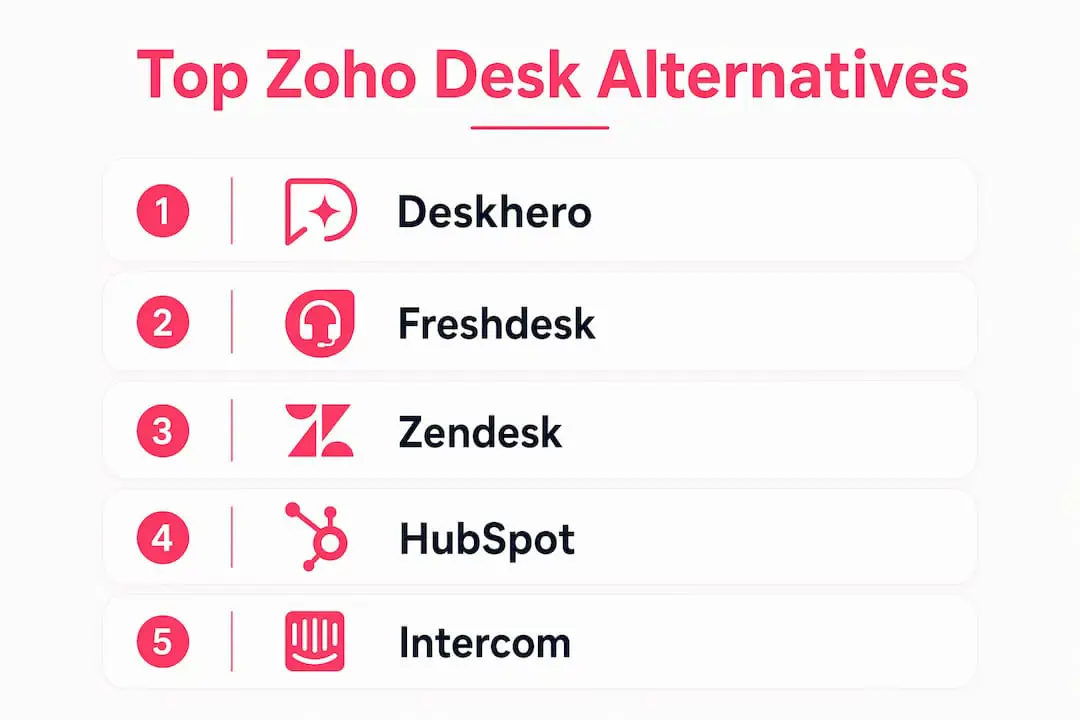
The strongest Zoho Desk alternatives for a small or mid-sized support team include Deskhero for mailbox-first support, Freshdesk for broad channel coverage, Zendesk for extensive configuration, Help Scout for a straightforward shared inbox, Gorgias for Shopify-focused support, and HubSpot Service Hub for teams already using HubSpot CRM. The comparison below explains where each option fits and what to verify during a trial.
Top picks at a glance:
- Deskhero - best for SMBs that use Gmail or Microsoft 365 and want AI-assisted support without changing their existing address
- Freshdesk - best for teams that want ticketing plus email, chat, and voice options
- Zendesk - best for larger or scaling teams that need deep configuration and a broad integration ecosystem
- Help Scout - best for small teams that want an email-focused shared inbox and self-service tools
- Gorgias - best for Shopify merchants who want customer and order data beside each conversation
- HubSpot Service Hub - best when support, sales, and marketing data need to share one CRM
The TL;DR table below gives you a side-by-side snapshot. The detailed mini-reviews cover every tool’s standout features, pricing, integrations, and honest pros and cons.
Table of Contents
- How do these Zoho Desk alternatives compare at a glance?
- Detailed reviews of the top Zoho Desk alternatives
- How to choose the right alternative for your team
- Key Takeaways
- Why small teams keep leaving Zoho Desk
- Deskhero is built for teams that want AI without the migration
- Useful sources and further reading
- FAQ
How do these Zoho Desk alternatives compare at a glance?
| Tool | Best for | Key features | Shopify / Gmail / CRM | Starting price | Free trial |
|---|---|---|---|---|---|
| Deskhero | Gmail/M365 teams, AI replies | Mailbox sync, AI drafts, approved public FAQ, Shopify panel, REST API | ✓ / ✓ / via API | Paid tiers (per user) | 30 days, no card |
| Freshdesk | Omnichannel on a budget | Ticketing, live chat, phone, automation, AI | Partial / ✓ / ✓ | From $19 per User/month annually | Free trial available |
| Zendesk | Enterprise customization | Advanced workflows, 1,000+ integrations, AI, reporting | ✓ / ✓ / ✓ | From $19 per User/month | 14 days |
| HubSpot Service Hub | CRM-tied support | Shared inbox, SLA, knowledge base, CRM native | Partial / ✓ / ✓ (native) | Free tools available | 14-day paid-plan trial |
| Intercom | Conversational/chat-first | AI bot, proactive messaging, product tours | Partial / ✓ / ✓ | From $29/seat/month annually | 14 days |
| Gorgias | Shopify e-commerce | Order sync, macros, social DMs, revenue stats | ✓ / ✓ / Partial | ~$10/mo (50 tickets) | 7 days |
| Help Scout | Simple shared inbox | Docs, live chat, email, clean UX | Partial / ✓ / Partial | See vendor pricing | Free trial available |
| Front | High-volume team inbox | Multi-channel inbox, SLA, analytics, sequences | Partial / ✓ / ✓ | See vendor pricing | Free trial available |
| LiveAgent | Multichannel + live chat | Ticketing, live chat, call center, social | Partial / ✓ / Partial | From $15 per User/month annually | 30 days |
| Crisp | Early-stage / live chat | Shared inbox, chatbot, CRM lite, free tier | Partial / ✓ / Partial | Free plan; paid from $45/month | 14-day paid-plan trial |
Quick picks:
- Need AI replies from your own Gmail inbox today, no migration? Start with Deskhero.
- Running a Shopify store with moderate ticket volumes? Gorgias is purpose-built for that.
- Already using HubSpot CRM? HubSpot Service Hub adds support without a second data silo.
- Need a broad integration ecosystem? Zendesk is a strong candidate.
- Prefer a clean, email-like experience? Help Scout is a strong shared-inbox candidate.
Trial note: Trial length, included features, billing intervals, and credit-card requirements vary. Check the vendor's current pricing page before you begin so the evaluation window and likely ongoing cost are clear.
Detailed reviews of the top Zoho Desk alternatives
1. Deskhero: best for Gmail and Microsoft 365 teams
Deskhero turns an existing Gmail, Google Workspace, or Microsoft 365 mailbox into a ticketing system without requiring a new support address. Its Google and Microsoft connections provide two-way sync, and replies continue to come from the company's own address.

Its customer-facing AI chat-bot and auto-reply engine answer only from the approved public FAQ. They hand uncertain questions to a human. AI draft suggestions for Users can draw on a wider pool of workspace knowledge, including answered tickets, internal knowledge, approved FAQs, scraped website pages, and Shopify product data. Automatic replies and the chat-bot are opt-in features, and the chat-bot requires at least 100 approved public FAQ items before activation.
Why pick it over Zoho Desk: Deskhero is a natural fit when the team wants to keep its current mailbox and address while adding a shared inbox and guarded customer-facing AI.
Integrations: Native Shopify customer panel, Google and Microsoft SSO, full REST API, 14-language support.
Starting price / trial: Paid per-user tiers; 30-day free trial, no credit card required.
Pros:
- Connect an existing Google or Microsoft mailbox
- Customer-facing AI answers only from the approved public FAQ
- Shopify order panel built in
- Multilingual support across 14 languages
Cons:
- Not designed for enterprise-scale customization needs
- Lighter on native phone/voice channel than some competitors
2. Freshdesk: best for broad channel coverage
Freshdesk combines ticketing and self-service with broader omnichannel options through Freshdesk Omni. Official product pages describe support across email, chat, and voice, along with Freddy AI features and routing tools. Buyers should compare Freshdesk and Freshdesk Omni carefully because their packaging differs.

Why pick it over Zoho Desk: Put Freshdesk on the shortlist if channel breadth and a conventional ticketing workflow matter more than staying close to an existing mailbox.
Integrations: Gmail, Office 365, Shopify (via marketplace), Salesforce, HubSpot, Slack, 1,000+ apps.
Starting price / trial: Freshdesk Growth is listed from $19 per User per month when billed annually. Freshworks offers a free trial, but confirm its current length and included products before testing.
Pros:
- Ticketing, self-service, and reporting in one product family
- Strong omnichannel (email, chat, phone, social)
- Large integration marketplace
Cons:
- Advanced automation and AI locked to higher tiers
- Reporting depth requires an upgrade
3. Zendesk: best for extensive configuration
Zendesk combines customer service workflows, AI features, reporting, integrations, and APIs in a highly configurable platform. That breadth suits organizations with multiple channels and mature processes, but a small team should test whether the administration burden matches its needs.
Why pick it over Zoho Desk: Consider Zendesk when extensive configuration, integrations, and SLA workflows are central requirements.
Integrations: Shopify, Gmail, Office 365, Salesforce, HubSpot, Jira, 1,000+ via marketplace.
Starting price / trial: Zendesk advertises plans starting from $19 per User per month. Confirm the billing interval, included channels, AI costs, and trial terms on the current pricing page.
Pros:
- Broad app marketplace
- Powerful SLA and routing rules
- Strong reporting and analytics
Cons:
- Expensive at scale
- Complex setups require deliberate configuration
- Smaller teams often pay for features they never use
4. HubSpot Service Hub: best when support and CRM share data
HubSpot Service Hub is a practical candidate when the sales team already runs on HubSpot CRM. The service tools use the same customer platform, giving support teams access to connected contact, sales, and marketing context.
HubSpot's free tools include ticketing and team email. A knowledge base, advanced help desk workspace, and other service features are part of higher editions, so verify the exact tier required for each workflow.
Why pick it over Zoho Desk: No second data silo if you are already a HubSpot shop. Support context and CRM data live in the same record.
Integrations: Native HubSpot CRM, Gmail, Office 365, Slack, Shopify (via HubSpot’s app marketplace).
Starting price / trial: Free service tools are available. HubSpot currently advertises Starter from $10 per seat per month for new customers and a 14-day trial of paid features, but promotional pricing can change.
Pros:
- Native CRM integration, no data syncing required
- Clean shared inbox UX
- Useful free ticketing and team-email tools
Cons:
- Gets expensive fast at higher tiers
- Less flexible for teams not already in the HubSpot ecosystem
5. Intercom: best for conversational and chat-first support
Intercom combines a shared inbox and ticketing with Messenger and Fin AI Agent. Fin can answer across supported channels using configured support content, while optional add-ons cover features such as product tours and outbound messaging.
Pricing has both seat-based and usage-based components. Teams should estimate seat costs, Fin outcomes, paid messaging channels, and any add-ons together.
Why pick it over Zoho Desk: Consider Intercom when chat, in-product conversations, and AI-led resolution are central to the support model.
Integrations: Gmail, Office 365, Salesforce, HubSpot, Stripe, Shopify (partial), Slack.
Starting price / trial: Essential starts at $29 per seat per month with annual billing, plus Fin usage. Intercom offers a 14-day trial without a credit card.
Pros:
- Strong live chat and in-app messaging
- Fin AI works from configured support content and data
- Strong product tour and onboarding tools
Cons:
- Pricing grows fast with volume
- Email-first teams may find it over-engineered
- Shopify integration is less native than Gorgias
6. Gorgias: best for Shopify merchants
Gorgias is purpose-built for ecommerce, and its Shopify connection is a primary differentiator. Users can view customer and order details and perform supported Shopify actions, including order updates and refunds, without leaving the help desk.
The pricing model is based on billable tickets rather than only on seats. That can suit teams whose staffing changes more than their ticket volume, but overage pricing matters during seasonal peaks.
Why pick it over Zoho Desk: Gorgias is worth testing when order lookup and Shopify actions are among the team's most frequent support tasks.
Integrations: Shopify (native, deep), Gmail, Instagram DMs, Facebook, Klaviyo, Attentive.
Starting price / trial: From around $10/month for 50 tickets. 7-day free trial.
Pros:
- Strong Shopify integration
- Macros trigger Shopify actions directly
- Revenue attribution per ticket
Cons:
- Short 7-day trial
- Overage charges matter during high-volume periods
- Not designed for non-e-commerce use cases
7. Help Scout: best for simplicity-first email support
Help Scout centers on a shared Inbox. Its Docs product provides a public knowledge base, and Beacon can surface Docs content and offer email or live chat contact. This makes it a practical option for teams that want familiar email workflows plus self-service.
It is less channel-heavy than some full omnichannel suites. Test its workflows and reporting against the team's actual queue before deciding.
Why pick it over Zoho Desk: Consider Help Scout when a focused shared inbox, Docs, and Beacon fit the team's support model.
Integrations: Gmail, Office 365, Shopify (via Beacon), Slack, HubSpot, Salesforce (partial).
Starting price / trial: Help Scout offers a free trial. Check its current pricing page for plan prices, included Users, and usage limits.
Pros:
- Familiar shared-inbox workflow
- Docs and Beacon support self-service and contact options
- Solid Docs knowledge base
Cons:
- Limited omnichannel (no native phone)
- Reporting is basic on lower tiers
- Less automation depth than Freshdesk or Zendesk
8. Front: best for high-volume team inboxes
Front combines shared inboxes with individual email, workflow automation, analytics, and SLA features. It is particularly relevant when support work overlaps with account management or other teams that communicate heavily by email.
Why pick it over Zoho Desk: Consider Front when shared inbox management and SLA tracking need to span support and account-management conversations.
Integrations: Gmail, Office 365, Salesforce, HubSpot, Shopify (partial), Jira, Slack.
Starting price / trial: Front offers trials for self-serve plans. Confirm current seat minimums, prices, and which analytics and SLA features are included.
Pros:
- Multi-channel inbox (email, SMS, WhatsApp, social)
- Strong SLA tracking and analytics
- Workflows for routing and follow-up
Cons:
- Some capabilities require higher plans
- Can feel complex for pure support-only teams
- Shopify integration is not as deep as Gorgias
9. LiveAgent: best for ticketing plus live chat and voice
LiveAgent combines ticketing, live chat, a knowledge base, customer portal, forms, and integrations. Its Medium plan adds a call center and IVR, making it relevant for teams that want voice and email in one product.
Why pick it over Zoho Desk: Consider LiveAgent when ticketing, live chat, and a built-in call center need to share one product.
Integrations: Gmail, Office 365, Shopify (partial), Slack, Pipedrive, Salesforce.
Starting price / trial: The Small Business plan is listed from $15 per User per month annually, with a temporary new-customer discount shown on the vendor site. A 30-day trial is available without a credit card.
Pros:
- Call center and IVR available on the Medium plan and above
- Public pricing and a 30-day trial make costs testable
- 30-day trial matches Deskhero’s trial length
Cons:
- UI feels dated compared to newer tools
- Shopify integration is less polished
- Knowledge base features are basic
10. Crisp: best for early-stage teams and website chat
Crisp's free plan includes two seats, a shared inbox, website chat widget, contact form, and mobile apps. Paid tiers add shared email, more seats, automation, a knowledge base, analytics, and broader channel support.
Why pick it over Zoho Desk: Crisp is worth testing when a free two-seat shared inbox and website chat are the immediate priorities.
Integrations: Gmail, Slack, Zapier, Shopify (partial), basic CRM features built in.
Starting price / trial: The free plan includes two seats. Paid plans start at $45 per workspace per month, and new accounts receive a 14-day trial of paid features.
Pros:
- Genuinely useful free plan
- Website chat and contact forms on the free plan
- Clean live chat widget
Cons:
- Advanced help desk features require higher plans
- Limited reporting and automation on free/low tiers
- Not built for complex ticketing workflows
Pro Tip: Before committing to any trial, send your team’s three most common support questions through the platform’s AI or automation layer on day one. If the suggested replies are accurate and on-brand, the tool is worth continuing. If they are generic or wrong, that is a signal the AI is not drawing from your actual knowledge base.
How to choose the right alternative for your team
Core criteria to evaluate
Picking the wrong help desk is expensive, not just in subscription cost but in the time it takes to migrate again. A practical SMB selection checklist covers six dimensions: channel coverage, automation and AI quality, integrations, ease of onboarding, pricing transparency, and migration support. Here is how to weight them.
1. Channel coverage. List every channel your customers actually use today: email, live chat, phone, social DMs. Then check which tools cover all of them natively versus through third-party integrations. A native integration is more reliable and easier to maintain.
2. Automation and AI quality. Ask which sources each AI feature uses, whether a human reviews outputs, and which actions can run automatically. Customer-facing AI should have clear source controls and a reliable route to a human when it cannot answer.
3. Integrations. If you run Shopify, confirm the integration is native and bidirectional, not just a Zapier connector. Same for your CRM: a real sync beats a one-way export. Check whether Gmail or Microsoft 365 sync is two-way or read-only.
4. Ease of onboarding. All-in-one platforms can require more setup than focused tools. If your team is small, test the time needed to connect channels, configure routing, add Users, and establish a useful knowledge source.
5. Pricing transparency. Watch for per-ticket overage billing (common in e-commerce tools like Gorgias during peak seasons) and feature gating that forces an upgrade for basic automation. Ask for a full pricing breakdown before signing.
6. Migration support. Zoho Desk exports tickets as CSV. Most platforms can import CSV, but conversation threading and attachment handling vary. Ask the vendor specifically: “What does your migration support include, and what does it cost?”
Questions to ask vendors before you sign
- What is your API rate limit on the plan I am evaluating?
- How does your AI source its answers, and can I restrict it to my own knowledge base?
- What is the SLA for your own support team if I have a critical issue?
- Can I import my Zoho Desk ticket history, including attachments and conversation threads?
- What happens to my data if I cancel?
Red flags to watch for
- Hidden overage billing. Ticket-volume pricing sounds cheap until a product launch doubles your queue.
- Limited email sync. Read-only email integration means replies do not come from your own domain, which breaks customer trust.
- No proven Shopify integration. “Shopify compatible” via Zapier is not the same as a native order panel.
- Uncontrolled AI. If the vendor cannot tell you exactly what data their AI trains on, that is a problem. AI that invents answers from outside your knowledge base creates support liability.
- Lock-in through data formats. If exporting your data requires a support ticket and a 30-day wait, that is a red flag about the vendor relationship.
Onboarding timeline for a small or mid-sized team
Implementation time depends on channel count, routing complexity, data migration, integrations, and security review. Set up a representative queue during the trial and measure how long it takes to complete the workflows your team uses most.
Pro Tip: Focus the evaluation on the one or two constraints that would break your operations if they fail, such as email routing accuracy, Shopify order sync, or SLA tracking. A system that handles the critical requirements reliably is more useful than a longer feature list.
Key Takeaways
The right Zoho Desk alternative depends on your team’s existing stack, channel mix, and how much migration friction you can absorb.
| Point | Details |
|---|---|
| Match the tool to your mailbox | Gmail or Microsoft 365 teams get the fastest setup with a mailbox-native tool like Deskhero. |
| AI safety matters | Check the sources, review controls, and automation settings for every AI feature you plan to use. |
| Trial length is a real variable | Trial lengths and included features vary. Confirm the terms and test with representative conversations. |
| Shopify merchants have a clear pick | Gorgias puts Shopify order information and actions inside its help desk, making it a strong candidate for Shopify-focused teams. |
| Deskhero for low-migration SMBs | Deskhero is a strong candidate for small and mid-sized teams that want AI-drafted replies while keeping an existing Google or Microsoft mailbox. |
When should a small team consider an alternative to Zoho Desk?
Zoho Desk already provides email support, automation, knowledge-base features, reporting, mobile options, integrations, and AI capabilities across its editions. It can also send from configured Google or Microsoft addresses. The case for switching therefore depends on workflow fit, not on claims that Zoho Desk lacks basic help desk capabilities.
Consider alternatives when the team wants a different operating model. Deskhero is mailbox-first and keeps the existing Google or Microsoft address at the center. Help Scout emphasizes a straightforward shared inbox with Docs and Beacon. Gorgias is designed around ecommerce workflows and Shopify order actions. HubSpot Service Hub is most compelling when support context should live alongside sales and marketing records.
Administration effort, pricing structure, channel coverage, AI source controls, and integration depth vary by product and plan. A feature that exists on a vendor's comparison page may still require a higher tier or additional setup.
During a trial, test the three tasks your team performs most often: replying to a conversation, escalating or reassigning it, and reporting on queue performance. Also export sample data and confirm how the vendor handles attachments, conversation history, and cancellation.
Deskhero is built for teams that want AI without the migration
Deskhero connects directly to Gmail, Google Workspace, or Microsoft 365, and replies continue to come from the company's address. AI draft suggestions for Users can draw from workspace knowledge. Customer-facing chat-bot and auto-reply answers use only the approved public FAQ. For Shopify merchants, the Shopify customer panel puts customer and order data inside the ticket view.
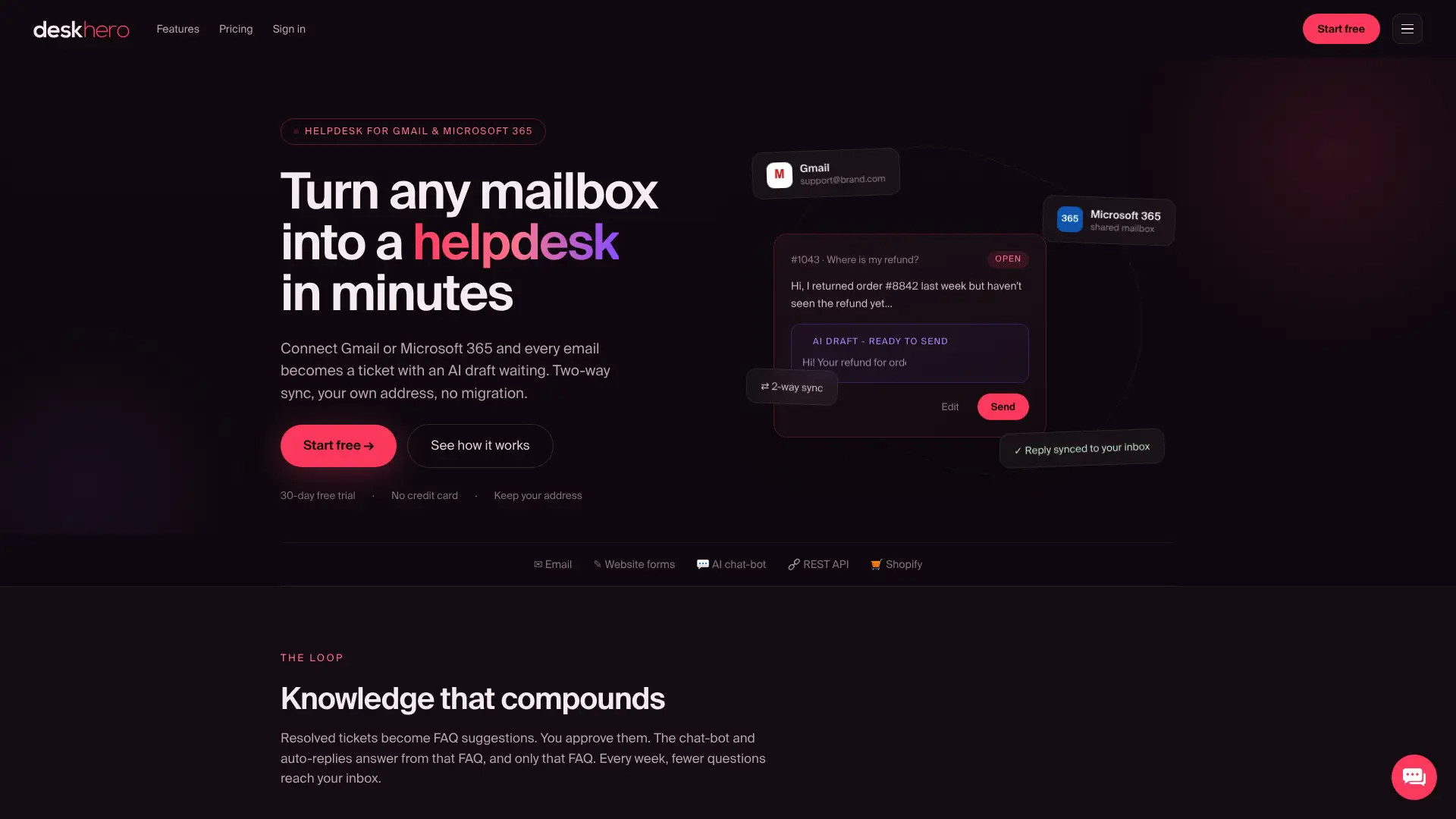
Deskhero fits small and mid-sized teams that want AI-assisted support without a new email address. It does not provide a native call center or the depth of configuration found in enterprise-focused suites. Its 30-day free trial requires no credit card. Connect a mailbox, review the imported and suggested knowledge, and test AI drafts with real conversations.
Useful sources and further reading
Feature and pricing details were checked against official vendor pages. Prices and packaging change, so confirm them directly before purchasing.
| Source | Type | Used for |
|---|---|---|
| deskhero.com | Vendor page | Mailbox connections, AI workflow, trial, and Shopify integration |
| Freshdesk features | Vendor page | Ticketing, channels, AI, and plan comparison |
| Zendesk pricing | Vendor page | Plans, add-ons, and trial options |
| HubSpot Service Hub | Vendor page | CRM connection, service features, and editions |
| Intercom pricing | Vendor page | Seats, Fin outcomes, add-ons, and trial |
| Gorgias Helpdesk | Vendor page | Ecommerce workflows, channels, and Shopify actions |
| Help Scout documentation | Vendor documentation | Inbox, Docs, Beacon, live chat, and apps |
| Front pricing | Vendor page | Shared inboxes, workflows, analytics, and plans |
| LiveAgent pricing | Vendor page | Plan features, call center availability, and trial |
| Crisp pricing | Vendor page | Free and paid plans, included seats, and trial |
| Zoho Desk plan comparison | Vendor page | Zoho Desk channels, automation, AI, and plan limits |
Methodology note: This review compares documented features, pricing structures, and likely use cases. It does not claim first-person testing. Starting prices reflect publicly listed rates checked in August 2026 and may change. Confirm billing intervals, taxes, usage charges, trial terms, and required tiers directly with each vendor.
FAQ
What is the easiest Zoho Desk alternative to set up?
Deskhero is designed for quick mailbox connection, while Help Scout offers a focused shared-inbox workflow. Actual setup time depends on routing, integrations, Users, and migration requirements. Deskhero can connect to an existing Gmail or Microsoft 365 mailbox without requiring a new support address.
Which Zoho Desk alternative is best for Shopify stores?
Gorgias is purpose-built for ecommerce and lets Users view Shopify customer and order data and perform supported order actions from the help desk. Deskhero also includes a Shopify customer panel for teams that want AI-drafted replies beside customer and order data.
Do any of these alternatives offer a free plan?
Crisp has a free plan with two seats. HubSpot provides free ticketing and team-email tools. Deskhero offers a 30-day free trial without a credit card, and Gorgias offers a 7-day trial. Other vendors offer trials or promotional access, but terms change and should be checked directly.
How do I migrate from Zoho Desk to a new platform?
Zoho Desk exports ticket data as CSV. Import support varies by destination, especially for conversation threading and attachments. Test a small export and import before moving the full history.
Is AI in help desk software safe to use without human review?
Fully automatic AI replies need tighter controls than drafts reviewed by a human. Verify source restrictions, confidence behavior, logging, and handoff rules. In Deskhero, the customer-facing chat-bot and auto-replies use only the approved public FAQ and hand uncertain questions to a human. AI drafts for Users can use the broader workspace knowledge pool and should be reviewed before sending.