Best Knowledge Base Software for SMB Support Teams

For small and mid-sized teams running support through Gmail or Microsoft 365, Deskhero is the recommended pick: it turns your existing mailbox into a full helpdesk with two-way email sync, an AI that answers only from knowledge you have approved, and a working knowledge base you can stand up in a single afternoon. Start a 30-day free trial with no credit card required.
Table of Contents
- Why does your knowledge base need Gmail and Microsoft 365 integration?
- What features does the best knowledge base software actually need?
- How do you evaluate knowledge base tools before you commit?
- How do you go from mailbox to a working knowledge base fast?
- Who owns the knowledge base, and how do you keep it accurate?
- What KPIs tell you the knowledge base is working?
- Why Deskhero is the recommended pick for Gmail and Microsoft 365 teams
- Key Takeaways
- The part most teams get wrong about knowledge base software
- Deskhero fits where other knowledge base platforms fall short
- FAQ
- Useful sources
Why does your knowledge base need Gmail and Microsoft 365 integration?
A knowledge base is only as useful as the workflow it sits inside. When your support team already lives in Gmail or Outlook, bolting on a separate platform creates friction: agents toggle between tabs, replies come from a generic support address, and ticket context gets lost in translation. Two-way mailbox sync solves that. Replies go out from your own company address, threads stay intact, and agents never have to leave their queue to look something up.
The business case for getting this right is real. KB chatbots configured correctly report significant ticket deflection improvements and much faster first-response times. For a small support team handling a moderate ticket volume, improvements in deflection can significantly reduce workload.
AI adds another layer of risk if it is not constrained. A knowledge base chatbot that pulls from unvetted sources or invents answers erodes customer trust faster than slow response times ever could. The fix is retrieval-augmented generation (RAG): the AI retrieves passages from your approved articles, then generates a response grounded in those passages only. Modern KB chatbots use semantic embeddings and vector databases to make that retrieval precise.
The teams that get the most from knowledge base software are not the ones with the longest feature lists. They are the ones with clear content ownership and a review cadence that keeps articles accurate as products change. Advanced AI does not replace that discipline — it amplifies whatever is already in the knowledge base, good or bad.
Helpdesk evaluation frameworks consistently rank governance and content ownership above feature checklists as the primary drivers of long-term KB success.
What features does the best knowledge base software actually need?
Not every feature on a vendor’s pricing page matters equally. These are the ones that separate a platform worth trialing from one worth skipping.

| Dimension | Entry-level platforms | Mid-market platforms | Enterprise platforms |
|---|---|---|---|
| Mailbox integration | Forward-only, new address required | One-way sync or limited OAuth | Two-way sync, no new address |
| AI behavior | Generic LLM, no source limits | Source suggestions, not enforced | Source-limited RAG, citations shown |
| Knowledge lifecycle | Manual article creation | Ticket-to-draft assist | Auto-FAQ from resolved tickets |
| Security | Basic password auth | SSO option | SSO + access controls + REST API |
| Analytics | Page views only | Search volume reports | Deflection rate, containment, CSAT |
Integrations are the first filter. Two-way Gmail and Microsoft 365 sync means tickets arrive, agents reply, and the thread stays in the customer’s inbox without a new support address. Google and Microsoft SSO removes the password management burden for small teams.
AI behavior is the second. Source citations in AI responses let agents and customers verify answers instantly. An AI that cannot show its source is an AI you cannot trust in production. Human handoff when the AI is unsure is non-negotiable.
Knowledge lifecycle tools matter more than most buyers realize. The ability to turn resolved tickets into draft KB articles automatically cuts documentation time significantly and keeps the knowledge base current. Crawlers should let you exclude footers, menus, and boilerplate so only meaningful support content reaches the AI.
Pro Tip: Before you shortlist any platform, ask the vendor to show you the crawl review screen. If you cannot exclude individual pages before they reach the AI, the platform is not ready for production use.
Security for U.S.-based buyers means data ownership clarity, access controls by role, and a REST API for custom integrations. Multilingual support matters if your customer base spans languages.
How do you evaluate knowledge base tools before you commit?
Evaluation frameworks consistently point to the same axes: search quality, governance controls, mailbox integration, AI safety, analytics, setup speed, and pricing model. Use these as your demo script.
Priority criteria (ranked):
- Search quality: does the search surface the right article on the first try, or does it return a list of loosely related pages?
- Governance: can you assign article owners, set review dates, and detect contradictions before the AI sees them?
- Mailbox integration: two-way sync with no new email address, confirmed by a live demo.
- AI safety controls: can the AI be restricted to approved articles only, with a hard fallback to human agents?
- Analytics: deflection rate, containment rate, and search success rate, not just page views.
- Setup speed: how long from mailbox connection to first ticket handled?
- Pricing model: per-agent, per-ticket, or flat? Hidden costs for AI features?
Scripted demo questions to ask every vendor:
- “Show me how two-way Gmail or Microsoft 365 sync works without creating a new email address.”
- “Can the AI be restricted to approved articles only? Show me what happens when a customer asks something outside the knowledge base.”
- “Run a KB health scan live and show me how contradictions between articles are surfaced.”
- “Where are citations shown in AI responses, and can a customer click through to the source article?”
Red flags to watch for:
- No crawl review step before content reaches the AI.
- AI that says “I know” without showing a source citation.
- No version control or rollback on articles.
- Deflection metrics buried or unavailable in the standard plan.
How do you go from mailbox to a working knowledge base fast?
| Phase | Timeline | Owner | Output |
|---|---|---|---|
| Discovery | Day 1 | Support manager | Mailbox connected, existing docs inventoried |
| Crawl & connect | Days 2–3 | Admin | Crawl complete, top 20 pages reviewed |
| Crawl review | Days 3–4 | Content owner | Irrelevant pages excluded, contradictions flagged |
| Approval rules | Day 5 | Admin | AI restricted to approved articles only |
| Pilot | Days 6–14 | Two agents | — |
| Full launch | Day 14 | Full team | All agents onboarded, CSAT tracking live |
Teams with existing documentation can realistically go live quickly. Teams starting from scratch may need several weeks, using resolved tickets as the primary content source from day one.
Running a KB health check before enabling public-facing AI is the single step most teams skip and most regret. Contradictory pricing, conflicting return policies, and outdated product specs all become AI answers if you do not catch them first.
Pro Tip: Set a pilot success threshold before you launch: a 20% deflection rate and no AI-invented answers in the first two weeks is a reasonable bar for an SMB pilot. If you hit it, expand. If you do not, run the health check again.
Who owns the knowledge base, and how do you keep it accurate?
Software does not prevent content drift. Process does. Every article needs a primary owner, a secondary reviewer, and a clear escalation path when two articles contradict each other.
Governance process for turning resolved tickets into KB articles:
- Agent resolves ticket and flags it as a potential KB candidate.
- Content owner reviews the ticket thread and drafts an article (AI-assisted drafting speeds this step).
- Secondary reviewer checks for contradictions with existing articles.
- Article is approved and tagged with owner, review date, and product version.
- KB health scan runs automatically to flag new contradictions introduced by the addition.
| Audit type | Frequency | Trigger | Owner |
|---|---|---|---|
| Quick check | Regular intervals | Calendar | Content owner |
| Deep review | Periodic | Calendar | Support manager |
| Event-driven update | Promptly after triggers | Product release or policy change | Primary article owner |
Routine review and content ownership prevent the content drift that makes AI answers unreliable over time. Metadata discipline matters too: clear titles, consistent tags, and canonical source links make search more accurate and make audits faster.
What KPIs tell you the knowledge base is working?
| KPI | What it measures | Target for SMB pilot |
|---|---|---|
| Ticket deflection rate | % of inquiries resolved without agent | 20% in first 30 days |
| CSAT after AI interaction | Customer satisfaction with AI-handled tickets | — |
| Time-to-first-reply | Minutes from ticket creation to first response | Under 5 minutes |
| Containment rate | % of chat sessions resolved without escalation | 20% |
| Internal search success | % of agent searches returning a useful result | ≥ 70% |
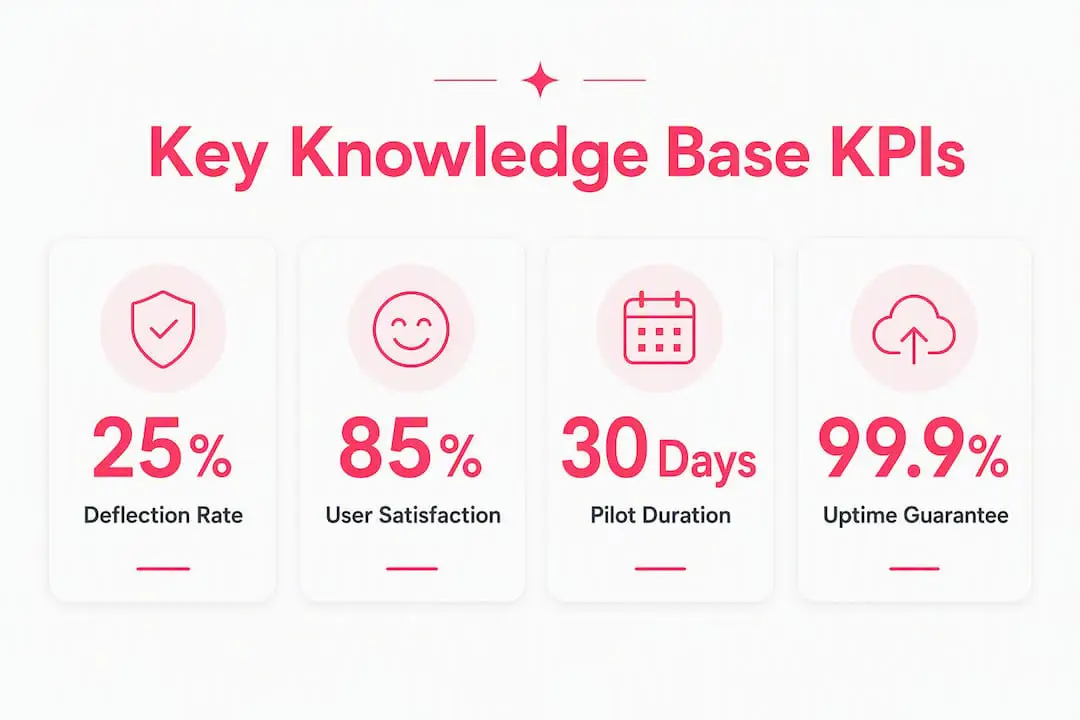
A simple ROI calculation for a team handling hundreds of tickets per month with typical cost per ticket shows that a moderate deflection rate can cover helpdesk subscription costs.
Reported deflection improvements are often substantial in well-configured deployments. Use a lower bound estimate as a conservative planning figure for the first 90 days.
Why Deskhero is the recommended pick for Gmail and Microsoft 365 teams
Deskhero maps directly to every criterion in the checklist above. Here is how the features line up:
- Two-way Gmail and Microsoft 365 sync: tickets arrive from your existing address, replies go out from the same address, no migration required.
- AI restricted to approved knowledge: the knowledge base chatbot only answers from articles you have approved. It hands off to a human agent when it is unsure and never invents an answer.
- Auto-FAQ from resolved tickets: approved ticket resolutions are distilled into public FAQ entries automatically, keeping the knowledge base current without manual documentation sprints.
- Google and Microsoft SSO: single sign-on out of the box, no third-party identity provider required.
- REST API: full extensibility for custom integrations, including Shopify customer panels for e-commerce teams.
- Multilingual support: 14 languages, useful for U.S. teams with international customer bases.
- Ticket insights map: visual analytics that surface deflection rate, search success, and containment without a separate BI tool.
Pro Tip: On day one of your trial, connect your mailbox first, then run the crawler on your existing help docs or website. Review the top 10 crawled pages before enabling AI responses. That single step prevents the most common pilot failure: AI answers drawn from outdated or contradictory content.
The 30-day free trial requires no credit card. Most SMB teams reach a working pilot within the first two weeks.
Key Takeaways
For SMBs choosing knowledge base software, the decision comes down to three things: two-way mailbox integration, AI that only answers from approved content, and a governance process that keeps articles accurate after launch.
| Point | Details |
|---|---|
| Mailbox-first integration | Two-way Gmail or Microsoft 365 sync means replies come from your own address with no new email required. |
| Source-limited AI | AI restricted to approved articles prevents hallucinated answers and protects customer trust. |
| Governance over features | Content ownership and a monthly review cadence matter more than any single feature on a vendor’s list. |
| Deflection benchmark | Conservative SMB pilots target a meaningful ticket deflection rate in the first 30 days. |
| Deskhero trial | Deskhero offers a 30-day free trial with no credit card, covering all features including two-way sync and source-limited AI. |
The part most teams get wrong about knowledge base software
The conventional wisdom says: pick the platform with the best AI. That framing sends buyers toward the wrong decision almost every time.
AI quality in a knowledge base is almost entirely a function of the content underneath it. A platform with sophisticated RAG architecture and a knowledge base full of contradictory, outdated articles will produce worse answers than a simpler tool with clean, well-governed content. The AI is a multiplier, not a corrective.
The second mistake is treating the crawl step as automatic. Every crawler picks up navigation menus, cookie banners, and footer boilerplate alongside actual support content. Teams that skip the crawl review step end up with AI that confidently answers questions about their privacy policy when a customer asks about a return.
Deskhero addresses both of these directly: the crawl review screen lets you exclude pages before they reach the AI, and the approval workflow means nothing goes live until a human signs off. The AI in customer service model Deskhero uses keeps humans in the loop at every step, which is the only safe way to run AI support at SMB scale where you cannot afford a dedicated AI ops team.
The third mistake is launching without a pilot success threshold. Define what “working” looks like before you go live, not after. Two weeks, two agents, and a 20% deflection target is enough to know whether the setup is sound.
Deskhero fits where other knowledge base platforms fall short
Most knowledge base platforms assume you will migrate to a new email address, build a new workflow, and retrain your team. Deskhero skips all of that. Your mailbox is the helpdesk. Your existing email address is the support address. The AI only uses what you have already approved.
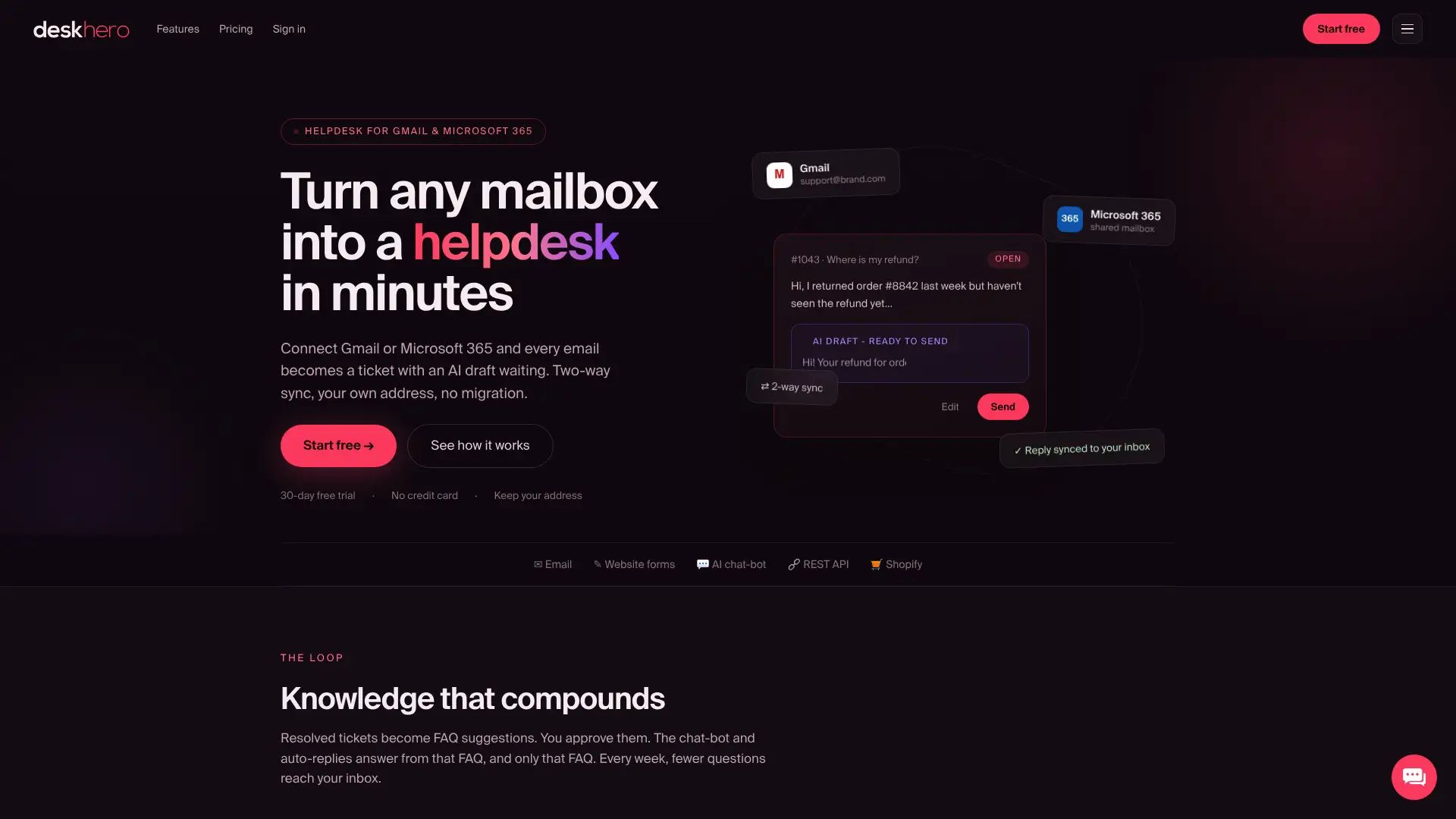
For support managers at small and mid-sized companies, that means you can run a real pilot in the time it takes most platforms to complete onboarding. Connect your Gmail or Microsoft 365 mailbox, run the crawler on your existing help docs, review the top 10 pages, and enable the AI in pilot mode with two agents. By day 14, you will have deflection data, CSAT scores, and a clear picture of whether the knowledge base is working.
Start your 30-day free trial at Deskhero with no credit card. The trial includes two-way mailbox sync, source-limited AI, auto-FAQ creation, and the full REST API.
FAQ
What is the best knowledge base software for small teams?
For small teams using Gmail or Microsoft 365, Deskhero is the strongest option: it requires no migration, syncs two-way with your existing mailbox, and restricts AI answers to approved content only.
How does two-way email sync work in a knowledge base platform?
Two-way sync means incoming customer emails become tickets and outgoing replies are sent from your existing company address, with no new support email address required.
Can a knowledge base chatbot be restricted to approved content only?
Yes. Platforms using retrieval-augmented generation (RAG) can limit the AI to a defined set of approved articles, with a human handoff triggered when no approved answer exists.
How long does it take to set up a knowledge base for an SMB?
Teams with existing documentation can go live in under two weeks. Teams starting from scratch should plan three to four weeks, building the knowledge base from resolved tickets.
What ticket deflection rate should an SMB expect in the first 30 days?
A conservative target for a well-configured SMB pilot is 20–40% deflection in the first 30 days, based on reported industry ranges of 40–70% in mature deployments.
Useful sources
- Turn Your Knowledge Base Into an AI Chatbot (Step-by-Step) — BuiltABot: RAG architecture, crawl review, and deflection benchmarks.
- Build a Knowledge Base Chatbot — Denser Docs: KB health scans, contradiction detection, and source citation guidance.
- 8 Best Helpdesk Knowledge Base Tools — IntelligentHQ: evaluation framework covering governance, integrations, and analytics.
- Knowledge Base Software & Hosted Help Center — Knowledgebase.com: single-source-of-truth principles and ticket deflection rationale.
- Deskhero admin quickstart and product documentation — setup guides for mailbox connection, crawl review, and AI approval workflows.