2 to 3 Tag Pilot: Skills-Based Routing for Support Teams

Skills-based routing directs each incoming contact to a User whose skills fit the request, instead of relying only on who is available. It replaces the “next available User” model with a match based on factors such as language, product knowledge, or authorization level. Support managers often use it to improve first-contact resolution (FCR), average handle time (AHT), and transfer rates. In Deskhero, new-ticket automations can provide a simpler version of this workflow by assigning tickets to a User or group when configured conditions match.
TL;DR:
- Skills-based routing can improve first-contact resolution and reduce transfers by considering skills as well as availability.
- Building an effective taxonomy requires focusing on high-impact skills like language, product knowledge, and authorization level, with proficiency levels and regular updates to prevent drift.
- Successful implementation involves piloting with a single queue, tagging contacts accurately, and continuously monitoring KPIs such as FCR, AHT, and transfer rates for ongoing optimization.
- AI can help classify incoming contacts, but teams still need clear rules, testing, and human oversight.
- Small teams can start with a limited set of routing conditions and expand only when the results justify more complexity.
Table of Contents
- What Is Skills-Based Routing? A Concise Explainer
- Why Implement Skills-Based Routing: Measurable Benefits and When It Fails
- How Skills-Based Routing Works: The Technical Workflow
- Designing a Skills Taxonomy and Mapping Users
- Implementation Checklist: Setup, Testing and Launch Plan
- Measure, Audit, and Maintain Skills-Based Routing
- AI and Skills-Based Routing: What AI Adds and Where Human Oversight Remains Essential
- Challenges and Common Pitfalls in Skills-Based Routing Implementation
- Comparison of Skills-Based Routing vs. Other Routing Strategies
- Industry-Specific Use Cases and Examples of Skills-Based Routing
- Impact of Skills-Based Routing on Employee Satisfaction and Training
- Future Trends and Innovations in Skills-Based Routing Technology
- Deskhero’s Approach for Small and Mid-Sized Support Teams
- Piloting Skills-Aware Routing Without a Full Platform Overhaul
- Sources
- FAQ
What Is Skills-Based Routing? A Concise Explainer
Skills-based routing (SBR) matches each contact’s requirements against a profile of what your Users actually know how to do. A customer emailing about a billing dispute in Spanish gets routed to someone tagged for both billing and Spanish, not to whichever User’s queue is shortest. That’s the entire concept: contact requirements on one side, verified User skills on the other, and a rules engine that pairs them.
Most teams track a handful of skill categories:
- Language (Spanish, French, Mandarin)
- Product or feature knowledge (billing, technical setup, enterprise accounts)
- Channel proficiency (phone, chat, email, social)
- Authorization level (refund limits, account changes, escalation rights)
Traditional queue-based or ACD (automatic call distributor) routing can send contacts according to availability without considering specialized knowledge. That works when every User can handle every issue. As teams specialize, availability-only routing can increase the chance that a contact needs to be transferred.
Why Implement Skills-Based Routing: Measurable Benefits and When It Fails
The case for skills-based routing should be tested in your own KPI dashboard. When the routing rules and skill data are accurate, teams may see:
- Higher first-contact resolution, since the User who picks up the contact usually already knows how to solve it
- Lower average handle time, because there’s less searching, escalating, or transferring
- Fewer transfers overall, which is one of the biggest drivers of customer frustration
- Better customer satisfaction when fewer contacts need to be repeated or transferred
Why it matters: Academic call center research describes the complexity of matching different contact types to differently skilled Users. A pilot lets you test whether that complexity improves your own service metrics before a wider rollout.
Users benefit too. Handling contacts that fit their actual strengths means less scrambling for answers and less rework, and that tends to show up in morale, not just metrics.
SBR isn’t automatically worth the setup cost. A small generalist team may gain little from a formal taxonomy. The same may be true when contact types are unpredictable or tagging data is too inconsistent to trust. In those cases, an availability-based model or a simple priority queue may do the job with less maintenance.
How Skills-Based Routing Works: The Technical Workflow
The mechanics can be grouped into three phases. Build a skills taxonomy, map Users to that taxonomy, then configure routing and assignment rules. Microsoft’s implementation documentation gives one concrete example, including rating models, skill types, skill assignment, classification methods, and assignment methods.
- Build the taxonomy. Define the finite list of skills that matter to your business (language, product area, channel, authorization tier).
- Map Users to skills. Depending on the platform, each User may receive a simple yes/no skill assignment or a rating on a defined proficiency scale.
- Configure routing rules. The engine reads incoming contact tags and matches them against User profiles, applying minimum proficiency thresholds where needed.
Contacts can receive routing data from IVR menu selections, CRM account data, email subject lines, headers, or automated classification of the message. When more than one User qualifies, the platform needs a documented tie-breaker. Options may include proficiency, capacity, idle time, or round robin, depending on the system.
| Integration point | Role in the routing decision |
|---|---|
| ACD / IVR | Captures initial contact and gathers routing signals (menu choice, caller ID) |
| CRM | Supplies account context (tier, history, language preference) |
| Chatbot / AI classification | Reads free text to infer intent and required skill |
| Workforce management | Confirms which skilled Users are scheduled and available |
This is also where routing by skills starts to look less like a single feature and more like a small integration project. Every source feeding contact tags needs to stay accurate, or the match quality drops even if the taxonomy itself is well designed.
Designing a Skills Taxonomy and Mapping Users
Build the taxonomy around the distinctions that affect service outcomes, not every conceivable skill someone might have. Research on call center design illustrates how quickly routing becomes more complex when contact types and User capabilities vary. A smaller pilot taxonomy is easier to test and maintain.
Two design decisions matter most:
- Proficiency scales. If your platform supports ratings, a defined scale and minimum threshold can distinguish routine work from cases that need deeper expertise.
- Ownership. Decide upfront whether Users self-report proficiency updates, whether a manager audits and approves them, or both. Self-reporting moves faster; manager audits catch drift.
Start with a pilot. Pick one queue, apply the taxonomy, and measure the KPI shift before expanding further.
Pro Tip: Run your first skills taxonomy in a single queue for a short pilot period and compare FCR and AHT against your baseline before rolling it out anywhere else. If the numbers don’t move, the taxonomy needs rework, not more queues.
Treat the taxonomy as a living part of your operations strategy, not a one-time setup task. The categories you choose should track the things that actually move CSAT and resolution rates, and that list will shift as your product and customer base change.
Implementation Checklist: Setup, Testing and Launch Plan
Rolling out skills-based routing works best as a phased project, not a flip-the-switch change.
- Set goals first. Decide which KPIs you’re trying to move (FCR, AHT, transfer rate) before building anything.
- Pick a pilot queue. Choose one contact type with clear-cut skill requirements, not your messiest queue.
- Assemble stakeholders. Get a manager, a few senior Users, and whoever owns your CRM or helpdesk data in the room.
- Create the skills list. Keep it tight, aligned to the goals from step one.
- Tag contacts. Configure IVR, CRM, and email tagging rules so contacts arrive with the right metadata.
- Assign Users and thresholds. Map Users to skills with proficiency levels and set minimum thresholds per skill.
- Set tie-breakers. Decide the fallback order when multiple Users qualify.
- Test with synthetic traffic. Run sample contacts through the rules before going live, and confirm fallback routing works when no qualified User is free.
- Roll out in phases. Expand queue by queue, training Users on the new flow, and watch dashboards closely during the first week.
Measure, Audit, and Maintain Skills-Based Routing
Skills-based routing degrades quietly if nobody watches it. The KPIs worth tracking on an ongoing basis are FCR, CSAT, AHT, transfer rate, User occupancy, and SLA attainment. A drop in any of these, especially FCR or transfer rate, is usually the first sign that User profiles no longer match reality.
A routing model is only as current as the profiles and rules behind it. Assign an owner, define how proficiency changes are approved, and review the model on a regular schedule.
A workable cadence looks like this:
- Daily: scan dashboards for anomalies (sudden AHT spikes, unusual transfer patterns)
- Weekly: spot-check a sample of routed contacts against actual User performance
- Quarterly: review the full taxonomy against current business priorities
Someone needs to own this process, whether that’s a team lead or an operations manager, and User incentives should reward accurate self-reported skills rather than inflated ones. Overstated proficiency wrecks routing accuracy faster than almost anything else.
AI and Skills-Based Routing: What AI Adds and Where Human Oversight Remains Essential
Skills-based routing predates current generative AI systems, and its rules-based core remains useful. AI can add a classification layer that estimates what a contact needs from its free-text message.
AI typically contributes in three ways:
- Intent classification: reading free text (an email, a chat message) to infer the actual issue, not just the category the customer picked
- Skill prediction: flagging which skill tags apply when a contact doesn’t fit a clean IVR menu
- Routing support: supplying a category or confidence signal that configured assignment rules can use
Hard requirements such as licensing, language, or authorization should remain explicit rules. A cautious flow is to classify the contact, apply the required skill rules, use a documented tie-breaker among qualified Users, and send ambiguous cases to a human for review.
Challenges and Common Pitfalls in Skills-Based Routing Implementation
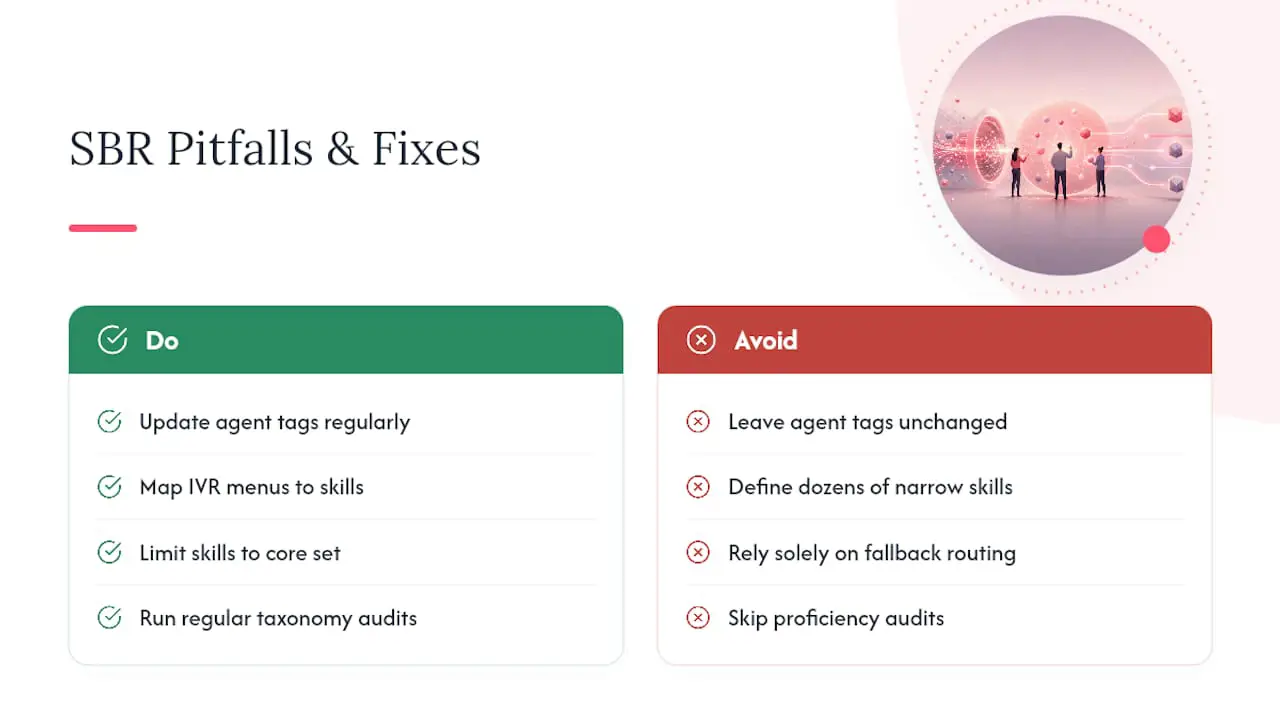
A frequent failure point is the data feeding the routing logic. If User profiles are created during onboarding and never reviewed, the taxonomy drifts away from current capabilities. Contacts can also be misclassified when menu options or automated categories do not map cleanly to the skills you have defined. Those errors can send work to the wrong queue or create avoidable transfers.
Over-engineering can be as damaging as neglect. A large set of narrow skills can leave many contacts with no fully qualified User available, forcing constant fallback routing. Archived call center research shows why routing across different contact types and User capabilities is an optimization problem with real trade-offs.
Small teams face a different problem: too few Users per skill combination, so the “best qualified” User is frequently unavailable, and every fallback essentially reverts to next-available anyway. Cross-training helps here more than adding rules.
Finally, plenty of teams launch SBR and never revisit it. No audit cadence, no proficiency updates, no taxonomy review. The system that looked sharp at launch slowly drifts out of sync with the team actually staffing it, and nobody notices until FCR quietly slides for a quarter.
Comparison of Skills-Based Routing vs. Other Routing Strategies
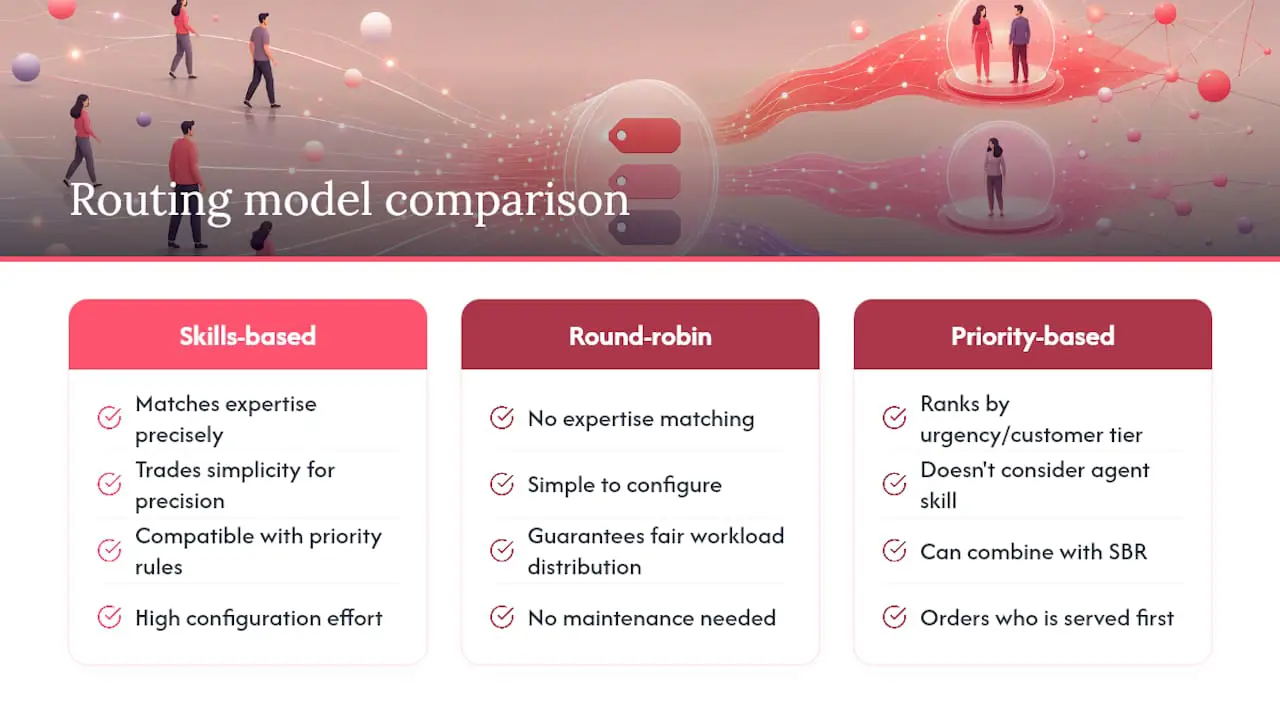
Round-robin routing cycles contacts across available Users without trying to match expertise. It is simple to configure and aims to spread work evenly, which can suit teams where every User can handle any contact type.
Priority-based routing ranks contacts by urgency or customer tier (a VIP account jumps the queue) but still doesn’t consider which User is best equipped to help. You can combine priority rules with SBR, and most mature setups do, using priority to decide who gets served first among the pool of skill-matched Users.
Longest-idle or next-available routing, the ACD default, optimizes purely for fairness in User workload. It’s fast and requires zero configuration, but it treats a billing question and a technical outage identically, sending both to whoever’s been idle longest.
Skills-based routing trades that simplicity for precision. It requires a taxonomy, User mapping, and ongoing maintenance, which round-robin and next-available models don’t need at all. The payoff is fewer transfers and faster resolutions, but only if the underlying skill data stays accurate. A team without the bandwidth to maintain that data is often better served by a simpler model layered with priority rules, at least until contact volume and complexity justify the investment.
Industry-Specific Use Cases and Examples of Skills-Based Routing
E-commerce support teams may route by product line and issue type. A shipping delay can go to a User familiar with logistics, while a payment dispute can go to someone with the appropriate refund authorization.
SaaS companies may split work by product area and technical depth. A billing question and an API integration issue often need different knowledge, so routing them to different groups can reduce avoidable escalation.
Healthcare-adjacent support teams may route scheduling, insurance, and billing questions according to role, training, and access permissions. The routing design should reflect the organization’s own privacy and compliance requirements.
Multilingual retail and travel brands lean on language as their primary skill category, often layered with region-specific product knowledge, so a French-speaking customer with a booking issue reaches someone who can actually read the local terms and conditions, not just translate the words.
Financial services teams may combine authorization level with product knowledge. The relevant training, permissions, and licensing requirements depend on the product and jurisdiction.
Impact of Skills-Based Routing on Employee Satisfaction and Training
Matching work to a User’s strengths can reduce avoidable transfers and the frustration of repeatedly handling unfamiliar issues. Measure the effect through User feedback and quality reviews instead of assuming it will improve retention.
Training changes shape too. Instead of trying to make every User equally competent at everything, teams can train new hires on a smaller set of skill areas first, verify proficiency, and expand their coverage over time.
The flip side is that specialization can create silos if it’s not managed carefully. Users who only ever handle one skill area can stagnate, and cross-training needs to stay deliberate so the team doesn’t end up with single points of failure, where one User’s vacation creates a coverage gap for an entire skill category. Rotating Users through secondary skills, even at a lower proficiency threshold, keeps the system resilient and gives Users a growth path instead of a permanent lane.
Future Trends and Innovations in Skills-Based Routing Technology
AI-assisted classification can reduce the manual work of labeling free-text contacts. Its usefulness still depends on accuracy checks, confidence thresholds, and a fallback for messages that do not fit the taxonomy.
Some routing platforms also support machine learning classification or configurable ranking within a qualified pool. Treat those features as inputs to test, not a reason to remove hard eligibility requirements.
Performance data can help managers identify stale proficiency ratings, but automatically changing eligibility from outcome data creates its own risks. Keep changes reviewable and document who can approve them.
Knowledge-base integration can complement routing by presenting relevant guidance after a ticket reaches the right User. Routing and answer quality should still be measured separately.
Deskhero’s Approach for Small and Mid-Sized Support Teams
Deskhero does not provide a full skills-profile engine with proficiency scores or capacity-based ranking. It does provide new-ticket automations that can set the User, group, priority, status, tags, or dropdown custom fields. Conditions can use the automatically detected language, subject or message text, requester details, or a plain-language “Any (AI evaluated)” condition. This makes it possible to pilot a small set of assignment rules without presenting the result as enterprise skills-based routing.
Piloting Skills-Aware Routing Without a Full Platform Overhaul
Deskhero lets small and mid-sized teams test simple assignment rules while keeping their existing email address. It connects to Gmail or Microsoft 365 with two-way sync, so replies continue to come from the company’s own address.
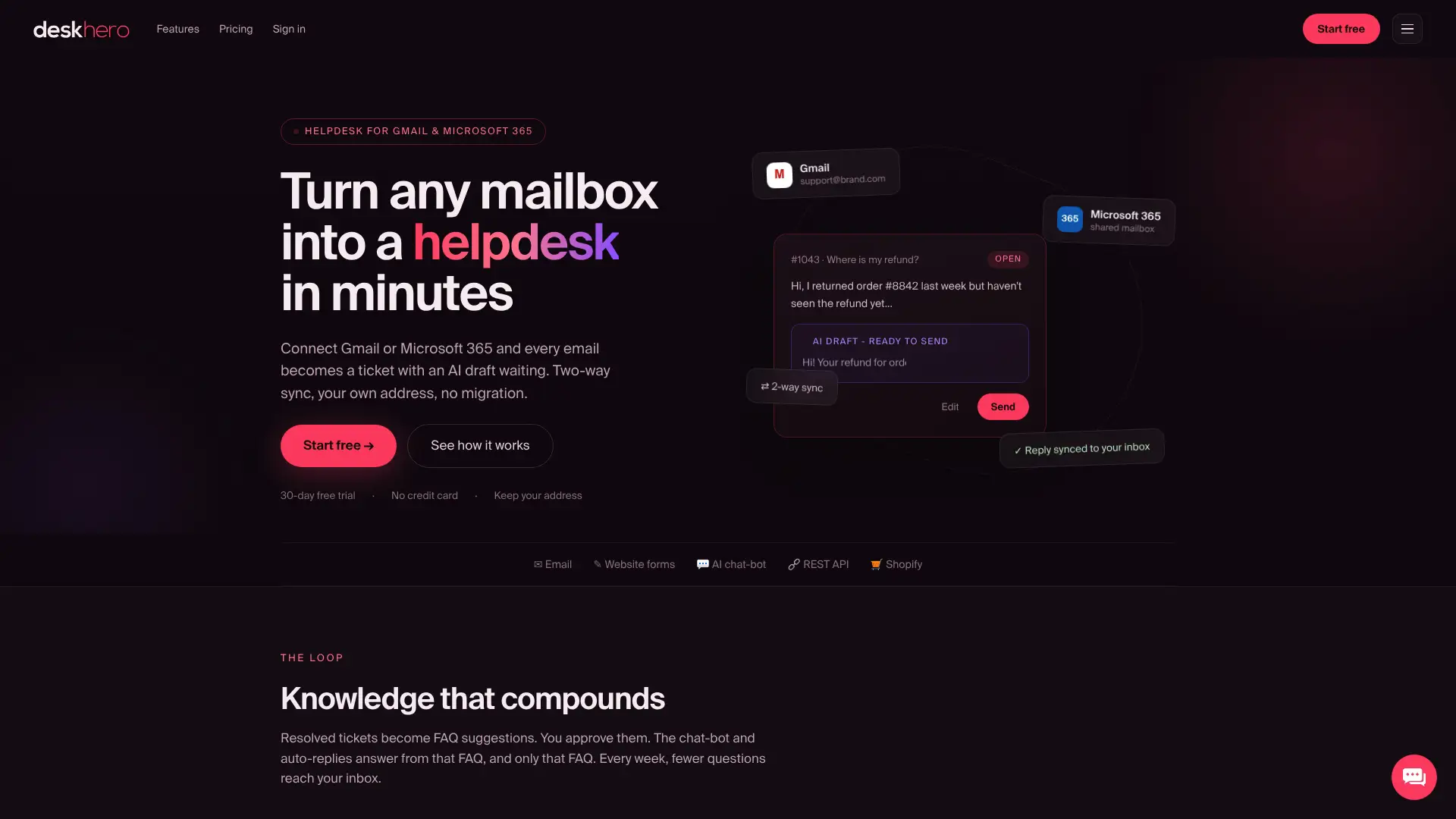
For a routing pilot, Deskhero can detect a ticket’s language and apply configured automation conditions to set its group, assignee, or tags. Its multilingual support across 14 languages can help Users read and reply across supported languages. Resolved tickets can contribute to suggested public FAQ entries, but a User must approve an entry before it becomes public. The AI chat-bot answers only from the approved public FAQ and requires at least 100 approved FAQ items before it can be enabled.
The 30-day free trial needs no credit card. Use it to configure a small set of new-ticket automations, test them with representative messages, and compare assignment accuracy, transfer rate, and resolution outcomes with your baseline.
Sources
For the technical mechanics of skill-based routing, Microsoft’s documentation explains skill ratings, classification, matching, and assignment in Dynamics 365. Wikipedia provides historical context. For a concise industry definition, see the NICE glossary entry.
- Set up skill-based routing - Microsoft Learn
- Call center research and recommendations (Wharton FIC archive)
- Skills-based routing: Wikipedia
FAQ
What Is Skill-Based Routing in Salesforce?
Salesforce Omni-Channel can use assigned skills when routing supported work items. The exact behavior depends on how an organization configures skills, service channels, queues, and routing rules.
What’s the Difference Between Queue-Based Routing and Skills-Based Routing?
Queue-based routing sends every contact in a queue to the next available User regardless of expertise, while skills-based routing filters that pool first by verified skill match, only then applying availability as a tie-breaker.
Can You Give an Example of Skills-Based Learning?
In a support context, skills-based learning means training Users against specific tagged competencies (like refund authorization or a particular product line) rather than a generic onboarding curriculum, so proficiency scores in the routing system reflect actual, verified capability.
How Long Does It Take to Set Up Skills-Based Routing?
There is no universal setup time. A pilot depends on the number of skills, the quality of existing data, the routing platform, the test volume, and how long the team needs to collect a meaningful KPI comparison.
Does Skills-Based Routing Work for Small Support Teams?
Yes, if the contact types differ enough to justify routing rules. In Deskhero, a small team can use new-ticket automations with detected language, message content, requester details, or an AI-evaluated condition to assign a User or group. Deskhero does not provide a full proficiency-based skills engine.