AI Ticket Classification for Support Teams: A Practical Guide

AI ticket classification reads incoming support tickets and predicts labels such as category, priority, or destination. It can reduce repetitive sorting, but uncertain predictions still need human review. A practical pilot uses representative ticket text, a clearly defined label set, and confidence thresholds chosen from validation results. Research such as a 2025 comparative study can help you choose a baseline, while this accuracy, precision, recall, and F1 primer explains the core evaluation metrics.
Before you commit budget to a model, confirm the basics:
- You have a representative set of historical tickets with usable text and reliable labels
- Your initial taxonomy is small enough for reviewers to apply consistently
- You can send low-confidence predictions to a human review queue
- Someone on your team owns monitoring and corrections after launch
Key Takeaways
AI ticket classification works best when it combines labeled examples, measurable acceptance criteria, confidence thresholds, and human review rather than full automation from day one.
| Point | Details |
|---|---|
| Start with a limited pilot | Test one queue or a small set of categories before expanding the classifier's scope. |
| Match model to task | The 2025 study found that classical machine learning matched or exceeded the tested deep-learning models in several ticket-classification scenarios. |
| Use confidence thresholds | Route uncertain results to human review instead of forcing a label. |
| Monitor after launch | Track errors by class and changes in the confidence distribution so you can catch drift. |
| Separate classification from reply generation | Ticket routing and AI-drafted replies solve different problems and should be evaluated independently. |
Table of Contents
- What Is AI Ticket Classification?
- How Does an AI Ticketing System Process a Ticket?
- Which Model Approach Fits Your Ticket Volume?
- How Do You Integrate a Classifier Into Your Ticketing Workflow?
- What Metrics Prove Your Classifier Is Ready?
- How Do You Keep a Classifier Accurate After Launch?
- What Goes Wrong, and How Do You Fix It?
- What Does a 4-Week AI Classification Pilot Look Like?
- Why Deskhero Fits Teams Piloting AI Classification
- Start a Pilot Without Waiting on a Migration
- Sources
- FAQ
What Is AI Ticket Classification?
AI ticket classification is the automatic assignment of predefined labels to support tickets based on their text and, in some systems, selected metadata or attachments. Those labels can feed routing rules, priority queues, reporting, or suggested next steps. The classifier reduces manual triage only for predictions that meet your acceptance criteria. It should not silently force uncertain tickets into a queue.
The likely benefits are faster initial sorting and more consistent labels, but the size of the improvement depends on your taxonomy, training data, workflow, and traffic. Measure results against your current process instead of relying on a vendor's headline accuracy.
Common uses include separating IT requests into access, hardware, and software categories; sorting ecommerce questions into billing, shipping, and returns; and assigning tickets by language. Classification is also distinct from reply generation. For example, a helpdesk may draft a response from its knowledge sources even when a separate rule or model handles routing.
How Does an AI Ticketing System Process a Ticket?
A typical ticket classifier uses five stages. The details vary by model and integration, but the stages give you useful checkpoints when something goes wrong.
The pipeline, stage by stage:
- Ingestion. The system receives ticket text and relevant metadata from the helpdesk.
- Preprocessing. It removes irrelevant markup or signatures and normalizes the input. Some implementations also extract text from supported attachments.
- Feature extraction. A classical model may use TF-IDF vectors, while a neural model may use embeddings or tokens.
- Model inference. The classifier predicts one or more labels and, where available, a confidence score.
- Post-processing and routing. Rules accept, reject, or review the prediction before updating the ticket.
Multilingual tickets can be translated before classification or processed by a multilingual model. Test both approaches on your own language mix because translation can alter important terms. The open-source aiticketclassifier project shows a TF-IDF classification pipeline with category predictions, confidence scores, a dashboard, recommendations, and Slack alerts. Real-time processing fits workflows where the label must affect an active queue. Batch processing is useful for backfills and evaluation.
Which Model Approach Fits Your Ticket Volume?
There are three broad tiers to consider. The right one depends on the ambiguity of your labels, the amount and quality of your data, latency requirements, and operating cost.
Rule and pattern-based systems match keywords, addresses, domains, or regular expressions to actions. They are fast and easy to explain, but a growing rule set can become difficult to maintain. They work well for narrow, high-precision cases such as known billing addresses or product codes.
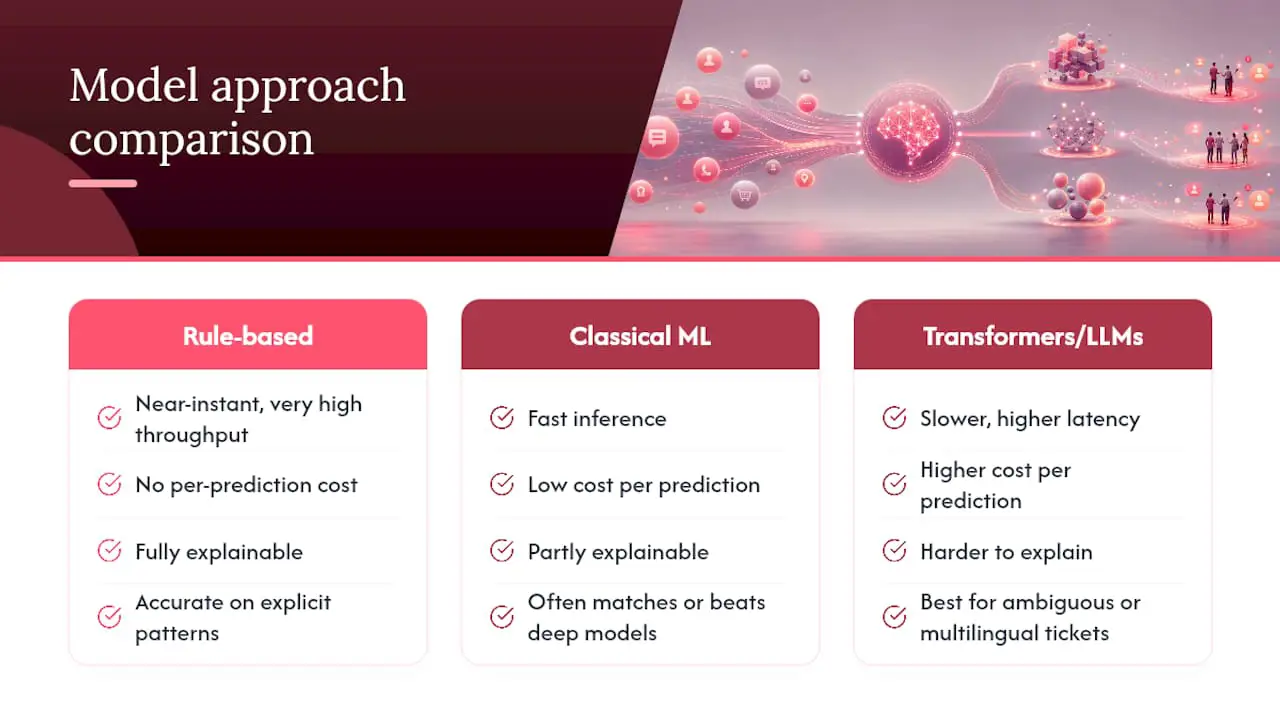
Classical machine learning methods such as Logistic Regression, SVM, and XGBoost train on labeled examples. The 2025 comparative study evaluated eight algorithms across public and enterprise datasets. It found that combining ticket title and description improved performance in all tested scenarios, and classical models matched or exceeded the tested deep-learning models in several cases.
Transformer and LLM approaches can be useful when tickets are ambiguous, multilingual, or dependent on broader context. They can also add cost, latency, and evaluation complexity. Compare them with a simpler baseline instead of assuming the larger model will perform better.
Pro Tip: Start with the least complex approach that meets your acceptance criteria. The 2025 study reported accuracy and F1 above 0.95 for priority classification in its tested scenarios, while category classification was harder on enterprise data.
How Do You Integrate a Classifier Into Your Ticketing Workflow?
Integration succeeds when each prediction has a clear, reversible action. Work through these steps in order:
- Audit your data. Sample a representative period and check how consistently tickets were labeled.
- Design your taxonomy. Begin with categories that reviewers can distinguish reliably.
- Label a seed dataset. Use support specialists who understand the queue, and record disagreements.
- Build a baseline. Compare a simple rule set or classical model with your current manual process.
- Test the full integration. Confirm how predictions, errors, retries, and field updates behave in a sandbox.
- Roll out in phases. Start with one queue or a small group of high-confidence labels.
An external classifier typically reads new tickets through the helpdesk's supported integration method and writes the accepted label back to fields such as group, priority, or tags. Check whether the helpdesk supports outbound events or requires polling. Deskhero's REST API supports ticket listing and updates, but it does not provide outbound webhooks, so an external classifier must poll the API. For mailbox setup and ticket creation, see Deskhero's email-to-ticket workflow.
What Metrics Prove Your Classifier Is Ready?
Four measurements are especially useful: precision (how many predicted labels were correct), recall (how many true instances were found), F1 (the harmonic mean of precision and recall), and confidence calibration (whether predicted probabilities match observed outcomes).
For multi-class problems, examine both macro-averaged F1, which gives every class equal weight, and micro-averaged F1, which is dominated by high-volume classes. Also inspect a confusion matrix and per-class precision and recall. A single aggregate score can hide serious errors in rare but important categories.
Evaluate on a held-out set of real tickets that reflects production traffic. Define acceptance criteria from the cost of each error. A false urgent label wastes capacity, while a missed urgent ticket may breach an SLA.
Pro Tip: A confidence threshold is a decision rule, not a universal percentage. Choose it from validation data, then route predictions below it to human review.
How Do You Keep a Classifier Accurate After Launch?
Deployment is not the finish line. Track prediction volume by category, errors by class, the confidence distribution, review-queue volume, and the operational impact of misrouted tickets.
- Collect corrections as labeled feedback and review them for consistency
- Run new model versions in shadow mode before they can change tickets
- Roll updates out queue by queue and keep a rollback path
- Retain human review for predictions below the selected threshold
Retraining frequency should follow observed drift, not an arbitrary calendar. A product launch, taxonomy change, or new customer segment may justify retraining sooner. Deskhero's customer support dashboards guide offers a broader framework for selecting support metrics, but classifier-specific measurements still need their own monitoring.
What Goes Wrong, and How Do You Fix It?
Inconsistent labels are a common failure mode. If support specialists assign different categories to similar tickets, the model learns that disagreement. Write labeling guidelines, review disputed examples, and measure agreement before scaling. Class imbalance creates another risk because an aggregate score can look strong while a low-volume category performs poorly. Use per-class metrics and collect more representative examples where needed.

Ambiguous tickets need an explicit fallback. Send uncertain predictions to a review queue, keep the original model output for analysis, and let corrections feed the next evaluation set. For LLM-based systems, validate that the output is one of the allowed labels before any workflow action runs.
Privacy deserves its own line item. Do not send tickets containing personal data to a third-party model unless your legal and security requirements are satisfied, including an appropriate data-processing agreement where required.
Pro Tip: Minimize the fields sent to the classifier. If the model only needs a subject and message, do not include unrelated customer data.
What Does a 4-Week AI Classification Pilot Look Like?
A four-week schedule can work as a planning template, although the amount of data and review time should determine the real pace:
- Week 0, scoping. Select one queue, define the taxonomy, choose baseline metrics, and document unacceptable errors.
- Week 1, labeling and baseline. Label a representative sample, resolve disagreements, and train or configure the simplest viable baseline.
- Week 2, integration and shadow testing. Run predictions on live tickets without changing their fields.
- Weeks 3 to 4, limited rollout and evaluation. Enable actions only for validated high-confidence cases, then measure model quality, review load, routing corrections, and support outcomes.
Do not treat four weeks as a guarantee. Extend shadow testing if rare categories are missing, label quality is inconsistent, or the integration cannot fail safely.
Why Deskhero Fits Teams Piloting AI Classification
Deskhero turns a Gmail, Google Workspace, or Microsoft 365 mailbox into a helpdesk without changing the customer-facing email address. New tickets can also arrive through embedded forms and the AI chat-bot. This gives a pilot a consistent ticket record while Users continue working in a shared inbox.
Deskhero's new-ticket automations can evaluate plain-language AI conditions and set the assignee, group, status, priority, tags, or dropdown fields. This supports practical AI-assisted triage without building a custom model. For a separate classifier, the REST API can list and update tickets, but the integration must poll because Deskhero has no outbound webhooks. AI-suggested replies are a separate feature grounded in workspace knowledge, while customer-facing AI auto-replies and the chat-bot answer only from the approved public FAQ. Deskhero also supports multilingual tickets.
Implementation Notes
Keep the first taxonomy narrow, log every correction, and distinguish model evaluation from workflow evaluation. A classifier can have a strong F1 score and still create operational problems if it assigns the wrong group or overwrites a field Users need. Start with shadow predictions, then enable reversible actions for the clearest cases.
Start a Pilot Without Waiting on a Migration
Deskhero can connect to an existing Gmail, Google Workspace, or Microsoft 365 mailbox, including Microsoft shared mailboxes. You can first test built-in new-ticket automations that set routing fields from explicit conditions or an AI-evaluated condition. If you need a separately trained classifier, use the REST API to poll for tickets and update accepted labels.
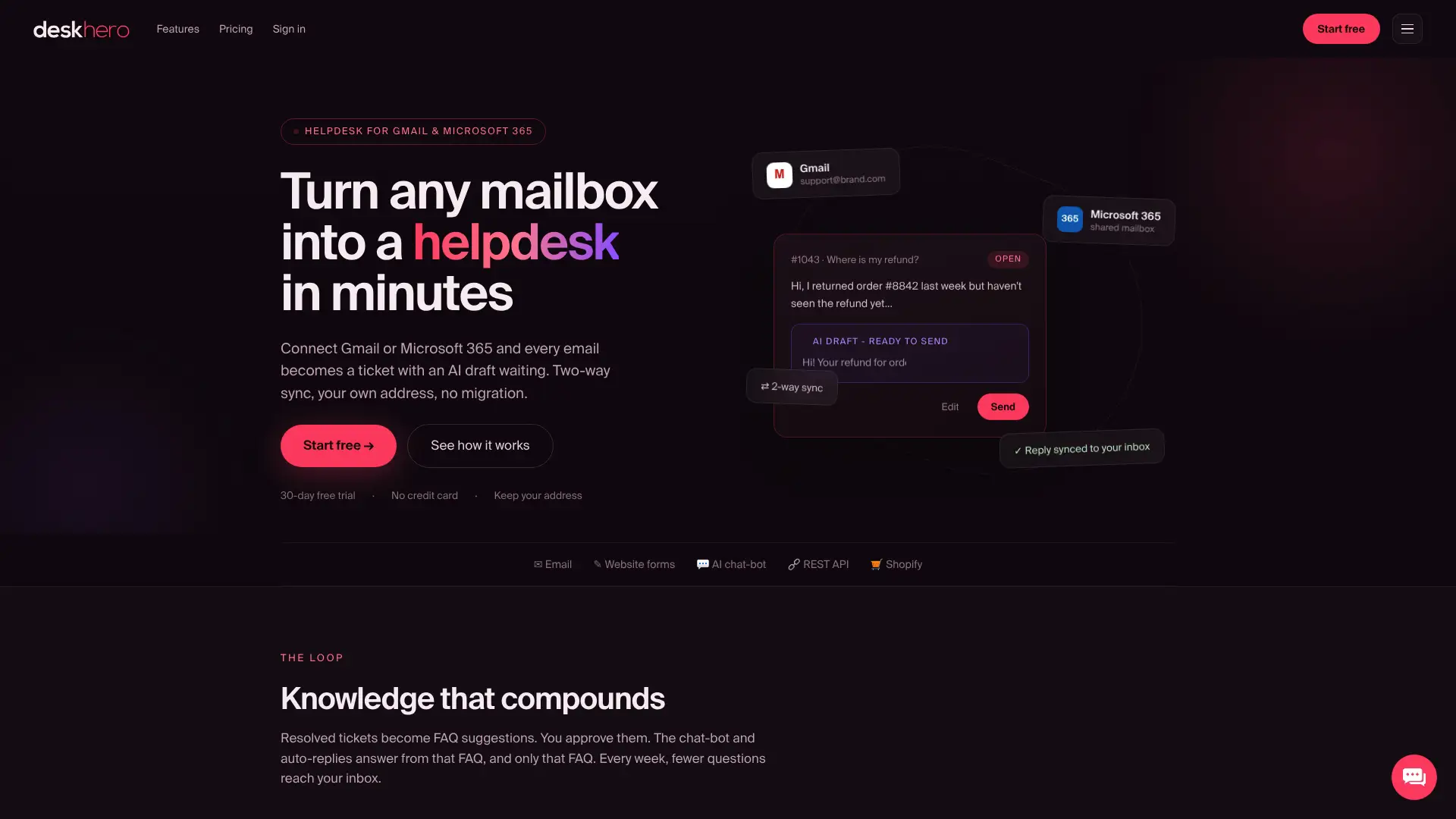
Keep classification, routing, and reply generation as separate controls. Deskhero's suggested replies use workspace knowledge and remain available for a User to accept, edit, or dismiss. Its AI auto-replies and chat-bot use only approved public FAQ items, and the chat-bot requires at least 100 approved FAQ entries before activation. Deskhero offers a 30-day free trial with no credit card required.
Sources
The following resources provide a research comparison, a working reference implementation, and definitions for the main evaluation metrics:
- Comparative Study of Machine Learning and Deep Learning Algorithms for Customer Support Ticket Classification
- aiticketclassifier (GitHub)
- What Is Accuracy, Precision, Recall, and F1 Score?
FAQ
What Is an AI Ticketing System?
An AI ticketing system is a helpdesk or connected service that uses machine learning or language models for tasks such as classification, prioritization, routing, reply drafting, or automated answers. The exact capabilities vary by product.
What Are Classification Models in AI?
Classification models assign one or more predefined labels to new input based on rules or patterns learned from labeled examples. In ticketing, the label might be a category, priority, language, or destination group.
What Is the AI Ticket Method?
There is no standardized "AI ticket method." A typical pipeline ingests ticket text, prepares the input, predicts a label, validates the result against rules and confidence criteria, and then updates or queues the ticket.
How Does AI Classify Support Tickets Accurately?
Accuracy depends on consistent labels, representative examples, suitable input fields, and testing on held-out tickets. The 2025 comparative study found that combining title and description improved results in all of its tested scenarios.
Can a Helpdesk Like Deskhero Handle Ticket Classification Without a Data Science Team?
Deskhero can perform AI-assisted new-ticket triage through automation rules with plain-language AI conditions. Those rules can set fields such as group, priority, assignee, status, and tags. A separately trained statistical classifier requires an external integration that polls Deskhero's REST API.