SLA Response Time: Benchmarks and Targets by Priority

SLA response time is the maximum window a support team commits to for acknowledging a request. It is measured from ticket creation to the first meaningful reply, not full resolution. Defining this window clearly makes helpdesk reporting easier to interpret.
Many support organizations set targets by priority level rather than using one blanket number. A workable starting point is:
- P1 (Critical): 15 to 30 minutes
- P2 (High): within one to two hours
- P3 (Medium): within four to eight business hours
- P4 (Low): within one business day
Fast fact: Email Meter reports that 89% of customers expect a reply within an hour, while the averages it reports for B2B SaaS are about six to eight hours.
Key Takeaways
Meeting SLA response time targets consistently requires priority-based benchmarks, clear measurement, and automation that preserves reply quality rather than merely stopping the clock.
| Point | Details |
|---|---|
| Define response time correctly | Measure from ticket creation to the first meaningful reply, not full resolution. |
| Set priority-based targets | Use P1 at 15 to 30 minutes through P4 at one business day as a starting benchmark. |
| Track percentiles, not just averages | Report average first response time alongside the median and P95 so slow outliers do not hide behind a healthy mean. |
| Define business hours | State whether off-hours tickets follow a business-hours schedule or a calendar-hours clock. |
| Automate with appropriate knowledge | Deskhero auto-replies use the approved public FAQ, while suggested drafts can use all workspace knowledge. |
Table of Contents
- What Is SLA Response Time, and How Does It Differ from Resolution Time?
- When Does the SLA Clock Actually Start?
- What Are Realistic SLA Response Time Benchmarks by Priority?
- How Do You Measure and Report SLA Compliance?
- How Do You Configure SLA Policies in Your Ticketing System?
- What Causes Missed SLA Response Targets?
- What Tactics Actually Reduce SLA Response Time?
- What Does a Sample SLA Response Time Clause Look Like?
- How Deskhero Maps to These SLA Tactics in Practice
- A Support Manager’s Take on Speed Versus Quality
- Meet SLA Targets Without Adding Headcount
- Sources
- FAQ
What Is SLA Response Time, and How Does It Differ from Resolution Time?
Response time and resolution time measure two different promises. Response time starts when a request is submitted and stops at the first meaningful human or automated response. Resolution time measures how long it takes to resolve the issue.
A ticket can hit its response target and still frustrate the customer. A support team might reply in ten minutes to say it is investigating, then take three days to deliver the fix. The response target was met, but the resolution experience was still poor.
Tracking only one metric creates blind spots:
- Response-only reporting can look healthy while resolution backlogs grow.
- Resolution-only reporting can hide a slow initial acknowledgment.
- Tracking both metrics helps show whether the bottleneck is in triage or execution.
When Does the SLA Clock Actually Start?
The trigger and schedule you choose have a major effect on reported performance. Define them explicitly so the dashboard reflects the service customers were promised.
- Ticket creation vs. assignment. Starting the clock when a ticket is created includes time spent waiting in a queue. Starting it only after assignment excludes that delay, so the agreement must say which event applies.
- Business hours vs. calendar hours. Business-hours timers pause outside a defined schedule. Calendar-hours timers run continuously. Choose the model that matches your coverage and explain it to customers.
- Channel-specific rules. Email, web forms, chat, and phone can have different response expectations. If targets differ by channel, encode the distinction in the policy instead of relying on an unwritten convention.
What Are Realistic SLA Response Time Benchmarks by Priority?
Benchmarks are starting points, not universal promises. The ranges below reflect the priority-based examples published by Email Meter. Adjust them for your customers, staffing, hours, and issue complexity.
| Priority | Response target | Typical resolution range |
|---|---|---|
| P1 (Critical) | 15 to 30 minutes | 2 to 4 hours |
| P2 (High) | 1 to 2 hours | 4 to 8 hours |
| P3 (Medium) | 4 to 8 business hours | 1 to 2 business days |
| P4 (Low) | 1 business day | 3 to 5 business days |
Email Meter also reports that customers who wait more than ten minutes for a first response are more likely to churn. Treat that vendor-reported figure as context, not as a substitute for measuring expectations and outcomes among your own customers.
Averages alone will not tell you whether targets are met consistently. If the average P2 response is 90 minutes but the 95th percentile is six hours, a meaningful group of customers is waiting far longer than the headline figure suggests. IBM’s guide to SLA metrics emphasizes defining and monitoring the metrics that match the agreement. Adding median and P95 response time to the average makes slow outliers visible.
Use averages for an overall pulse, and pair them with percentiles and compliance rates when reporting to leadership or customers.
How Do You Measure and Report SLA Compliance?
Three calculations provide a practical view of response performance.
Average first response time is total first-response time across all measured tickets divided by the ticket count. It is a useful baseline, but it can hide outliers.
Compliance rate is the number of tickets answered within the SLA divided by the total number of measured tickets, expressed as a percentage. A team with 460 of 500 tickets answered on time has a 92% compliance rate. Set the target in the agreement rather than assuming one percentage fits every service.

Breach rate is the percentage of measured tickets that missed the target. Review breach rates by priority because a missed critical target carries a different risk from a missed low-priority target.
A useful dashboard can include:
- Average first response time by priority tier
- Compliance rate and breach rate side by side
- Median and P95 response time together
- Channel-level breakdowns where channels have different targets
Choose a reporting cadence that matches ticket volume and risk. High-priority queues may merit daily review, while a weekly report can show broader trends. Periodically confirm that the targets still fit actual demand and coverage.
How Do You Configure SLA Policies in Your Ticketing System?
Turning benchmarks into working policy requires a few concrete decisions.
- Choose clear priority tiers. Three or four tiers often provide enough separation between emergencies and routine requests without making triage ambiguous.
- Define when each clock starts and stops. State how creation, assignment, first response, status changes, and resolution affect timing.
- Set business hours explicitly. Define weekly coverage, time zones, and whether a target uses business hours or calendar hours. If your system lacks a holiday calendar, document how holidays will be handled.
- Define warnings and escalation. Decide who should be notified before a breach and who owns the next action after a breach.
- Run a policy checklist before launch: priorities covered, hours defined, exclusions listed, notifications configured, and reporting cadence confirmed.
What Causes Missed SLA Response Targets?
Many SLA breaches trace back to a small number of recurring operational problems.
- Unclear business-hours rules. A ticket submitted outside coverage may wait until the next open period. Customers should know whether that time counts toward the target.
- Vanity acknowledgments. An overly aggressive universal target can encourage empty “we got your message” replies that stop the clock without helping the customer.
- Routing and staffing mismatches. Tickets in the wrong queue, or a queue without enough coverage for its target, will breach even when the policy is well written.
- Monitoring blind spots. Reviewing compliance only after the reporting period ends leaves no opportunity to rescue tickets that are approaching a deadline.
Pro Tip: Review business-hours schedules and ticket volume regularly. Coverage that matched last year’s demand may no longer fit current traffic.
What Tactics Actually Reduce SLA Response Time?
Before adding headcount, look for avoidable delay in triage, routing, and the first useful response.
- Use controlled AI for routine first replies. A system grounded in reviewed knowledge can answer common questions quickly and send uncertain cases to a human. The goal is a useful response, not an acknowledgment written only to stop the clock.
- Automate triage and assignment. Rules that evaluate new tickets and set the right group, assignee, priority, or tags can reduce queue time. This guide explains how to streamline IT helpdesk workflows. A guide to using existing email as a helpdesk covers the shared-inbox setup.
- Build approved answer coverage. Review recurring questions and publish accurate answers that automation can safely reuse. A practical auto-reply setup guide explains how to combine AI answers with a carefully written static fallback.
- Plan staffing against the target. If a queue regularly contains more work than the team can answer within its SLA window, process changes alone will not close the gap.
Pro Tip: Pilot a change on one priority tier, compare average first response time and P95 before and after, and review qualitative feedback from Users as well as the numbers.
What Does a Sample SLA Response Time Clause Look Like?
Contract language for SLA response time needs enough specificity to be measured consistently. A practical clause should cover:
- First-reply commitment by priority: “Provider shall acknowledge Critical (P1) tickets within 30 minutes of submission during covered hours.”
- Escalation language: “If a P1 ticket remains unresolved after four hours, the provider will escalate it to the designated senior technical contact and account contact.”
- Ownership statement: name who owns the SLA clock when a ticket transfers between teams.
| Checklist item | What to confirm |
|---|---|
| Channels covered | Each covered channel has a defined SLA |
| Hours and exclusions | Business hours, time zones, and exclusions are explicit |
| Warnings and escalation | Recipients and actions are defined for at-risk and breached tickets |
| Reporting cadence | Compliance and breach rates are reported on a fixed schedule |
How Deskhero Maps to These SLA Tactics in Practice
Deskhero combines SLA tracking with the ticket-routing and approved-knowledge tools that support it.
- SLA policies match tickets by group and priority, then set first-reply and resolution targets. A final “Everything else” rule can apply a fallback policy or no SLA.
- Each policy can use a weekly business-hours schedule with its own time zone or run on calendar hours. The first-reply clock never pauses, while the resolution clock can pause in a chosen status.
- The ticket list shows the next SLA deadline, and filters identify breached, due-soon, met, and paused tickets. In-app and email alerts warn the assignee or group when tickets become at risk or breach.
- New-ticket automation rules can set the assignee, group, status, priority, tags, or a dropdown custom field. Changes made by automation are recorded on the ticket timeline.
- AI auto-replies use only the approved public FAQ and count as a first response. Suggested drafts for Users can draw on the wider workspace knowledge pool and still require human review before sending.
Pilot a policy on one priority tier and compare average first response time, P95, and breach rate before expanding it.
A Support Manager’s Take on Speed Versus Quality
Tighter SLA targets can create tension between speed and depth. The answer is not to treat one as unimportant. Use triage and automation to remove routine delay, then give Users enough time to handle requests that need human judgment. A focused pilot and actual queue data are more useful than an aggressive target chosen without evidence.
A fast reply is valuable only when it moves the customer toward a resolution.
Meet SLA Targets Without Adding Headcount
Deskhero turns an existing Gmail or Microsoft 365 mailbox into a shared helpdesk without requiring a new support address. Automation rules can route and assign new tickets, while SLA policies track first-reply and resolution deadlines by group and priority.
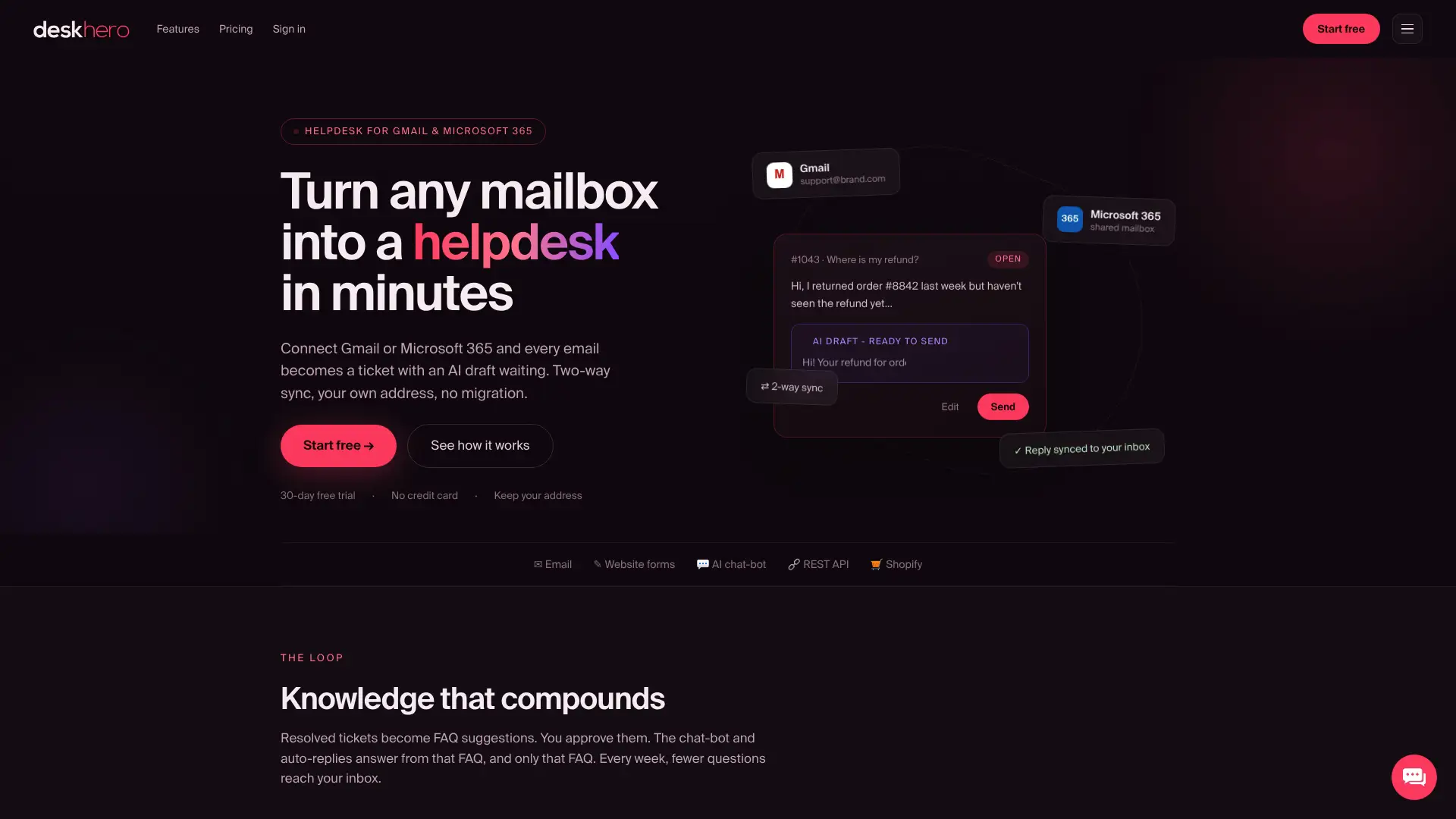
AI auto-replies answer from the approved public FAQ, and every automatic response is labeled and logged. When an answer cannot be supported, a human remains the fallback. Deskhero can also suggest FAQ items from resolved tickets and scraped website pages for Users to review before anything becomes public. For Shopify teams, the Shopify integration adds live customer and order context to tickets, while the synced product catalog can inform suggested reply drafts.
Start a 30-day free trial with no credit card required, then test one policy before expanding it.
Sources
- What Is SLA Response Time & Why It Matters
- What’s a Good SLA Response Time? (And How to Track It)
- Types of Service Level Agreement (SLA) Metrics
FAQ
What Is an SLA Response Time?
SLA response time is the maximum duration a service provider commits to for acknowledging a request after it is submitted, measured to the first meaningful reply rather than full resolution.
What Does SLA Stand For?
SLA stands for service level agreement, a documented commitment that defines expected service levels between a provider and a customer. It may include response time, resolution time, availability, and other measurable terms.
What Is a Response Time in Customer Support?
Response time is the elapsed time between a customer submitting a request and receiving the first substantive reply, whether from a User or approved automation.
What Does a 4 Hour SLA Mean?
A four-hour SLA means the provider commits to meeting a defined service target within four hours. The agreement must specify whether that target applies to response or resolution and whether it uses business hours or calendar hours.
How Do You Calculate SLA Compliance Rate?
Divide the number of measured tickets that met their SLA target by the total number of measured tickets, then multiply by 100. Compare the result with the target stated in your agreement.