Zendesk vs Freshdesk: 2026 Buyer's Guide

If you need a one-sentence answer: Freshdesk is a strong fit for teams that want an approachable email helpdesk with a clear upgrade path; Zendesk is better suited to organizations that need broad channel coverage, a large integration marketplace, and deep reporting; and Deskhero is worth considering when the priority is turning an existing Gmail or Microsoft 365 mailbox into an AI-assisted helpdesk with minimal disruption.
Here is the practical distinction:
- Deskhero: Mailbox-first setup, AI-drafted replies for Users, and customer-facing automation grounded in an approved public FAQ.
- Freshdesk: Email ticketing and shared inbox features from its Growth plan, with more advanced reporting, routing, and AI assistance available through higher tiers or add-ons.
- Zendesk: A broad service platform with email, messaging, telephony, analytics, AI options, and a large app marketplace.
Table of Contents
- How does Zendesk vs Freshdesk compare at a glance?
- Quick vendor profiles: who each platform actually serves
- How do the core features actually compare?
- What does each platform actually cost?
- How long does setup actually take, and what does migration involve?
- What security and compliance questions should U.S. buyers ask?
- Which platform should you choose based on your company profile?
- How should you run the demo and pilot?
- How this comparison was evaluated
- Key Takeaways
- A note on where Deskhero fits in this market
- Deskhero is worth a serious look before you commit
- Useful sources and further reading
- FAQ
How does Zendesk vs Freshdesk compare at a glance?
Prices and plan packaging were checked in August 2026. Verify them on each vendor's site before purchasing.
| Dimension | Deskhero | Zendesk | Freshdesk |
|---|---|---|---|
| Typical fit | Small and mid-sized teams that rely on email and want a quick mailbox-first setup | Teams that need multiple channels, extensive integrations, and configurable analytics | Teams that want straightforward email ticketing with tiered options for routing, reporting, and self-service |
| Published entry price | Small plan from $29.85 per month, plus additional Users | Support Team at $19 per user per month, billed annually | Growth at $19 per user per month, billed annually |
| Core channels | Email, embedded form, and AI chat-bot that falls back to a form | Email ticketing, messaging, live chat, and telephony, depending on plan | Email ticketing and shared inbox in Freshdesk; broader channel coverage is available through Freshdesk Omni |
| AI packaging | AI drafts, approved-FAQ auto-replies, and an approved-FAQ chat-bot are included on paid plans | AI Agents have an included resolution allowance; Copilot is a separate add-on on most plans | The first 500 Freddy AI Agent sessions are included; Freddy AI Copilot is an add-on on eligible tiers |
| Reporting | Fixed Statistics tabs, exports, dashboard metrics, and a topics cluster map | Prebuilt analytics plus Explore reporting and scheduled dashboard delivery, subject to plan | Standard reports on Growth, with custom dashboards and reporting on Pro and Enterprise |
| Integrations | REST API, Shopify customer card, Google sign-in, and Microsoft sign-in | More than 1,200 Marketplace apps, plus APIs | Freshworks ecosystem, Marketplace apps, and connector options |
| Trial | 30-day free trial with no credit card required | Free trial offered; terms vary by product | Free trial with no credit card required |
TCO note: Compare the exact channels, AI allowances, reporting features, and add-ons you need. Published plan prices do not tell the whole story, especially when AI usage, telephony, occasional-user access, or implementation help is added.
Quick vendor profiles: who each platform actually serves
Deskhero
Deskhero connects to Gmail, Google Workspace, or Microsoft 365 and turns incoming messages into tickets while keeping the company's existing address. It can also create tickets from an embedded form or an AI chat-bot. The standard mailbox setup is self-serve, so a team can begin without first moving to a new support address.
Its AI features use different knowledge scopes. Draft suggestions shown to Users can draw on the workspace's knowledge, including answered tickets, internal knowledge articles, approved FAQ entries, scraped website pages, and supported integrations. Customer-facing chat-bot answers and AI auto-replies use only the approved public FAQ. The chat-bot cannot be enabled until the workspace has at least 100 approved FAQ items, and it falls back to a form when it cannot answer confidently.
Deskhero strengths:
- Connect an existing mailbox without changing the customer-facing address
- Human review for AI-drafted replies
- Approved-FAQ grounding for customer-facing chat-bot answers and AI auto-replies
- Built-in Shopify customer card
- Interface support for 14 languages
Trade-offs to weigh:
- No native phone channel
- No live chat with human Users; the widget is an AI chat-bot with form handoff
- Fixed reporting tabs rather than a custom report builder
- A smaller integration ecosystem than Zendesk
Strongest differentiator: Existing-mailbox deployment paired with customer-facing AI that is restricted to an approved public FAQ.
Zendesk
Zendesk offers products for email ticketing, messaging, live chat, telephony, knowledge, analytics, and AI. Its Marketplace lists more than 1,200 apps, which makes it attractive when support data must connect to many other systems.
Zendesk strengths:
- Broad channel coverage, including native voice options
- Triggers, automations, routing, and SLA features across its plan range
- Explore analytics with reports, dashboards, and scheduled delivery
- A large app and partner ecosystem
- Published security and compliance documentation
Trade-offs to weigh:
- Plan and add-on choices require careful scoping
- Copilot is priced separately on most plans
- Telephony and advanced contact-center requirements can add cost
- Greater configurability can increase administration work
Strongest differentiator: Breadth across channels, reporting, integrations, and enterprise configuration.
Freshdesk
Freshdesk's Growth plan combines ticketing, a shared inbox, a customer portal, a knowledge base, standard reporting, and an allowance of Freddy AI Agent sessions. Pro and Enterprise add capabilities such as custom reporting, more advanced routing, multilingual helpdesk features, and additional administration controls.
Freshdesk strengths:
- Clear paid tiers for email-first support
- Shared inbox, ticketing, portal, and knowledge base on the entry paid plan
- Custom dashboards and reporting on higher tiers
- Freshdesk Omni option for teams that need broader channel coverage
Trade-offs to weigh:
- The current pricing page does not show a forever-free Freshdesk plan
- Freddy AI Copilot is a paid add-on on eligible tiers
- AI Agent usage beyond the included allowance is charged separately
- Some advanced features require Pro or Enterprise
Strongest differentiator: A relatively simple entry into email support, with higher tiers for teams that need more control.
How do the core features actually compare?
Ticketing and SLA handling
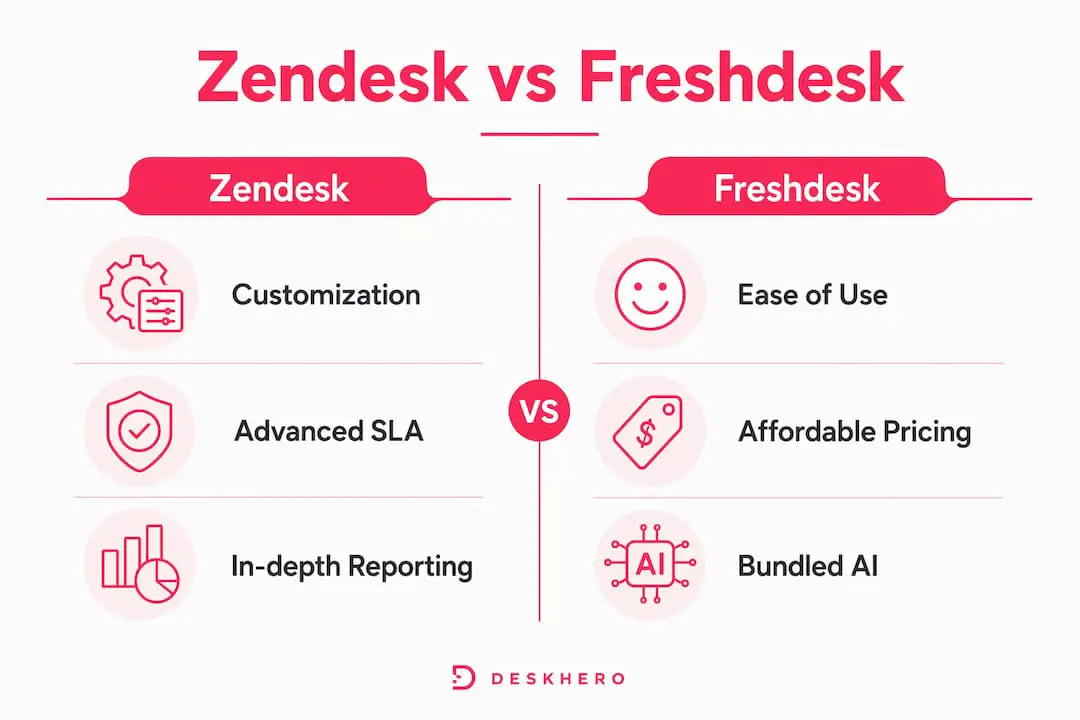
Zendesk, Freshdesk, and Deskhero all turn customer messages into tickets with status, assignment, priority, and conversation history. The differences are in configuration depth and packaging. Zendesk provides extensive workflow controls and multiple routing options. Freshdesk includes core ticketing and shared inbox features on Growth, with multiple SLA policies and intelligent routing listed on Pro. Deskhero includes editable statuses, groups, assignment, automation rules for new tickets, and SLA policies on paid plans.

For buyers, the useful test is not whether a vendor has ticketing. It is whether the system can express your real escalation rules without forcing constant manual work. Bring two or three difficult workflows to each evaluation and ask the vendor to build them live.
Omnichannel and voice
Zendesk Voice supports call routing and phone workflows in the same service environment as other channels. Freshdesk's core product is centered on email support, while Freshdesk Omni packages broader channel coverage. Deskhero is deliberately email-first and adds embedded forms plus an AI chat-bot, but it does not provide native phone support or live chat with human Users.
Knowledge base and self-service
Zendesk and Freshdesk provide customer-facing knowledge bases and portals, with capabilities varying by plan. Deskhero separates internal knowledge from its public FAQ. Internal knowledge helps generate draft replies for Users but is not published to customers. Approved FAQ entries power the customer-facing chat-bot and AI auto-replies. FAQ suggestions can be generated from resolved tickets and scraped website pages, but a human must approve them before they become public.
Automation depth
Zendesk and Freshdesk offer workflow automation with plan-dependent routing and administration features. Deskhero's automation rules run when a new ticket is created. They can set fields, route tickets, add tags, assign Users, or delete tickets, but they do not run on later updates or on a schedule. Deskhero's AI auto-replies are configured separately and use only approved public FAQ content.
AI capabilities
The vendors package AI differently, so compare both entitlement and usage charges.
- Freshdesk includes the first 500 Freddy AI Agent sessions on its current paid tiers. Freddy AI Copilot, which includes assistance such as drafting and summarization, is listed as a paid add-on on eligible plans.
- Zendesk includes an AI Agent resolution allowance with Suite and Support plans. Copilot is listed as a separate $50 per user per month add-on when billed annually, while some enterprise packaging includes it.
- Deskhero includes AI draft suggestions on paid plans. Drafts can use the wider workspace knowledge pool and remain under human control. Customer-facing AI auto-replies and chat-bot answers use only the approved public FAQ.
Pro Tip: Ask every vendor to demonstrate a question the AI cannot answer. Check what the customer sees, what the human User sees, and whether the interaction is logged.
Reporting and analytics
Zendesk Explore supports reports, dashboards, calculated metrics, and scheduled delivery, subject to plan and permissions. Freshdesk includes standard reporting on Growth and lists custom dashboards and reporting on Pro and Enterprise. Deskhero provides nine fixed Statistics tabs, Excel export from each tab, dashboard metrics, and a topics cluster map. Deskhero does not provide a custom report builder.

What does each platform actually cost?
Published prices checked in August 2026. Prices below use annual billing where the vendor specifies it.
| Platform | Published entry plan | Higher tiers | AI notes | Trial |
|---|---|---|---|---|
| Deskhero | Small from $29.85 per month | Medium from $44.85; Large from $89.85 | AI drafts, approved-FAQ auto-replies, and approved-FAQ chat-bot included on paid plans | 30 days, no credit card |
| Zendesk | Support Team at $19 per user per month | Suite Team $55; Suite Professional $115; enterprise quote available | AI Agent resolution allowance included; Copilot listed at $50 per user per month as an add-on | Available; terms vary by product |
| Freshdesk | Growth at $19 per user per month | Pro $55; Enterprise $89 | First 500 Freddy AI Agent sessions included; Copilot listed at $29 per user per month as an add-on on eligible tiers | Available, no credit card |
TCO questions that prevent surprises
Rather than relying on invented deployment estimates, build a bill from your actual requirements:
- How many full Users, occasional Users, and administrators need access?
- Which channels are required: email, messaging, social, web chat, or phone?
- How is AI usage measured, and what happens after the included allowance is exhausted?
- Are custom reports, multiple SLA policies, advanced routing, or sandbox environments required?
- Which marketplace apps or connector tasks carry separate fees?
- Will implementation, migration, training, or a partner engagement be needed?
Request a written configuration and price for the same scenario from each vendor. A lower entry price is not useful if the required capabilities sit in a higher tier or add-on.
How long does setup actually take, and what does migration involve?
No universal setup timeline is credible. A single email queue with a few Users is different from a multi-brand operation with telephony, custom routing, historical data, and several integrations.
- Deskhero: An existing Gmail, Google Workspace, or Microsoft 365 mailbox can be connected without changing the public address. Standard mailbox setup can begin in minutes. Historical helpdesk data is optional for going live, although importing relevant knowledge can improve draft suggestions.
- Freshdesk: Plan for mailbox configuration, roles, groups, SLA rules, portal content, and any required Marketplace apps. Freshdesk Omni adds channel configuration beyond the email helpdesk.
- Zendesk: A basic email setup is much smaller than a Suite deployment with messaging, voice, Explore, multiple brands, and custom integrations. Scope those workstreams separately.
Migration checklist
- Mailbox routing: Confirm how new email reaches the platform and which address customers see in replies.
- Historical data: Decide which tickets, users, attachments, tags, and audit history must move.
- User provisioning: Map owners, administrators, regular Users, groups, and identity-provider access.
- Knowledge transfer: Inventory public articles, internal guidance, macros, and approved answers.
- Integration reconnection: Test CRM, commerce, billing, identity, and telephony connections.
- Export test: Export a sample after import and confirm that content and metadata survived.
- Cutover and rollback: Document who changes routing, how success is checked, and how to reverse the change.
Pro Tip: Run the pilot with representative ticket types and edge cases. Record every configuration step and every manual workaround. Those are better predictors of ongoing administration than a polished demo.
What security and compliance questions should U.S. buyers ask?
Security requirements depend on the data you process and the contracts you must satisfy. Zendesk and Freshworks publish trust-center material, including information about SOC 2 and ISO 27001. Buyers should request the current documents and confirm that they apply to the exact product and plan under review. Deskhero buyers should request current security documentation directly from Deskhero.
- Audit scope: Which product, systems, and dates are covered by the current SOC 2 report or ISO certificate?
- Encryption: How are tickets, attachments, backups, and integrations protected in transit and at rest?
- Identity: Which sign-in, SSO, MFA, and provisioning options are available on the proposed plan?
- Permissions: Can access be limited by role, group, brand, channel, or data type as required?
- Data location: Where is service data stored and processed, and is a location option or add-on required?
- Subprocessors: Is a current list available, and how are customers notified of changes?
- Retention and deletion: What happens to tickets, attachments, backups, and exports after termination?
- Auditability: Which user and automated actions appear in logs, and how long are logs retained?
- Incident response: What contractual notification and support commitments apply?
Procurement rule: Treat a logo on a trust page as the start of verification, not the end. Review the report scope, exclusions, and contract language.
Which platform should you choose based on your company profile?
The choice is less about company size than operating model. Start with channel requirements, workflow complexity, reporting obligations, available administration time, and the acceptable AI cost model.
| Buyer profile | Platforms to examine first | Reason |
|---|---|---|
| Email-first team already using Gmail or Microsoft 365 | Deskhero, Freshdesk | Both can centralize email; Deskhero emphasizes keeping the existing mailbox and address |
| Team that needs native voice and complex routing | Zendesk, Freshdesk Omni | Both offer broader channel packages; compare telephony, routing, and reporting in the exact tier |
| Team with a large integration estate | Zendesk | Its Marketplace lists more than 1,200 apps |
| Team that wants public help-center articles and a customer portal | Freshdesk, Zendesk | Deskhero has a public FAQ but no conventional public help center or customer portal |
| Team that wants customer-facing AI restricted to approved FAQ answers | Deskhero | Its chat-bot and AI auto-replies use only approved public FAQ content |
| Operations team that needs custom report building | Zendesk, Freshdesk Pro or Enterprise | Deskhero provides fixed Statistics tabs rather than custom reports |
Build a shortlist only after defining non-negotiable requirements. A feature that appears in a product family may still require a different edition, usage pack, or add-on.
How should you run the demo and pilot?
A structured evaluation makes the vendors easier to compare.
Demo questions to ask every vendor
- Show how the system handles a customer question that its AI cannot answer.
- Price our exact configuration, including AI usage, reporting, telephony, and required add-ons.
- Show a complete export that includes tickets, messages, attachments, and metadata.
- Build one of our real routing or SLA workflows during the session.
- Show user provisioning, roles, MFA, and any identity-provider integration we require.
- Create the report our operations team uses most often.
- Show the audit trail for a user action and an automated action.
Scoring matrix (copy and adapt)
| Criterion | Weight | Deskhero score | Zendesk score | Freshdesk score |
|---|---|---|---|---|
| Required channels | High | Not scored | Not scored | Not scored |
| Three-year total cost | High | Not scored | Not scored | Not scored |
| AI behavior and usage limits | High | Not scored | Not scored | Not scored |
| Reporting requirements | High | Not scored | Not scored | Not scored |
| Integrations | Medium | Not scored | Not scored | Not scored |
| Data export and portability | Medium | Not scored | Not scored | Not scored |
| Security requirements | High | Not scored | Not scored | Not scored |
| Administration effort | High | Not scored | Not scored | Not scored |
Score each vendor only after the pilot. Use the same test cases and attach evidence to every score.
30-day pilot plan
- Define scope: Choose one representative queue and a small group of Users.
- Set acceptance criteria: Include routing accuracy, response workflow, reporting, and export completeness.
- Use representative data: Include routine requests, escalations, attachments, and unusual cases.
- Test AI boundaries: Include known answers, ambiguous questions, and information absent from the knowledge source.
- Measure administration: Record time spent on configuration, maintenance, and troubleshooting.
- Test integrations and identity: Do not postpone them until after purchase.
- Export before the pilot ends: Confirm that the result is complete and usable.
For another small-business perspective, the customer service software comparison from Ernest provides a useful starting point. Verify all pricing against vendor pages.
How this comparison was evaluated
This revision prioritizes current vendor pricing pages, product documentation, trust centers, and Deskhero's code-verified product inventory. It does not claim hands-on testing or quote anonymous customer results.
- Features: Checked against current vendor product and plan pages.
- Pricing: Checked against published U.S. prices in August 2026, using annual billing where specified.
- AI packaging: Split into included allowances, human assistance, customer-facing automation, and add-ons.
- Security: Limited to public trust-center statements and procurement questions.
- Deskhero claims: Checked against the product inventory and frontend implementation.
Plan names, prices, limits, and included features can change. Confirm the exact proposal and contract before purchasing.
Key Takeaways
| Point | Details |
|---|---|
| Core trade-off | Zendesk offers the broadest ecosystem; Freshdesk offers a clear tiered email-helpdesk path; Deskhero focuses on existing-mailbox deployment. |
| AI cost structure | Zendesk and Freshdesk include limited customer-facing AI usage but price their Copilot products separately on many plans. Deskhero includes its AI features on paid plans. |
| Channel fit | Deskhero is email-first. Zendesk and Freshdesk Omni are stronger starting points when phone or broad omnichannel support is mandatory. |
| Reporting | Zendesk and higher Freshdesk tiers support custom reporting. Deskhero uses fixed Statistics tabs and exports. |
| Decision method | Compare the same real workflows, integrations, AI edge cases, and three-year cost in a pilot. |
A note on where Deskhero fits in this market
Deskhero is not a direct substitute for every Zendesk or Freshdesk deployment. It has no native phone channel, no conventional public help center, no live chat with human Users, and no custom report builder. Teams that need those capabilities should account for the gaps.
Its narrower scope can be useful for an email-first support team. Gmail, Google Workspace, and Microsoft 365 mailboxes can be connected while the company keeps its public address. Tickets, embedded forms, AI draft suggestions, a public FAQ, approved-FAQ auto-replies, and an approved-FAQ chat-bot are part of the same product.
The AI boundary also matters. Draft suggestions for Users can use the wider workspace knowledge pool and must be reviewed before sending. Customer-facing chat-bot answers and AI auto-replies are restricted to approved FAQ entries. The chat-bot requires at least 100 approved FAQ items before activation.
That makes Deskhero a sensible comparison point for teams that value mailbox continuity, self-serve setup, and explicit control over customer-facing AI more than channel breadth.
Deskhero is worth a serious look before you commit
Deskhero belongs on the shortlist when email is the primary support channel and the team wants to keep its existing address. Its 30-day trial does not require a credit card, so buyers can test mailbox connection, ticket workflows, draft quality, automation, Statistics, exports, and Shopify context with their own scenarios.
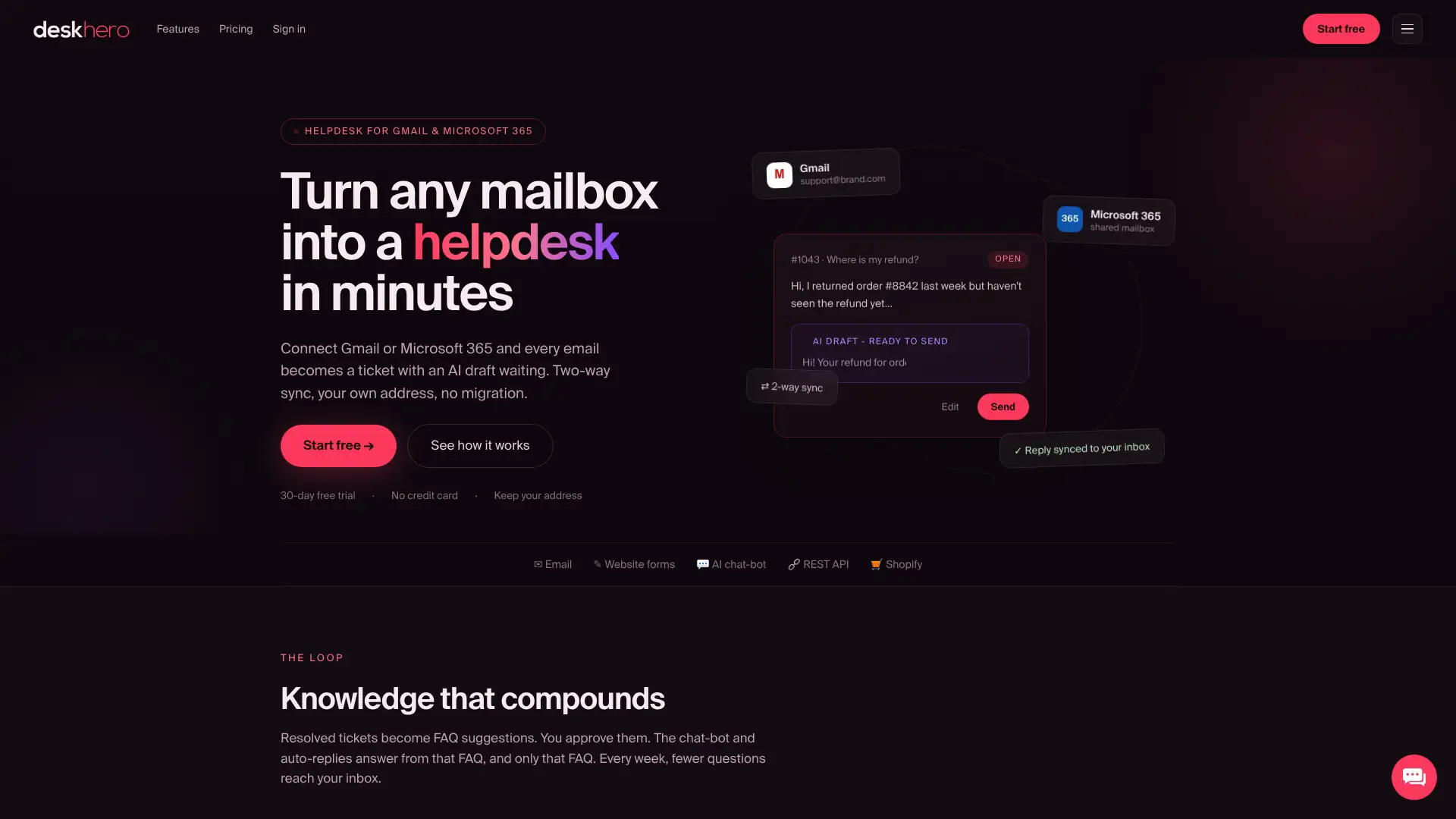
Use the trial to verify the important boundaries. The chat-bot needs 100 approved public FAQ items. Customer-facing AI answers use that approved FAQ, while User-facing drafts can use broader workspace knowledge. Native phone, live human chat, a customer portal, and custom reporting are not included.
Deskhero is most relevant when:
- Email is the main support channel
- The team wants to keep a Gmail, Google Workspace, or Microsoft 365 address
- Human review of draft suggestions is important
- Customer-facing AI should be limited to approved FAQ answers
- A Shopify customer card would reduce context switching
Start with the 30-day free trial and test the same ticket set used for Zendesk and Freshdesk.
Useful sources and further reading
- Deskhero: Current product positioning and trial access.
- Deskhero Shopify AI Support: Product information for Shopify support teams.
- Zendesk pricing: Current Support, Suite, and add-on prices.
- Zendesk Marketplace: Apps, themes, and partners.
- Zendesk Trust Center: Security and compliance information.
- Freshdesk pricing: Current tiers, feature comparison, and AI packaging.
- Freshdesk features: Ticketing, shared inbox, analytics, and self-service overview.
- Freshworks security and trust: Security governance and audit information.
- G2 Freshdesk review: One user review. Treat individual reviews as anecdotal.
Confirm all plan details on each vendor's current pricing page before making a final decision.
FAQ
Is Freshdesk better than Zendesk?
Not universally. Freshdesk is attractive for teams that want a straightforward paid email-helpdesk tier. Zendesk is stronger when channel breadth, a large app marketplace, and extensive reporting are central requirements. Compare the exact plan and add-ons needed for your workflows.
Does Freshdesk include AI?
Yes. Its current paid plans include the first 500 Freddy AI Agent sessions. Freddy AI Copilot is priced separately on eligible tiers, so buyers should distinguish customer-facing AI sessions from assistance for human Users.
Does Zendesk include AI?
Yes. Zendesk says Suite and Support plans include an AI Agent resolution allowance. Copilot is a separate add-on on most published plans, while some enterprise packaging includes it.
Does Deskhero's AI use only approved FAQ content?
The customer-facing chat-bot and AI auto-replies use only the approved public FAQ. AI draft suggestions shown to Users can use a broader workspace knowledge pool and remain subject to human review.
Can a small team use Zendesk instead of Freshdesk or Deskhero?
Yes. Zendesk publishes an entry Support Team plan. The better question is whether the team's required channels, reporting, AI, and integrations fit that tier or force a move to Suite products and add-ons.