Ship Reliable Helpdesk API Integration: Webhooks, Idempotency, Mapping

Use authenticated REST calls for ticket operations, then add webhooks if the provider supports them. Start by generating API credentials and issuing a test ticket with a curl request. If webhook events are available, subscribe to the updates your integration needs. If they are not, design a measured polling loop. The parts that separate a working prototype from something you can trust in production are duplicate protection, a solid field-mapping layer, and retry logic that does not create extra tickets. The sample code and hardening patterns below cover all three.
TL;DR:
- Most helpdesk APIs support scoped tokens or OAuth2 credentials, which should be generated with the narrowest permissions needed for the task.
- Core endpoints include tickets, comments, customers, and attachments, with careful attention to data mapping and handling internal versus public comments.
- When a provider offers webhooks, verify signatures, detect duplicate deliveries, and acknowledge events quickly.
- Implementing idempotency keys and proper error handling, including exponential backoff for rate limits, ensures reliability and prevents duplicate tickets.
- Testing should be done against sandbox environments with schema validation and recovery drills to ensure stability before deploying in production.
Table of Contents
- How Do You Set Up Helpdesk API Integration Credentials?
- Which Endpoints Matter Most for Helpdesk Software Integration?
- How Do You Handle Webhooks for Real-Time Helpdesk Events?
- What’s the Best Way to Map Helpdesk Data to Your System?
- How Do You Avoid Rate Limits and Handle API Errors Gracefully?
- How Do You Test and Monitor a Helpdesk API Integration?
- Why Do Idempotency Keys Matter for Helpdesk Integrations?
- What Security Controls Should a Helpdesk Integration Have?
- Should You Build a Custom Client or Use an SDK?
- What Does a Production-Ready Integration Architecture Look Like?
- How Does Deskhero Fit Into a Helpdesk API Integration?
- What Most Teams Get Wrong About Helpdesk Integrations
- Try Deskhero as Your Integration-Ready Helpdesk
- Sources
- FAQ
How Do You Set Up Helpdesk API Integration Credentials?
Every helpdesk API integration starts the same way: get credentials, hit an endpoint, confirm you got a ticket back. Skip this step or rush it, and you’ll spend hours later debugging 401 errors that had nothing to do with your integration logic.
Helpdesk platforms commonly support personal access tokens, scoped API keys, OAuth2, or some combination of them. Personal access tokens can suit internal tools and quick prototypes. OAuth2 is often appropriate for a multi-tenant app where customers connect their own helpdesk accounts. Review the provider's current API documentation, such as Enorve's developer documentation, rather than assuming the credential model.
Generate your first credential in the provider’s developer console, usually under Settings or Integrations. Whatever the interface, request the narrowest scope that gets the job done. A ticket-reading integration doesn’t need write access to billing or user management. That’s not just good hygiene, it’s what limits the blast radius if a key leaks.
Once you have a token, the first real test is a single authenticated request. A typical create-ticket call looks something like this:
curl -X POST https://api.example-helpdesk.com/v1/tickets \
  -H "Authorization: Bearer YOUR_API_TOKEN" \
  -H "Content-Type: application/json" \
  -H "Accept: application/json" \
  -d '{"subject": "Test ticket", "requester_email": "test@example.com", "body": "Verifying API access"}'
A few things trip up developers on this first call:
- Ignoring the provider's required headers, which can produce an unexpected response format or an authentication error.
- Testing against production instead of a sandbox account, which pollutes real ticket queues with test data.
- CORS errors when calling the API directly from browser-side JavaScript instead of routing through a backend service.
- Forgetting that some platforms version their base URL (like
/v1/), so a typo there returns a generic 404 instead of a helpful error.
If your provider offers a sandbox or trial account, use it. Testing against a real support inbox means real customers might see your test tickets, which is a bad first impression to make on day one.
Which Endpoints Matter Most for Helpdesk Software Integration?
Four resource types cover the vast majority of what you’ll build against: tickets, conversations, customers, and attachments. Understanding how they relate to each other matters more than memorizing every parameter.
Tickets are the core object. You’ll typically need full CRUD: POST /tickets to create, GET /tickets/{id} to fetch one, PATCH /tickets/{id} to update status or fields, and GET /tickets with query parameters for search and filtering. Common filters include status, priority, assignee, and creation date range. Pagination matters here more than anywhere else in the API, since a busy support team can generate thousands of tickets a month.
Conversations and comments often live one level down from tickets. An API might expose routes such as GET /tickets/{id}/comments and POST /tickets/{id}/comments for replies. Check whether the platform distinguishes public replies from private internal notes. Get that flag wrong and you could expose internal User discussion to customers.
Customers and users typically have their own endpoint, often /customers or /contacts, separate from tickets. The linking strategy matters: most integrations key customers by email address, but if your source system has its own unique customer ID, store that alongside the helpdesk’s internal ID so you can reconcile records later without a fragile email-matching step.
Attachments vary by provider. Some APIs upload a file first and then associate the returned reference with a ticket or comment. Google's Cloud Support API supports listing, creating, and downloading case attachments. Confirm the exact upload sequence, size limits, content types, and retention behavior in your provider's documentation before building the attachment path.
A working mental model: tickets are the container, comments are the conversation thread inside it, customers are the identity layer that ties tickets together across time, and attachments are references that hang off either tickets or individual comments.
How Do You Handle Webhooks for Real-Time Helpdesk Events?
Polling an API can be appropriate when it is the only supported change-detection method, but the interval must respect rate limits and acceptable latency. When the provider offers them, webhooks can reduce polling load by pushing events after a change. Check the provider's delivery guarantees and recovery options before choosing either model.
The events worth subscribing to for most helpdesk API integration work:
ticket.created, fires when a new ticket enters the system, whether from email, chat, or a form submission.ticket.updated, covers status changes, priority changes, and reassignment.comment.added, a new reply or internal note was posted to an existing ticket.attachment.added, a file was attached to a ticket or comment after the fact.
Webhook setup usually involves providing a public HTTPS URL and selecting events in an API or developer console. Some providers sign deliveries and include an event type, timestamp, resource ID, or changed fields. Treat the provider's documentation as authoritative because event names, payload shape, signing, and retry behavior differ.
If the provider signs webhook deliveries, verify every signature exactly as documented before accepting the payload. HMAC with a shared secret is one common design, but algorithms and header formats vary. Rotate signing secrets when the provider supports rotation, and plan the transition so valid events are not dropped.

Pro Tip: Acknowledge webhook deliveries within the provider's documented timeout. Queue the actual work when processing may take longer. A slow or failed acknowledgment can trigger redelivery.
Redelivery is why webhook consumers need duplicate detection. If the provider supplies a stable event ID, store it and check it before processing. Otherwise derive a safe deduplication key from documented immutable fields.
What’s the Best Way to Map Helpdesk Data to Your System?
Data transformation is the part of helpdesk API integration that quietly eats the most engineering time, and integration teams consistently flag it as the top pitfall in bidirectional syncs. The fix is building a mapping layer instead of hardcoding field translations directly into your business logic.
The pattern that holds up over time: define a canonical internal model for a ticket (status, priority, requester, custom fields, attachments), then write two translation functions per connected system, one to import into your model and one to export back out. When the helpdesk changes its schema, you only touch the translation function, not every place in your codebase that touches a ticket.
Status and priority fields deserve special attention because every helpdesk names them differently. One platform’s “Open, Pending, Resolved, Closed” might map to another’s “New, In Progress, Waiting, Done.” Build an explicit enum reconciliation table rather than relying on string matching, since a rename on the provider’s side will silently break string comparisons without throwing an error.
Custom fields need a defensive strategy from day one. A common approach:
- Maintain an allowlist of custom fields you actively map, and store everything else in a raw JSON blob for later inspection.
- Never silently drop unknown fields, since that data might matter for compliance or reporting later.
- Log a warning when the source system introduces a new custom field you haven’t mapped yet.
- Version your mapping config so you can trace which mapping rules applied to a given ticket at sync time.
For attachments, decide early whether you’re storing files or just referencing them. Storing originals gives you resilience if the source system deletes old tickets, but it doubles your storage costs and adds a compliance surface for file retention policies. Referencing the source URL is lighter, but breaks if the helpdesk purges old attachments after a retention window. Most teams land on a hybrid: reference by default, and only copy files that get flagged for legal hold or long-term archival.
Well-documented APIs make this whole process faster. Developer portals that ship runnable examples and webhook playgrounds cut integration time meaningfully compared to APIs where you’re guessing at field names from sparse reference tables.
How Do You Avoid Rate Limits and Handle API Errors Gracefully?
Common operational failure modes in helpdesk API integrations include expired tokens, rate-limit throttling, unbounded pagination, and errors your code does not classify correctly.
Token lifecycle matters more than many teams plan for upfront. OAuth2 access-token lifetimes vary by provider, so implement the documented refresh flow and handle revocation. Store refresh tokens encrypted at rest, never put them in application logs, and define a rotation process for long-lived API keys.
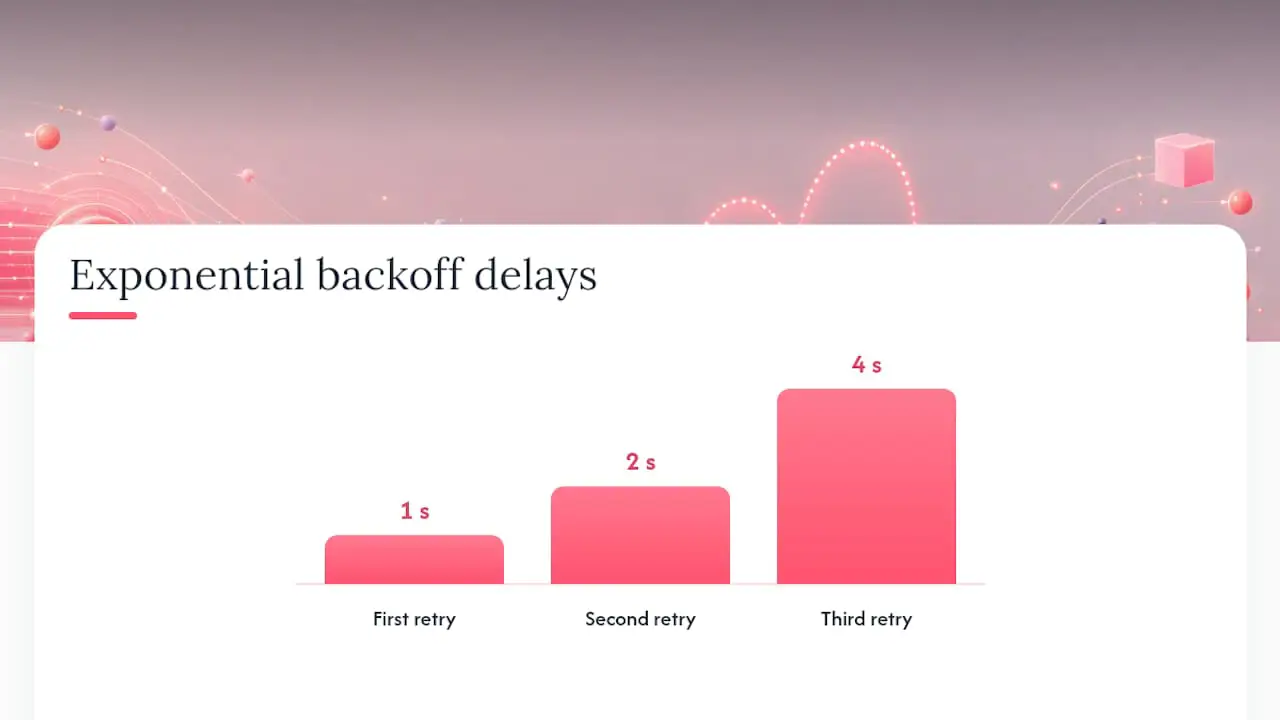
Rate limits may appear as HTTP 429 responses, response headers, or provider-specific error codes. Read documented headers such as Retry-After when present. For retryable failures, use capped exponential backoff with jitter so workers do not retry in lockstep. Deskhero documents a limit of 180 requests per 60 seconds per User.
Pagination needs explicit handling. Offset-based pagination (?page=3&per_page=50) can produce duplicates or omissions when records are inserted during a long fetch. Cursor-based pagination can provide a more stable traversal when the provider implements it correctly. Follow the provider's documented ordering and cursor semantics, and test concurrent writes.
Error handling needs a classification scheme before you write a single retry loop:
- Many validation and authentication errors require a request or credential change, not a blind retry.
- HTTP 429 and some 5xx responses can be retryable. Honor
Retry-Afterand the provider's error guidance. - Network timeouts are ambiguous. The request might have succeeded server-side even though you never received a response, which is the scenario duplicate protection exists to solve.
- Structured error bodies (a JSON error code plus message) should drive your logic, not the raw status code alone, since some APIs return 400 for several distinct failure reasons.
Build a small internal taxonomy that maps each provider’s error codes to “retry,” “alert a human,” or “log and drop.” That mapping is worth writing down once rather than re-deriving every time a new error surfaces in production.
How Do You Test and Monitor a Helpdesk API Integration?
If the provider offers a sandbox or trial environment, use it to generate test tickets, comments, and events without touching live customer data. Build a small set of fixtures early: a ticket with a custom field, one with an attachment, one with multiple comments, and one that transitions through every status your mapping layer needs to handle.
Contract tests matter as much as end-to-end tests here, maybe more. A webhook payload schema that silently changes shape, say a field goes from a string to a nested object, will pass every manual test you ran last month and then break in production without warning. Write a test that validates incoming webhook payloads against a defined schema and fails loudly if the shape drifts.
For observability, track a small set of numbers that actually predict problems before customers notice:
- Webhook delivery success rate, so a dip signals your endpoint is timing out or crashing silently.
- End-to-end sync latency, from event fired to record updated in your system.
- Error rate by category (auth, rate limit, validation, unknown), so you can tell a credential problem from a schema problem at a glance.
- Queue depth for asynchronous webhook processing, since a growing backlog usually means a downstream dependency slowed down.
Run a recovery drill before you ship: simulate the helpdesk provider being unreachable, then confirm your system catches up without creating duplicates once it comes back online. This tests behavior that happy-path unit tests do not cover.
Why Do Idempotency Keys Matter for Helpdesk Integrations?
Idempotency keys solve one specific problem: a network request times out, you don’t know if it succeeded, and you retry it, but the retry creates a second ticket for the same event. Multiply that across thousands of daily syncs and you get a support queue full of duplicates that erodes trust in the integration fast.
The fix is generating a stable, unique key for every write operation, ideally derived from a source-system identifier rather than a random UUID, so the same source event produces the same key across retries or process restarts. If the helpdesk documents an idempotency header, use it. Otherwise keep a local operation ledger and reconcile ambiguous timeouts before repeating a create request.
On the receiving side, webhook consumers need the same discipline. Store the event ID from every webhook you process, check it against that store before doing anything, and skip processing if you’ve seen it. Combine that with an acknowledge-then-process model: return 200 or 202 immediately, then handle the actual work in a background queue so a slow database write on your end doesn’t cause the provider to assume delivery failed and resend.
Pro Tip: Set a documented cap on retry attempts and route exhausted operations into a dead-letter queue or review workflow. An infinite retry loop against a permanently invalid record wastes API quota.
What Security Controls Should a Helpdesk Integration Have?
Security reviews for helpdesk API integration work tend to focus on a short list of controls, and getting these right up front saves a painful retrofit later.
- Enforce TLS 1.2 or 1.3 on every connection, both to the helpdesk API and on your own webhook receiver endpoint.
- Scope every API token to the minimum set of permissions the integration needs, and use role-based access control internally so only the services that need ticket write access actually have it.
- Verify webhook signatures on every incoming payload, and rotate the shared signing secret on a defined schedule rather than leaving it static indefinitely.
- Minimize personally identifiable information in logs. A ticket subject line or customer email in a debug log is a compliance exposure, not just clutter.
- Keep an audit trail of every automated write your integration makes, including which rule or event triggered it, since “why did this ticket change status” is the first question a support lead asks when something goes wrong.
- Treat service accounts the same as human accounts for access reviews: if a connector hasn’t needed write access to billing fields in six months, revoke it.
Procurement teams may ask about certifications such as SOC 2 or ISO 27001. Verify the vendor's current certification, audit period, and scope from its official security documentation. Do not infer certification from general security controls.
Should You Build a Custom Client or Use an SDK?
Official SDKs save real time when they exist and are well maintained, since they handle auth token refresh, pagination, and error parsing for you. The tradeoff is you’re locked to the SDK’s release cycle, and a lagging SDK means you’re stuck manually calling new endpoints anyway until it catches up.
A thin HTTP client can be a durable choice when the provider has no suitable official SDK. In npm, pip, NuGet, or Composer ecosystems, a small wrapper around fetch, requests, or Guzzle can provide control over retries and logging. Deskhero also offers an official .NET 8 SDK in beta.
A few tools consistently speed up the build regardless of which path you pick:
- ngrok or a similar tunnel for testing webhook delivery against your local machine before you have a staging environment deployed.
- Postman or HTTPie for exploring endpoints and saving reusable request collections your whole team can reference.
- A webhook payload tester or inspector to confirm signature verification logic before wiring it into your real handler.
- A managed integration platform when you need several connectors and do not want to own every adapter. Verify how the vendor handles upstream schema changes and breaking API updates.
For a single point-to-point integration, a small custom client can be reasonable. For a hub-and-spoke setup, compare managed platforms with custom development based on supported connectors, security, failure recovery, data residency, and total maintenance cost.
What Does a Production-Ready Integration Architecture Look Like?
A reliable helpdesk API integration often has three moving parts: your application, an integration service that owns the sync logic, and the helpdesk API itself. The outbound path uses authenticated REST calls. The inbound path uses a webhook receiver when the provider supports one, or a checkpointed polling worker when it does not.
The flow looks like this: your app writes an event (a new support request, a status change) into the integration service. That service translates it through your mapping layer and makes an authenticated REST call to the helpdesk. If webhooks are available, a receiver verifies each payload, checks it against a processed-events store, and queues valid new events. A poll-only integration performs the same mapping and duplicate checks on records fetched after its last durable checkpoint.
This illustrative Node.js example shows ticket creation and HMAC webhook verification. Replace the URL, idempotency header, signature encoding, and signing algorithm with the provider's documented values:
const crypto = require('crypto');

async function createTicket(sourceOperationId, subject, requesterEmail) {
  const idempotencyKey = crypto.createHash('sha256')
    .update(`ticket-${sourceOperationId}`)
    .digest('hex');

  const response = await fetch('https://api.example-helpdesk.com/v1/tickets', {
    method: 'POST',
    headers: {
      'Authorization': `Bearer ${process.env.HELPDESK_TOKEN}`,
      'Content-Type': 'application/json',
      'Idempotency-Key': idempotencyKey
    },
    body: JSON.stringify({ subject, requester_email: requesterEmail })
  });
  return response.json();
}

function verifyWebhookSignature(payload, signature, secret) {
  const expected = crypto.createHmac('sha256', secret)
    .update(payload)
    .digest('hex');
  const expectedBuffer = Buffer.from(expected, 'hex');
  const signatureBuffer = Buffer.from(signature, 'hex');
  if (expectedBuffer.length !== signatureBuffer.length) return false;
  return crypto.timingSafeEqual(
    expectedBuffer,
    signatureBuffer
  );
}
Deployment notes worth planning for early:
- Run the webhook receiver as a separate deployable from your core app, so a slow database migration on the app side doesn’t cause missed webhook deliveries.
- Scale the processing queue independently from the receiver, since event volume spikes (a mass status update, a bulk import) shouldn’t block new incoming webhooks.
- Store idempotency keys and processed event IDs for a retention period that covers the provider's documented retry and redelivery windows.
This separation of receiving, queuing, and processing is what lets the integration survive a slow downstream dependency without dropping events or duplicating tickets.
How Does Deskhero Fit Into a Helpdesk API Integration?
Deskhero turns a Gmail, Google Workspace, or Microsoft 365 mailbox into a helpdesk without requiring an email-history migration. It exposes a REST API with personal bearer tokens for the full ticket lifecycle and other workspace surfaces. Tickets can originate from connected inboxes through two-way email sync, and replies continue through the company's own address.
A few things matter specifically when integrating against Deskhero:
- The REST API covers tickets and replies, including create, update, list and filter, full conversations, forwarding, unread state, deletion, and Excel export.
- Deskhero has no outbound webhooks. Integrations that need updates must poll the API while respecting its rate limit.
- Personal API tokens inherit the issuing User's permissions, last 365 days, and can be revoked individually or all at once.
- AI reply suggestions use workspace knowledge. Customer-facing chat-bot and AI auto-replies are restricted to the approved public FAQ.
- Setup for two-way email sync and email-to-ticket mapping is documented separately if your integration needs to preserve specific email fields through the sync.
For Deskhero, use the REST, mapping, retry, and polling guidance in this article. Do not implement the webhook architecture unless another connected system supplies those events.
What Most Teams Get Wrong About Helpdesk Integrations
The biggest mistake I see in helpdesk API integration projects isn’t a technical one. It’s sequencing. Teams try to build bidirectional sync on day one, before they’ve even confirmed their field mapping holds up against real data. Start one-way. Pull tickets in, validate that your mapping layer handles every status, priority, and custom field combination the source system throws at you, and only then open the second direction.
Do not assume every provider supports webhooks. Use them when their delivery model fits your needs, but build careful polling when the API is poll-only. Either approach needs checkpoints, backoff, duplicate protection, and a recovery path.
The pattern I’d push back on hardest: automation that fires without a human ever seeing it first. Idempotency keys and retry logic prevent duplicate tickets, not bad automated decisions. Keep every automated write labeled and logged, and make anything customer-facing opt-in rather than default. The integrations that hold up over time are the ones where a person can trace exactly why a ticket changed, months after the fact.
- Jimmie
Try Deskhero as Your Integration-Ready Helpdesk
Deskhero gives you authenticated REST access across the ticket lifecycle and a two-way email sync that keeps replies flowing from your own company address. Its API is poll-only, with no outbound webhooks. AI reply suggestions use workspace knowledge and remain drafts for a User to review, while opt-in chat-bot and AI auto-replies answer only from the approved public FAQ.
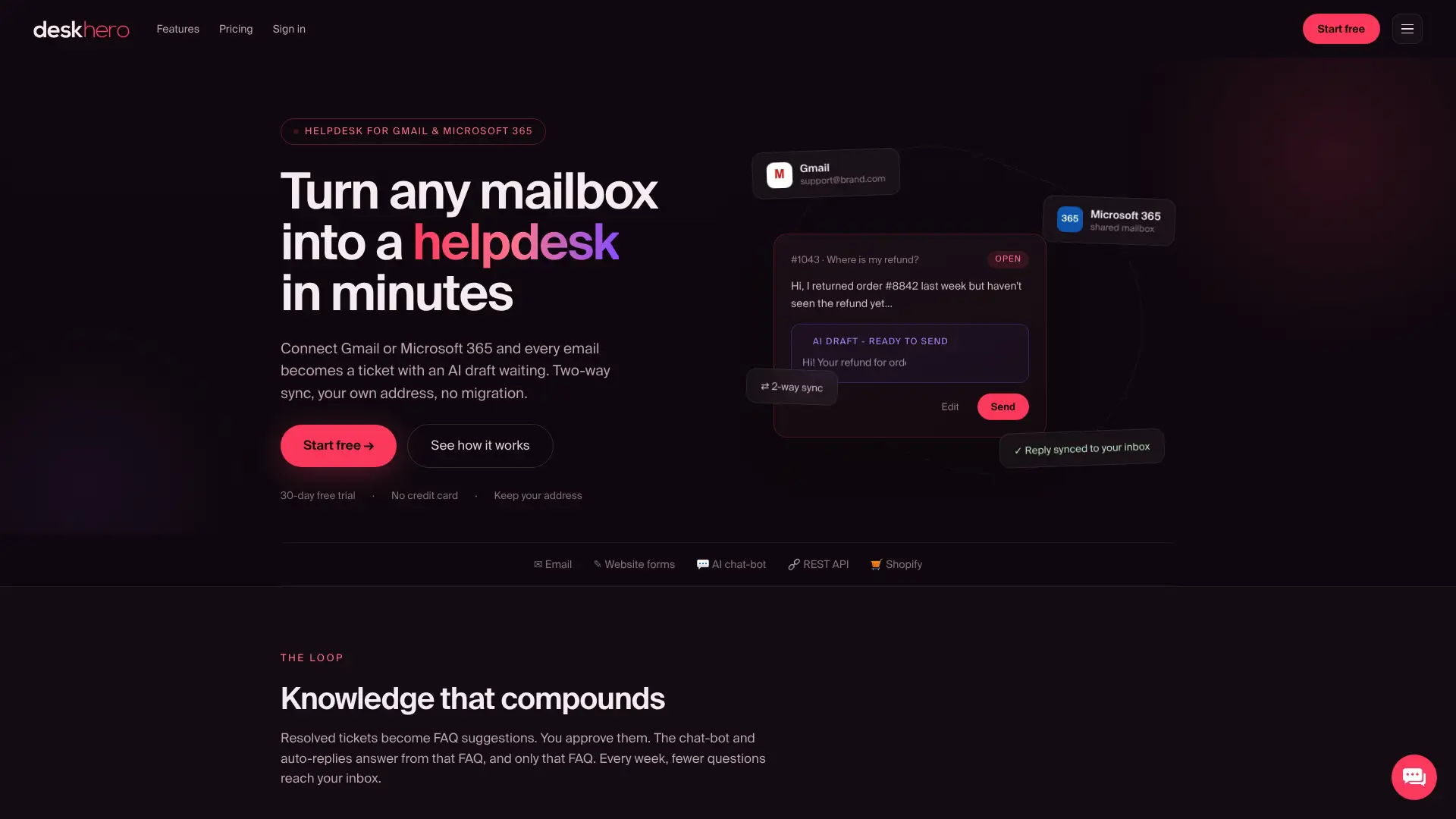
If you want a helpdesk that works with an existing Gmail, Google Workspace, or Microsoft 365 mailbox, Deskhero can connect without an email-history migration. For Shopify stores, the Shopify customer panel surfaces matched customer and order data inside tickets. Start the 30-day free trial with no credit card required, then create a personal API token to test an authenticated request.
Sources
FAQ
What Are the Five Stages of API Integration?
There is no universal five-stage model. A practical sequence is requirements, API and endpoint analysis, authentication and environment setup, implementation and mapping, then testing and monitoring. Add webhooks only when the provider supports them.
What Does API Integration Mean in a Helpdesk Context?
It means connecting a helpdesk platform’s programmatic interface, its REST API, to another system, like a CRM, an app, or an internal tool, so ticket data, customer records, and events flow between them automatically instead of through manual data entry.
What Are the Four Main Types of APIs?
Four commonly discussed API styles are REST, SOAP, GraphQL, and RPC. Deskhero exposes a REST API, which maps operations to resources such as tickets, replies, Users, groups, lists, and knowledge bases.
What Are Some Real Examples of Helpdesk API Integrations?
Common examples include syncing ticket data into a CRM, creating engineering work items from selected support tickets, and displaying ecommerce customer or order data alongside a conversation. In Deskhero, the Shopify integration surfaces matched customer and order data inside tickets.
Should I Use Polling or Webhooks for a New Integration?
Use webhooks when the provider supports them and their delivery guarantees fit your needs. Use rate-limited, checkpointed polling when webhooks are unavailable. Deskhero does not provide outbound webhooks, so Deskhero integrations must poll its REST API.