Email to Ticket: The Complete Guide for Support Teams

What does “email to ticket” actually mean?
Converting an email to a ticket means that helpdesk software turns an inbound support email into a structured, trackable record. The subject and message become part of the ticket, the sender becomes the requester, and attachments stay with the conversation. The support team can then manage the request in a shared queue instead of copying messages between inboxes.
A typical email-to-ticket workflow includes:
- Ticket creation: Each new support conversation receives an ID, status, requester, and destination queue.
- Routing: The mailbox or configured rules direct the ticket to the appropriate team.
- Conversation tracking: Replies remain attached to the ticket, so Users can see the full history in one place.
- Ownership: A ticket can be assigned to a User, given a priority, and moved through defined statuses.
This workflow is the foundation of a customer support ticketing system. It gives a team one place to receive, organize, answer, and measure email-based requests.
Why your support team needs an email ticket system
A shared inbox can work at low volume, but it becomes harder to manage as the number of conversations grows. Messages may be overlooked, two people may answer the same request, and the team may not know which issues are still open.
An email ticket system changes the unit of work from a message to a ticket. That makes useful operational measures possible:
- First response time: The time between ticket creation and the first reply from a User.
- Resolution time: The time from the first contact until the request is resolved.
- Ticket volume: The number of tickets created and resolved during a chosen period.
- Backlog: The requests that remain open and need attention.
These measures are difficult to calculate reliably from a plain mailbox. A ticket system records status changes and replies as part of the conversation, which gives the team a consistent source for reporting.
Separate addresses such as billing@company.com and support@company.com can also route incoming mail to different teams. The exact setup depends on how mailboxes and groups are configured in the helpdesk.
Common challenges when moving from inbox to ticket workflows
The technical connection is only one part of the change. A team also needs shared rules for ownership, status, priority, and escalation. Without those conventions, a ticket queue can reproduce the same confusion as a shared inbox.
Common problems include:
- Spam and automated messages: Delivery failures, out-of-office replies, and unsolicited mail can add noise unless the platform filters or routes them appropriately.
- Misrouting: Incomplete or overly broad rules can send a ticket to the wrong team.
- Missing context: The system needs to retain attachments and the conversation history so a User can understand the request.
- Unhelpful subject lines: Subjects such as “Quick question” provide little information for rule-based routing.
- Old habits: Team members may continue replying from personal inboxes, which removes the conversation from the shared workflow.
Practical tip: Document how mail becomes a ticket, where each address routes, when a ticket should change status, and when a User should escalate it. A short reference is easier to use than an informal collection of exceptions.
How to set up email to ticket in your helpdesk software
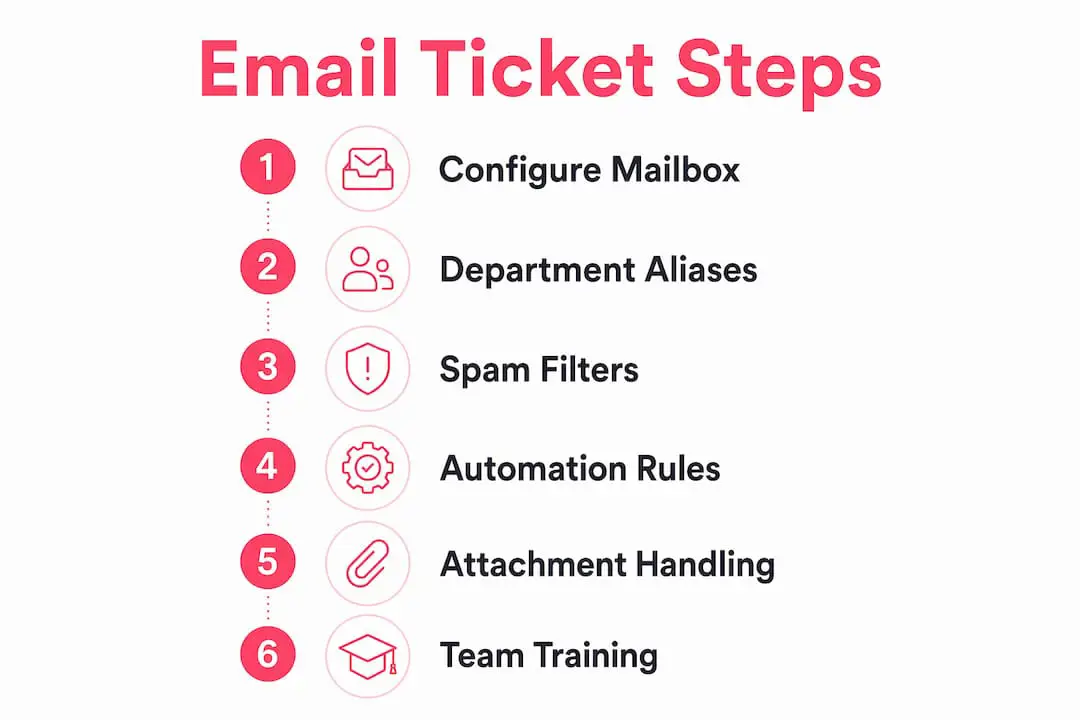
The setup sequence varies by platform, but these steps cover the important decisions:
1. Connect or forward a support mailbox. Use a dedicated address such as support@yourcompany.com. Depending on the helpdesk, you may connect a Google or Microsoft mailbox, configure forwarding from another provider, or use an address supplied by the platform.
2. Map mailboxes to teams. Decide where mail sent to addresses such as billing@, returns@, and support@ should appear. Test each route with a real message before launch.

3. Decide how to handle noise. Identify recurring bounce messages, automatic replies, and unwanted senders. Use the controls your platform provides to keep them out of active queues.
4. Add a small set of routing rules. Start with conditions that are easy to understand and verify. For example, a billing mailbox can route directly to the billing team. Review the result before adding more complex keyword or AI-based conditions.
5. Test attachments and threading. Send screenshots, PDFs, and replies from an external account. Confirm that files are available on the ticket and that later replies join the existing conversation.
6. Define statuses and ownership. Agree on what open, pending, resolved, and closed mean for your team. Make sure Users know when to assign a ticket, leave an internal note, or ask another team for help.
Practical tip: Keep the first version simple. Record each rule, its purpose, and an example that should match. This makes unexpected routing much easier to diagnose.
How AI can support an email ticket workflow
AI can assist after an email becomes a ticket, but its role depends on the product. It may help classify a new request, suggest a reply, translate a conversation, or evaluate a routing condition. Teams should check what knowledge the AI uses and whether a human reviews the result.
| Task | Rule-based approach | Possible AI-assisted approach |
|---|---|---|
| Routing | Match a mailbox, sender, or keyword | Evaluate the meaning of the request |
| Priority | Apply a defined condition | Use an AI-evaluated condition in a configured rule |
| Reply drafting | Start from a template | Draft from the workspace's available knowledge |
| Attachment context | Open and read the file manually | Include supported images or documents in a suggested reply |
| Translation | Use a separate translation step | Translate the ticket and draft within the helpdesk |
| Quality control | A User checks the response | A User reviews, edits, or rejects the suggestion |
AI is most useful when its scope is clear. A suggested reply should be treated as a draft, not as evidence that the underlying information is correct. The User remains responsible for reviewing the answer before sending it.
Customer-facing automation needs stricter controls. In Deskhero, AI auto-replies and the chat-bot answer only from the approved public FAQ. If the chat-bot cannot answer confidently, it falls back to a contact form so a human can continue the conversation.
Key takeaways on email to ticket for support teams
A well-configured email ticket system turns an inbox into a shared, measurable support workflow.
- Define routing before launch. Every mailbox should have a clear destination.
- Test real conversations. Check new messages, replies, attachments, and multiple recipients.
- Agree on statuses. Reporting is useful only when the team applies each status consistently.
- Add automation gradually. Simple, documented rules are easier to verify and maintain.
- Keep humans accountable. AI-generated drafts still need review before they are sent.
Best practices for implementation and change management
Start with one team or one mailbox. Use the pilot to test routing, permissions, notifications, and status definitions. Fix obvious friction before moving the remaining support addresses into the system.
Assign a knowledgeable User to answer workflow questions during the rollout. Review a small sample of real tickets together, including one that routed correctly and one that did not. This makes the rules concrete and helps the team agree on how to handle exceptions.
Document changes as the configuration evolves. A routing rule that made sense at launch may become unnecessary when a new mailbox or team is added.
Key performance metrics related to email to ticket
A few measures can show whether the workflow is improving:
First response time measures the gap between ticket creation and the first reply. Review the distribution as well as the average, because a small number of very old tickets can be hidden by a single headline number.
Resolution time tracks how long a ticket remains active. Compare similar teams and request types instead of assuming every issue should take the same amount of time.
Created and resolved volume shows whether the team is keeping pace with incoming work. A sustained gap can indicate growing backlog or a change in demand.
Time by status helps distinguish work that is waiting on the team from work that is waiting on the requester. Consistent status use is essential for this measure.
Security and data privacy in email ticket systems
Customer emails may contain personal information, order details, account data, and attachments. Evaluate how a helpdesk stores, transmits, and exposes that information before connecting a production mailbox.
Review authentication, user roles, group permissions, retention, deletion, export, and incident-response documentation. Check which people can see each mailbox and whether deactivated accounts lose access promptly. If your organization is subject to privacy regulations or contractual requirements, confirm the vendor's current documentation with your legal or security team.
Also verify how outbound mail is authenticated and which address customers will see. A correct sender configuration supports deliverability and makes legitimate support replies easier to recognize.
Automation rules and workflows triggered by email-to-ticket conversion
New-ticket automation can perform the first routing step before a User opens the conversation. The available triggers and actions differ between helpdesks, so build rules from the product's documented controls.
Useful starting points include:
- Mailbox routing: Send tickets from each support address to the group responsible for that work.
- Requester rules: Route or tag messages from a known address or domain when there is a clear business reason.
- Subject or body rules: Match specific terms and set a group, status, priority, assignee, tag, or supported custom field.
- Spam handling: Delete a new ticket when a narrow, tested condition identifies recurring unwanted mail.
Deskhero automations run on new tickets. They can evaluate requester details, message content, language, or an AI condition, then set supported ticket properties or delete spam. Auto-replies are configured separately. Keep rules narrow, test them with examples, and review their order when more than one rule could match.
How to train your support team on email ticket workflows
Training works best with realistic tickets. Walk through how a request arrives, where it routes, who owns it, which status applies, and what the customer receives.
Cover three tasks in every session:
- Update ticket status consistently. Define when a ticket is open, pending, resolved, or closed.
- Use private notes appropriately. Record internal context on the ticket without sending it to the requester.
- Escalate with context. Explain what was checked and what help is needed before assigning the ticket elsewhere.
After launch, review a few tickets each week. Short, specific coaching is more useful than repeating a general product demonstration.
Deskhero turns your existing mailbox into a helpdesk
Deskhero connects with Gmail, Google Workspace, Microsoft 365, and Microsoft shared mailboxes. It can also use a mailbox on another owned domain through DNS setup and forwarding. Incoming messages become tickets, and replies can be sent from the company's own address.
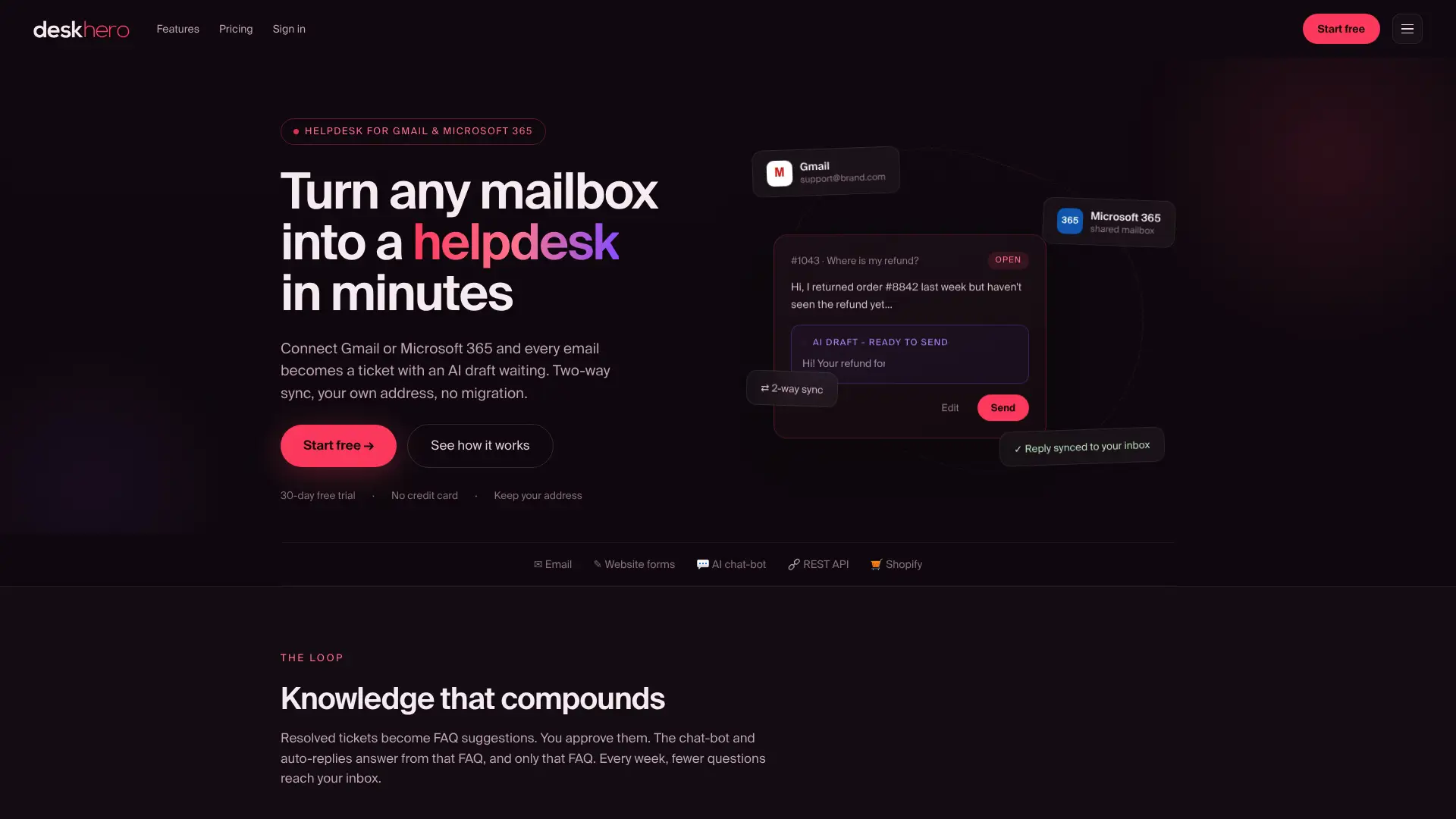
Each Deskhero mailbox routes to one group. Users can manage the conversation in a shared ticket view with statuses, priorities, assignment, tags, private notes, attachments, and a recorded timeline.
Deskhero can draft replies from workspace knowledge, including answered tickets, internal knowledge, approved public FAQ items, scraped website pages, imported material, and Shopify product data when connected. Suggested replies can use supported image and document attachments as context. A User reviews the draft before sending it.
Customer-facing AI uses a narrower source. The chat-bot and AI auto-replies answer only from the approved public FAQ. Automatic actions are opt-in, labeled, and logged. Deskhero also suggests FAQ entries from resolved conversations for human review. The product supports 14 interface languages, includes a Shopify customer panel, and provides a REST API.
Start a 30-day free trial with no credit card required.
FAQ
What is an email-to-ticket system?
An email-to-ticket system turns inbound support emails into helpdesk tickets with a requester, status, conversation history, and other trackable fields.
How does email-to-ticket conversion handle attachments?
A suitable helpdesk keeps attachments with the ticket conversation. Test the file types and size limits your team commonly receives before launch.
What automation rules should I set up first?
Start with mailbox-to-team routing and a small number of narrow conditions for recurring request types or unwanted mail. Add complexity only after reviewing real results.
How does Deskhero handle email-to-ticket conversion?
Deskhero connects to Google and Microsoft mailboxes, including Microsoft shared mailboxes. It also supports DNS-based mailboxes on other owned domains. Incoming conversations become tickets, and replies can come from the company's own address.
What metrics should I track after going live?
Start with created and resolved volume, first response time, resolution time, and time by status. Use consistent status definitions so the results remain meaningful.
Key Takeaways
An email-to-ticket system gives support teams shared ownership, a complete conversation record, and a reliable basis for reporting.
| Point | Details |
|---|---|
| Core conversion process | An inbound email becomes a ticket with a requester, status, message history, and attachments. |
| Metrics that matter | Track created and resolved volume, first response time, resolution time, and time by status. |
| Clear ownership | Define mailbox routing, assignment, status, and escalation before the rollout expands. |
| Careful automation | Start with narrow, documented rules and review their results before adding complexity. |
| Deskhero setup | Deskhero connects existing mailboxes, creates shared tickets, and sends replies from the company's address. |