What Helpdesk Webhooks Do and Why They Matter

A helpdesk webhook is an outbound HTTP request that sends ticket events to another system as they happen. It can trigger alerts, automations, or data syncs without frequent polling. A reliable integration still needs careful setup: verify each request, acknowledge deliveries quickly, and test the endpoint before trusting it with production traffic.
TL;DR:
- Webhooks can deliver ticket updates with less delay and fewer API calls than frequent polling.
- Setup usually involves a public HTTPS endpoint, an event subscription, request verification, and tests with representative events.
- Security controls depend on the provider, but commonly include HTTPS, signature or token verification, secret rotation, and least-privilege processing.
- Receivers should tolerate duplicate or out-of-order events by using idempotent processing and reconciling against current state.
- Deskhero does not currently send outbound webhooks. Its REST API can be polled when a custom integration needs ticket data.
Table of Contents
- How Helpdesk Webhooks Work: Event, POST, Payload
- What Are the Best Helpdesk Webhook Use Cases?
- How Do You Set Up a Helpdesk Webhook?
- How Do You Secure a Helpdesk Webhook Endpoint?
- How Do You Test and Debug Helpdesk Webhooks?
- How Should You Handle Duplicate or Out-of-Order Webhook Events?
- Deskhero's API Option
- Choosing Between Webhooks and Polling
- Where to Learn More About Webhook Standards
- Sources
- FAQ
How Helpdesk Webhooks Work: Event, POST, Payload
A helpdesk webhook starts with an event. Someone opens a ticket, a User changes its status, a customer replies, or the priority changes. If the platform offers a webhook for that event and you have subscribed to it, the platform sends an HTTP request to the URL you registered. Unlike polling on a fixed schedule, the receiver does not have to keep asking whether anything has changed. Webhook payloads are often JSON, although the exact format and fields depend on the provider.
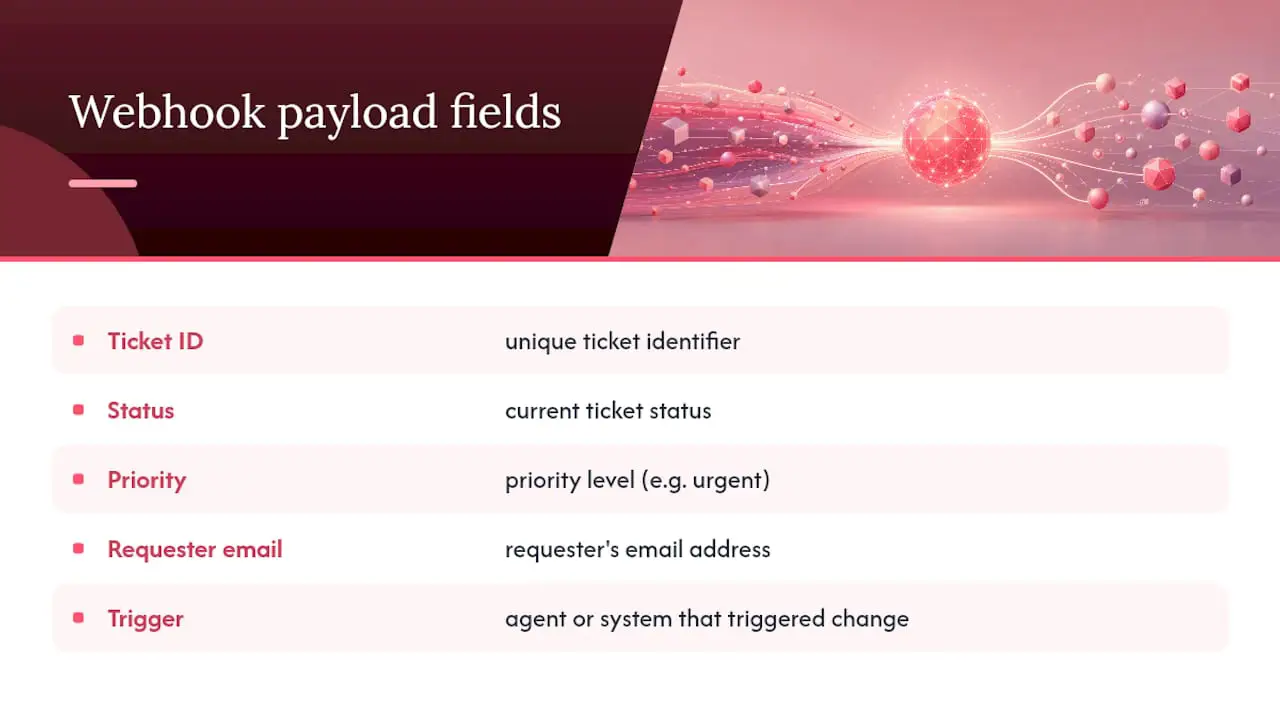
A ticket-created payload might include a ticket ID, status, priority, requester details, and information about what caused the event. Do not assume those fields exist or retain the same shape. Treat the provider's current event schema as the source of truth, and validate payloads before using them.
The practical difference from polling is timing and control. A webhook can notify your receiver soon after an event, while a poller discovers changes on its next run. Polling is often simpler when updates are not urgent. Webhooks are useful when low delay matters and the provider supports the events and security controls you need.
What Are the Best Helpdesk Webhook Use Cases?
Webhooks are most valuable when another system needs to react promptly to a ticket event. Common examples include:
- Channel alerts. A new or urgent ticket can trigger a notification in a collaboration tool, if the helpdesk emits that event and the receiving integration supports it.
- CRM updates. Selected ticket activity can be copied into a customer record so support and sales have relevant context.
- Escalation triggers. An urgent event can create an incident or alert in an on-call system.
- Analytics ingestion. Ticket events can feed a queue or data pipeline for later reporting.
- Cross-system coordination. A ticket event can create or update a related work item for another team.
These workflows still need a clear owner and failure handling. A webhook is only the delivery mechanism. The receiving system remains responsible for validating the event, applying business rules, and recovering when downstream services are unavailable.
How Do You Set Up a Helpdesk Webhook?
The exact process varies by platform, but a typical setup follows these steps:
- Read the provider's documentation. Confirm the available event types, payload schema, authentication method, timeout, retry policy, and delivery-log features.
- Expose a public HTTPS endpoint. Build a route that accepts the provider's request format. Many webhook systems use POST requests with JSON, but your implementation should follow the documented contract.
- Register the endpoint and events. Add the URL through the platform's administration interface or API, then subscribe only to the events your integration needs.
- Configure request verification. If the provider issues a signing secret or verification token, store it in a secret manager or protected environment variable. Never hard-code it in source control.
- Acknowledge promptly. Return the expected success response before starting slow downstream work. Stripe's webhook documentation recommends deferring complex processing until after the endpoint returns a successful response.
- Test before going live. Use the provider's test events or a development workspace. A secure forwarding tool can help during local development, but do not expose an unprotected development service to production traffic.
- Check delivery results. If the provider supplies a delivery log, use it to compare sent events with your receiver's responses and processing records.
Fast acknowledgment reduces the chance that a provider interprets a slow receiver as a failed delivery. Queueing the verified event before further processing also makes it easier to retry your own work without asking the sender to resend it.
How Do You Secure a Helpdesk Webhook Endpoint?
A webhook URL is reachable from outside your network, so the receiver must not trust a request merely because it arrived at the correct path.
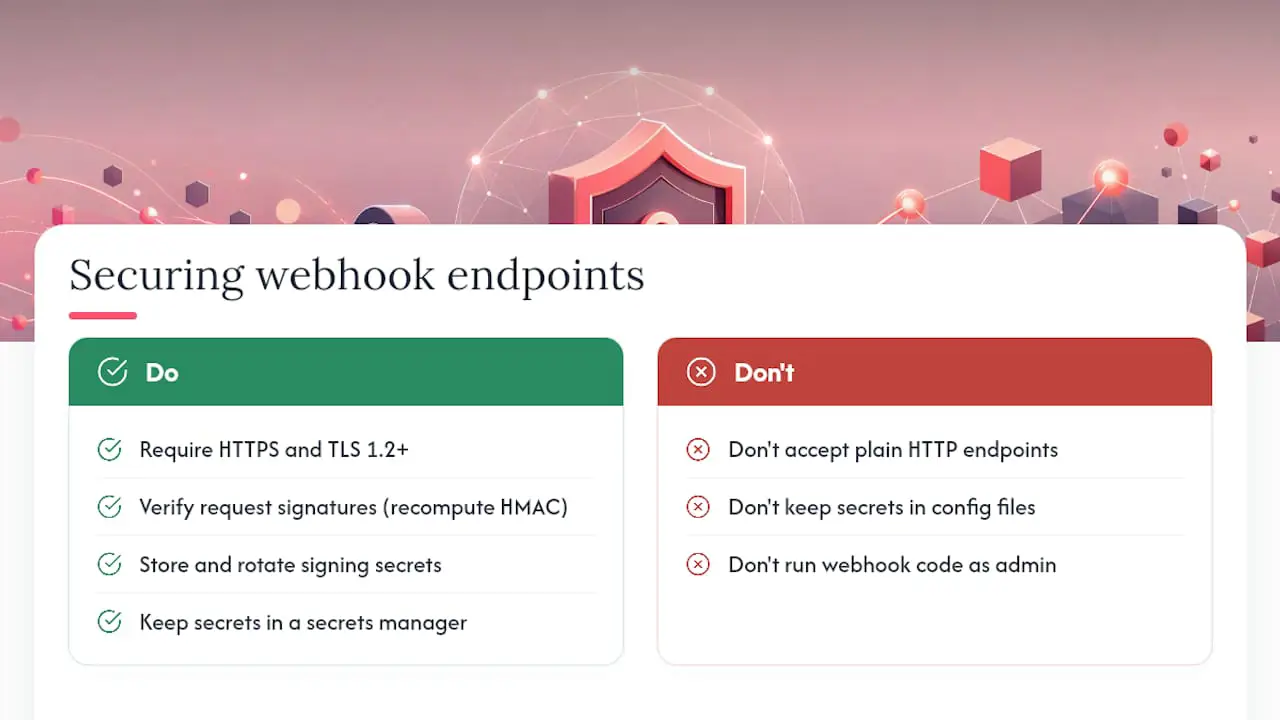
Use HTTPS with a valid certificate and a currently supported TLS configuration. Then implement the provider's documented verification mechanism. That may be an HMAC signature, a verification token, asymmetric signatures, or another scheme. Signature verification often needs the exact raw request body, so verify before parsing or transforming it.
Protect against replay where the provider's scheme supports timestamps or unique event IDs. Compare signatures in constant time, reject invalid requests, and avoid putting secrets or personal data in application logs. Rotate secrets when supported, and keep a documented overlap procedure if old and new secrets must both work during rotation.
Give the webhook processor only the permissions it needs. If the provider publishes stable source IP ranges, an allowlist can be an additional control, but it should not replace request verification. Apply rate limits carefully, monitor failures, and retain only the event data needed for the workflow.
How Do You Test and Debug Helpdesk Webhooks?
Start by separating delivery problems from processing problems. Confirm whether the provider sent the event, whether the request reached your endpoint, what response the endpoint returned, and whether the accepted event completed its downstream work.
- Use provider-supplied test events where available, then test representative real events in a non-production workspace.
- Record an event ID, event type, receipt time, verification result, response status, and processing outcome. Redact secrets and minimize stored personal data.
- Use the platform's delivery log to inspect response codes and retries. Zendesk documents webhook activity and invocation details for troubleshooting its webhook service.
- Compare the provider's delivery record with reverse-proxy and application logs. Missing headers or body changes can point to middleware or proxy configuration.
- Test timeouts, invalid signatures, duplicate event IDs, unavailable downstream services, and events delivered in an unexpected order.
Pro Tip: Keep enough structured delivery history to trace failures, but set a retention period and avoid logging raw payloads unless they are truly needed and appropriately protected.
How Should You Handle Duplicate or Out-of-Order Webhook Events?
Do not assume every event will be delivered exactly once or that events will always arrive in creation order. Delivery behavior is provider-specific, and retries can produce duplicates. Hookdeck's overview compares at-least-once and exactly-once delivery approaches.
Make handlers idempotent. When a provider supplies a stable event ID, record it and avoid applying the same operation twice. For state changes, use event timestamps or sequence values if the provider defines them, and fetch the resource's current state when correctness matters more than processing every intermediate transition. Queue failed work with bounded retries and backoff, and send persistent failures to a reviewable dead-letter queue or equivalent process.
Deskhero's API Option
Deskhero currently provides a REST API with personal bearer tokens, but it does not send outbound webhooks. An integration that needs Deskhero ticket data must poll the API at an appropriate interval and respect its rate limit. This is a different model from the event delivery described above, so plan for checkpoints, pagination, deduplication, and recovery after a polling job fails.
Choosing Between Webhooks and Polling
Choose based on the system you are integrating with, not on the assumption that every helpdesk supports both patterns. Webhooks can reduce discovery delay, but they require a public receiver and careful delivery handling. Polling needs scheduling and checkpoint logic, but it can be easier to operate and reconcile.
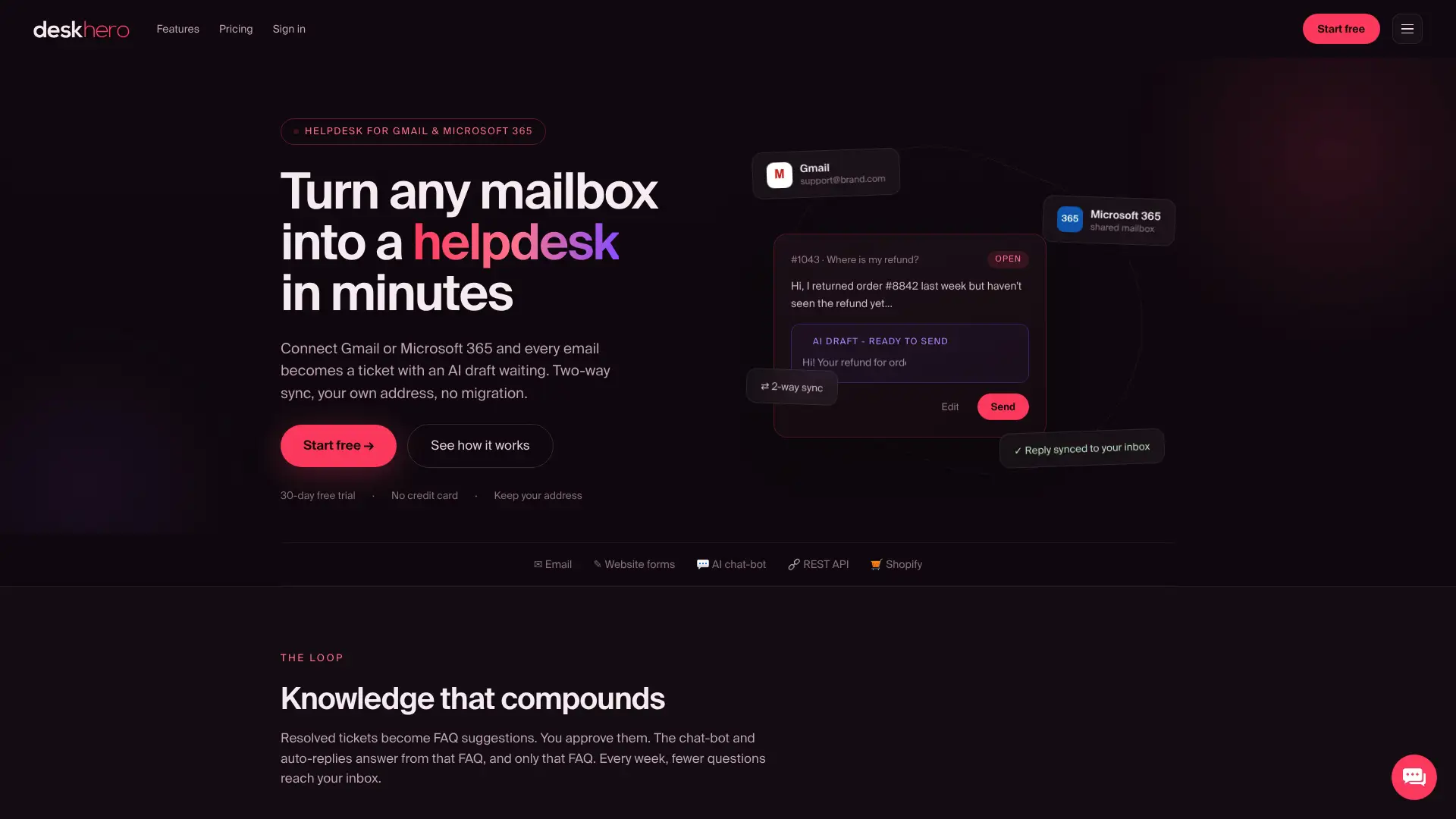
Deskhero turns a Gmail or Microsoft 365 mailbox into a shared helpdesk while keeping the company's existing email address. It offers two-way email sync, built-in ticket automations, AI reply drafts grounded in workspace knowledge, and a REST API for custom integrations. Deskhero's automations run when new tickets are created; they are not a replacement for outbound webhooks. Shopify users can also connect the Shopify integration to view relevant order and customer information in Deskhero. A 30-day free trial is available without a credit card.
Where to Learn More About Webhook Standards
There is no single webhook standard that makes every provider behave the same way. Use your provider's documentation as the authority for event schemas, verification, retries, and timeouts. Notion's webhook documentation provides one concrete example of subscription verification and event delivery.
Sources
- Receive Stripe events in your webhook endpoint: Stripe docs
- Creating and monitoring webhooks: Zendesk Developer Docs
FAQ
What Exactly Are Webhooks?
A webhook is an HTTP request that one system sends to a registered URL after a defined event. It carries information that lets the receiving system decide how to react.
What Are the Downsides of Using Webhooks?
Webhooks require a secure, publicly reachable receiver. The integration must also account for provider-specific verification, retries, duplicate events, possible reordering, downtime, monitoring, and changes to event schemas.
What Is a Webhook vs an API?
An API usually lets your software request data or trigger an action. A webhook lets another system send an event to your receiver. Many integrations use both, with the webhook announcing a change and the API providing current resource data.
Can You Give Me an Example of a Helpdesk Webhook?
A helpdesk that supports outbound webhooks might send a ticket-created event to your receiver. After verifying the request, your integration could add a notification to a team channel or update a CRM record. Deskhero does not currently send outbound webhooks, so custom Deskhero integrations must poll its REST API instead.