How to Preserve Email Threads When Emails Become Tickets

Keeping an email conversation together after it becomes a ticket depends on the threading rules used by the helpdesk. Common signals include the Message-ID, In-Reply-To, and References headers. Some platforms also use a ticket ID or another identifier in the message body or receiving address.
Use this checklist before relying on a new email channel:
- Connect the support address using a method the helpdesk officially supports.
- Send a test ticket and reply through the same route customers will use.
- Compare the original message and reply headers, then confirm the reply appears on the existing ticket.
If the test creates a new ticket, check the helpdesk's documented threading rules before changing mail routing. Each platform can combine headers, ticket identifiers, and sender checks differently.
Key Takeaways
Email threading is not based on subject lines alone. Helpdesks commonly inspect standard reply headers and may use their own ticket identifiers as additional matching signals.
| Point | Details |
|---|---|
| Headers link replies | In-Reply-To and References point to message IDs from the existing conversation. |
| Rules vary by platform | A helpdesk may also inspect a ticket ID, hidden identifier, receiving address, or sender. |
| Use supported connections | Follow the mailbox setup documented by your helpdesk and email provider. |
| Test the real route | Reply as a customer and confirm that the message joins the original ticket. |
| Deskhero mailbox options | Deskhero supports two-way Google and Microsoft mailbox connections, plus domain forwarding with authenticated sending. |
Table of Contents
- What Headers Actually Preserve Email Threads
- Setting Up Your Mail Servers to Keep Threads Whole
- Why Threads Break and How to Fix Each Cause
- How Deskhero Keeps Conversation History Intact
- What Most Setup Guides Get Backward
- Get a Threaded Helpdesk Running Without Losing a Single Reply
- Sources
- FAQ
What Headers Actually Preserve Email Threads
An email normally has a Message-ID. A reply can carry an In-Reply-To value pointing to the message being answered and a References value listing earlier message IDs. A helpdesk can use those relationships to associate messages with a conversation. Amazon Connect's documentation describes chronological threads as well as tree patterns created when someone replies to an older message.
Platforms can add their own matching methods. Zendesk documents three checks: header elements, an encoded ID in the message body, and an encoded ID in a Zendesk receiving address. These are Zendesk-specific rules, not a template that can be copied into every helpdesk.
Threading matters because separating a reply from its earlier messages makes the support history harder to follow:
- Users may need to search another ticket for earlier attachments or decisions.
- Recipients and previous replies can be separated from the latest question.
- Two Users may respond to related messages without realizing they belong to one conversation.
Freshdesk's email documentation shows another platform-specific approach. It checks a ticket ID, a message ID, or a unique identifier, followed by a sender check. The practical lesson is to learn which signals your own helpdesk uses and preserve those signals through the actual mail route.
Setting Up Your Mail Servers to Keep Threads Whole
A reliable setup starts with the connection method supported by the helpdesk. Avoid assuming that an SMTP relay, forwarding rule, or mailbox sync behaves the same across products.
- Choose the documented mailbox connection. If the helpdesk offers a direct Google or Microsoft connection, follow its authorization flow. If it requires forwarding, use the exact destination and DNS records supplied by the product.
- Configure forwarding for the intended address. Deskhero's Google Workspace forwarding guide explains how to create a Group and add the Deskhero destination address as a member. Microsoft 365 and other providers have different setup paths.
- Leave platform identifiers intact. If your helpdesk adds a ticket marker to an outbound notification, do not remove it from the template unless the product documentation says it is optional. Freshdesk recommends including its ticket ID format, while Zendesk adds an encoded ID to outbound notifications by default.
- Review systems that transform mail. Routing rules, mailing lists, and gateways can change a message before the helpdesk receives it. Compare the raw source at each available stage instead of guessing where a value changed.
- Run a repeatable verification test. Create a ticket, send a reply, and inspect the raw source. Check whether
In-Reply-Topoints to an earlierMessage-ID, whetherReferencescontains the expected chain, and whether the reply joined the existing ticket.
Pro Tip: Test through the same address, forwarding path, and email client your customers will use. A direct message to an internal test address does not exercise the full production route.
Why Threads Break and How to Fix Each Cause
A reply can become a new ticket for several reasons. The exact cause depends on the platform's matching rules.
- Missing reply headers. A message composed as a new email may not contain the
In-Reply-ToorReferencesvalues expected from a reply. Ask the sender to use Reply, then compare the raw source. - Changed routing or recipients. A message sent to a different support address can create another ticket. Freshdesk, for example, documents special behavior when more than one configured helpdesk address is included.
- Removed platform identifier. Editing a notification template can remove a ticket ID or hidden identifier that the helpdesk uses as a fallback.
- Expired message matching. Freshdesk states that its message ID normally expires seven days after the last response. After that, it looks for the ticket ID or ticket identifier. This timing is specific to Freshdesk and should not be assumed for other products.
Start diagnosis with the original outbound message and the customer's reply. Compare their raw headers side by side, then check the helpdesk's own documentation and ticket timeline. If the reply headers are present, examine the platform's other requirements, such as ticket markers, receiving address, or permitted sender. If the headers are missing, trace the route through the email provider and any forwarding service to find where the message changed.
How Deskhero Keeps Conversation History Intact
Deskhero turns an existing Gmail, Google Workspace, or Microsoft 365 mailbox into a helpdesk. It also supports mailboxes on other owned domains through DNS authentication and inbound forwarding.
- Google and Microsoft connections provide two-way sync, so Deskhero can read incoming mail and send replies as the connected address.
- A DNS mailbox uses DKIM records for authenticated sending and a unique Deskhero address for inbound forwarding.
- Replies on the same email conversation join the existing Deskhero ticket.
- AI suggested replies use workspace knowledge and stay under User control. Automatic replies are a separate feature that must be enabled per group and answer only from the approved public FAQ.
For more background, see Deskhero's articles on two-way helpdesk email sync, using an existing mailbox as a helpdesk, and turning inbound email into a ticket.
| Requirement | Deskhero option |
|---|---|
| Connect Gmail or Google Workspace | OAuth connection with two-way sync |
| Connect Microsoft 365 or Outlook | OAuth connection with two-way sync, including shared mailboxes |
| Use another owned domain | DNS authentication for sending and forwarding for inbound mail |
| Control AI replies | Users review suggested replies; automatic replies require a separate opt-in |
What Most Setup Guides Get Backward
It is tempting to reduce threading to one rule, such as preserving Message-ID. Vendor documentation shows why that is incomplete. Zendesk combines header and encoded-ID checks. Freshdesk combines several email markers with a sender check. Amazon Connect links contacts using related-contact data and conventional email headers.
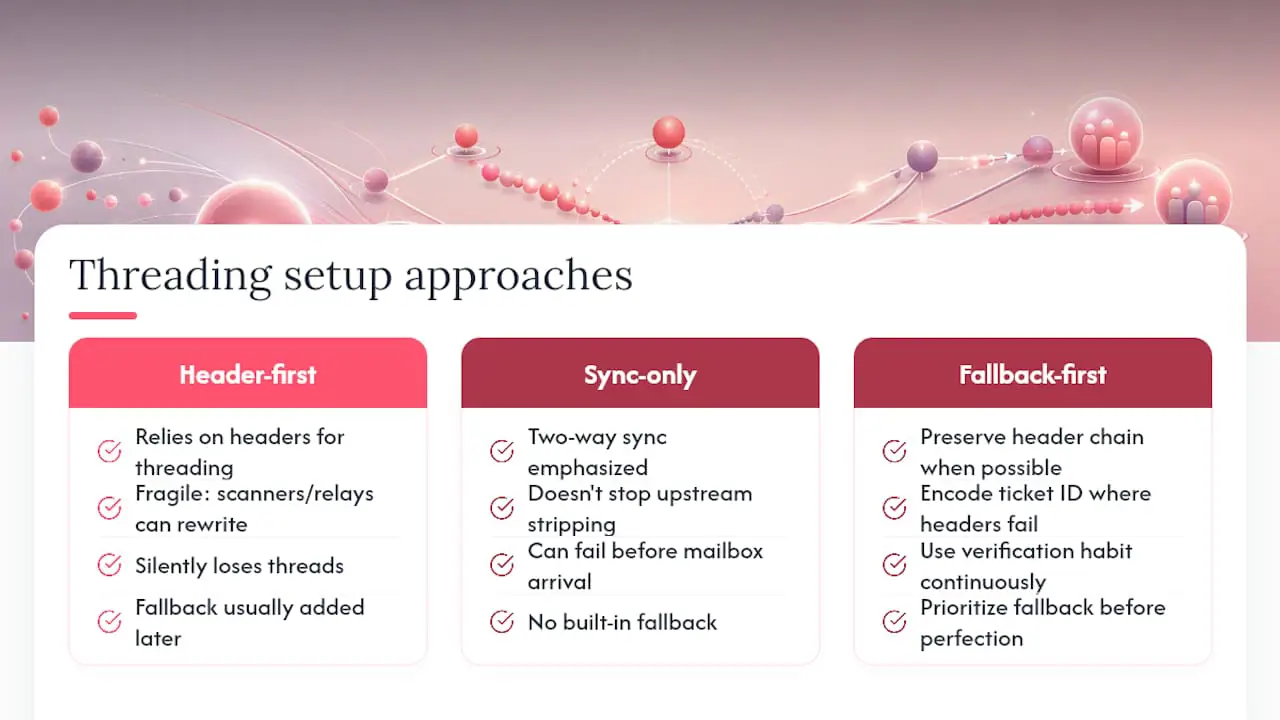
The better approach is to treat threading as an end-to-end behavior. Use a supported mailbox connection, keep product-generated identifiers intact, and test with a real customer reply. When the result is wrong, compare raw messages and work from the helpdesk's documented matching order.
This also avoids unnecessary mail-server changes. A new relay or rewritten template can introduce another variable without fixing the actual mismatch.
Get a Threaded Helpdesk Running Without Losing a Single Reply
Deskhero can connect an existing Gmail, Google Workspace, or Microsoft 365 mailbox through two-way sync. For another owned domain, it supports authenticated sending through DNS configuration and inbound forwarding to a unique Deskhero address.
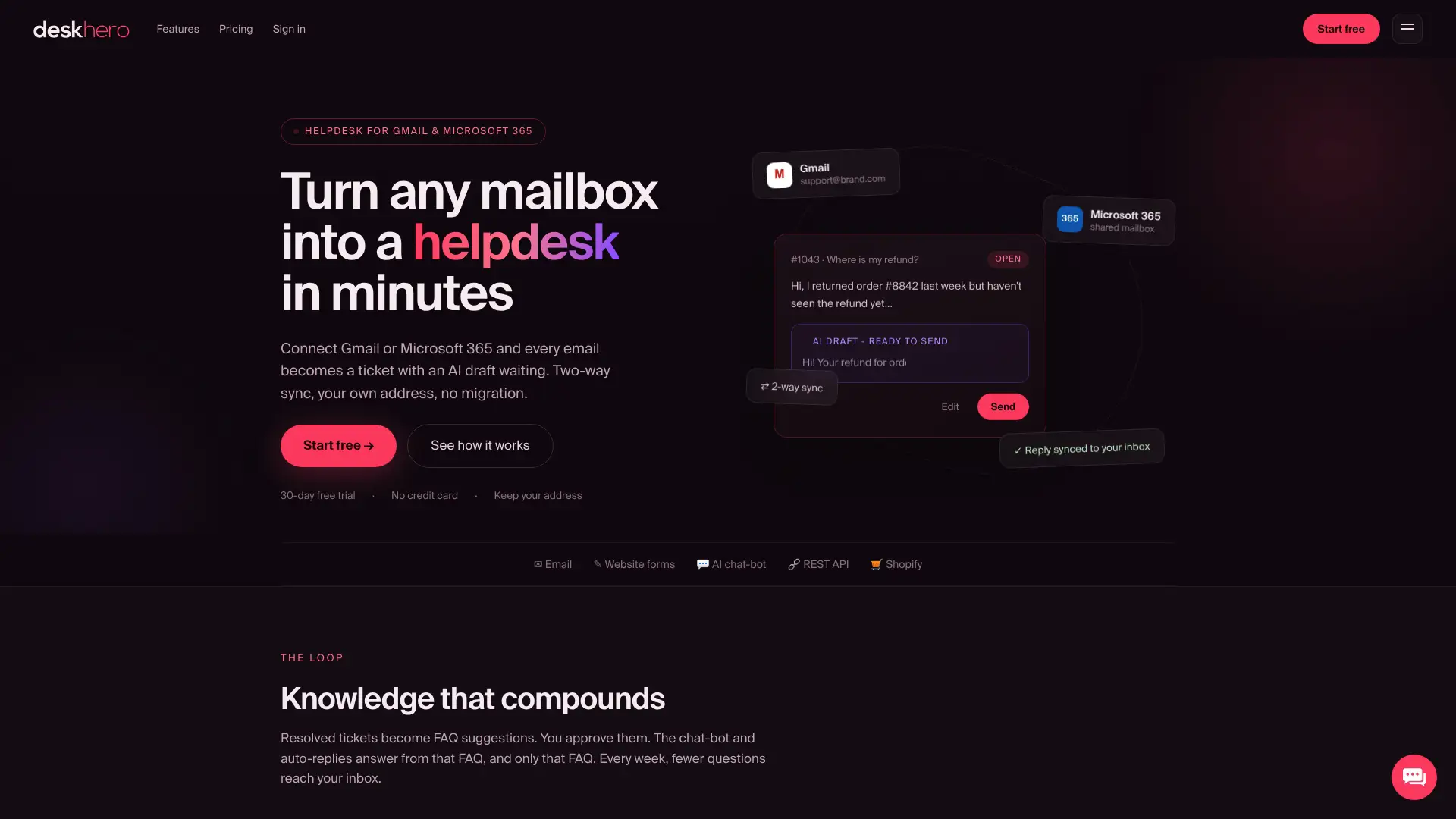
Your Users work from a shared inbox while replies are sent from the connected company address. If your support operation uses Shopify, the Shopify integration adds customer and order context to the ticket sidebar.
Deskhero offers a 30-day free trial with no credit card required. You can connect an existing address instead of asking customers to learn a new one.
Sources
- Amazon Connect email capabilities and threading
- How Zendesk threads incoming emails to tickets
- Freshdesk email channel and threading overview
FAQ
What Is the Difference Between Two-Way Sync and Forwarding?
Two-way sync lets a helpdesk read from and send through a connected mailbox. Forwarding sends inbound messages to another destination and may require separate authentication for outbound mail. The available methods and threading rules depend on the helpdesk and email provider.
Why Did a Customer Reply Create a New Ticket Instead of Threading?
The reply may be missing expected headers, use a different support address, come from a sender the platform does not associate with the ticket, or lack a product-specific ticket identifier. Check the raw email source and your helpdesk's documented rules.
How Do I Check if Threading Worked Correctly?
Confirm that the reply appears in the existing ticket. If it does not, compare the reply's In-Reply-To and References values with the earlier Message-ID values, then check any ticket identifiers the platform uses.
Do I Need an Authenticated SMTP Relay if I Already Use Two-Way Sync?
Usually not as a separate threading fix. Follow the sending configuration required by your helpdesk. A direct mailbox connection may already handle outbound mail, while a forwarded or DNS-based setup may use another authenticated sending method.
Does Deskhero Support Both Gmail and Microsoft 365?
Yes. Deskhero supports two-way connections for Gmail, Google Workspace, Microsoft 365, and Outlook. Microsoft shared mailboxes are also supported.