How to Reduce WISMO on Shopify Without Adding Headcount

Reducing “Where Is My Order” tickets starts with giving customers clear shipping information before they need to contact support. The practical levers are proactive notifications, an easy-to-find tracking page, structured handling for the questions that still arrive, and self-service changes where your fulfillment workflow can safely support them.
Start with the tracking experience and notifications. They prevent avoidable contacts and expose gaps in your fulfillment data before you add more automation.
- Send useful notifications for shipped, out-for-delivery, delivered, and exception events
- Provide a branded tracking page with plain-language status information
- Route routine status questions and carrier exceptions through different workflows
- Offer tightly controlled self-service changes before fulfillment, if your systems support them
Set your own target: Shopify describes WISMO as one of the most common types of ecommerce inquiry, but the share varies by store, carrier mix, season, and communication quality. Measure your baseline before promising a reduction.
Key Takeaways
Reduce WISMO by preventing information gaps first, then make the remaining questions faster and safer to handle.
| Point | Details |
|---|---|
| Start with prevention | Improve notifications and tracking before automating support answers. |
| Separate question types | A routine status lookup and a missing-delivery claim need different workflows. |
| Use live data | Any status answer should come from current Shopify and carrier information. |
| Measure from a baseline | Track WISMO volume, repeat contacts, handle time, and escalation outcomes. |
| Use Deskhero for support context | Its Shopify panel puts order and fulfillment details next to the ticket for Users. |
Table of Contents
- Why WISMO Dominates Support Queues and What It Actually Costs You
- The Four Core Levers, Ranked by Impact and Effort
- A 30-Day Rollout Plan That Won’t Break Your Support Queue
- What to Connect: APIs, Carriers, and Messaging Channels
- Which Metrics Actually Prove WISMO Is Going Down
- How Deskhero Maps to the Playbook
- Start the Trial and Wire Up Your Shopify Store
- What Merchants Get Wrong About WISMO Automation
- Sources
- FAQ
Why WISMO Dominates Support Queues and What It Actually Costs You
WISMO is repetitive, time-sensitive, and driven by information customers expect to be available. Volume can rise during busy shipping periods, but no single percentage applies to every Shopify store. Tag these conversations consistently and calculate their share of your own queue.
The customer-retention risk is real. A 2024 survey reported that 44 percent of U.S. consumers stopped shopping with a company after one poor service experience. That does not mean every WISMO contact loses a customer, but unclear or repeatedly wrong updates create avoidable frustration.
WISMO is not one problem. “Where is it?” needs a current status. “Can I change the address?” needs a controlled action. “It says delivered, but I do not have it” needs investigation and human judgment.
| WISMO type | What the customer wants | Best lever |
|---|---|---|
| Information gap | A current status and tracking link | Notification or tracking page |
| Change request | To edit an order before fulfillment | Controlled self-service or a User |
| Carrier exception | Investigation and a next step | Human review with order context |
A generic reply cannot handle all three safely. Design separate paths and make the exception path easy to reach.
The Four Core Levers, Ranked by Impact and Effort
The best order depends on your current setup, but prevention usually belongs ahead of support automation.
- Proactive notifications. Send concise updates at milestones that matter, such as shipment, out for delivery, delivery, and a meaningful exception. Avoid duplicate or premature messages. If you use SMS, follow the consent, content, and opt-out rules that apply in each market.
- A branded tracking portal. Give customers a clear path from the order confirmation to current carrier information. Translate technical statuses into careful language, but do not invent a delivery date when the carrier has not supplied one. Include a visible route to support for missing or disputed deliveries.
- Structured WISMO handling. Identify the request, retrieve current order and tracking information, use a reviewed status-to-response map, and escalate uncertainty. Automation should never turn stale data into false reassurance.
- Self-service post-purchase edits. Address changes or other edits can reduce contacts only when the merchant's order-management and fulfillment systems can enforce a safe cutoff. After that cutoff, route the request to a person.
- Notifications and tracking prevent many information-gap contacts.
- Structured handling makes routine contacts faster.
- Human review protects customers when the status is disputed or unclear.
Pro Tip: Write the status-to-response map before selecting an automation tool. Include label-created, in-transit, delayed, out-for-delivery, delivered, returned, and lost or disputed states. Define exactly when a User takes over.
A 30-Day Rollout Plan That Won’t Break Your Support Queue
A four-week rollout is a planning framework, not a guarantee. Adjust it to your shipping volume, tools, and approval process.
- Week 1: Establish the baseline. Tag recent WISMO contacts, group them by request type, and note where the customer lacked information. Check that order confirmations link to a live tracking destination.
- Week 2: Improve notifications. Review the wording and timing of shipment messages. Test email first, then add SMS only where consent and operational ownership are clear. Test digital products, split shipments, cancellations, and already-delivered orders.
- Week 3: Build the support workflow. Connect support Users to current Shopify order information and carrier tracking. Draft responses for common states, then define which cases require investigation.
- Week 4: Pilot and measure. Test with a limited share of contacts. Review wrong classifications, stale statuses, repeat contacts, and exceptions before expanding.
Use historical tickets for acceptance testing, but verify every test against the order and carrier record that was current at the time. A clean delivery is not enough to test the exception path.
- Include delayed, split, returned, and delivered-but-missing cases.
- Confirm that handoffs include the customer's message and relevant order context.
- Re-test after changing notification rules or the status-to-response map.
What to Connect: APIs, Carriers, and Messaging Channels
Shopify order and fulfillment records can provide fulfillment status, tracking numbers, carrier names, and tracking URLs. Carrier events may add more detail about movement and delivery. Treat each source according to what it actually knows.
- Shopify data: Use the current order and fulfillment records as the starting point. Account for split fulfillments and multiple tracking numbers.
- Carrier data: Link to the carrier's tracking record or use a carrier integration when you need normalized events across multiple services. Test regional carriers and malformed tracking links.
- SMS setup: Document consent, the messages you consider transactional, local quiet-hour requirements, opt-out handling, and per-message cost before launch.
- Helpdesk wiring: Keep the customer's conversation and order context together. Make the source and timestamp of a status visible so Users know what they are relying on.
Pro Tip: Send delivered-but-missing, lost, damaged, and disputed shipments to a person. These cases often require policy decisions or carrier investigation, not another status lookup.
Which Metrics Actually Prove WISMO Is Going Down
Start with a baseline and use consistent definitions. Total WISMO volume and WISMO share show whether prevention is working. Repeat-contact rate reveals whether customers trust the answer. Handle time and cost per contact show operational impact. Escalation outcomes and customer feedback show whether speed came at the expense of quality.
| KPI | What it tells you | How to compare it |
|---|---|---|
| WISMO volume and share | Whether prevention reduces contacts | Compare similar order volumes and shipping periods |
| Repeat-contact rate | Whether the first answer was useful | Track another contact on the same order within a defined window |
| Handle time and cost per contact | Operational effort | Use the same staffing-cost method before and after rollout |
Run the rollout in stages and annotate the date of each change. Compare similar order volumes, carrier mixes, and seasonal periods. Report both the absolute number of WISMO contacts and the rate per shipped order so growth does not hide improvement or create a false decline.
How Deskhero Maps to the Playbook
Deskhero can support the helpdesk portion of this plan. It is not a replacement for a customer-facing tracking page, a notification service, or carrier-exception handling.
- Two-way email sync keeps support conversations in Deskhero while replies use the company's connected support address.
- The Shopify customer panel shows matched customers, orders, shipping addresses, payment and fulfillment statuses, carrier tracking links, line items, and totals next to the ticket.
- AI suggested replies draw on workspace knowledge and remain drafts for a User to review. They should not be presented as a live order-status lookup.
- The AI chat-bot and AI auto-replies answer only from approved public FAQ content. They do not independently query a customer's live Shopify order. The chat-bot also requires at least 100 approved public FAQ items before it can be enabled.
- FAQ suggestions can be generated from resolved tickets and scraped pages. A human must review and approve them before they become public or power customer-facing AI.
- The REST API supports ticket and reply workflows. Deskhero does not provide outbound webhooks, so integrations that need updates must poll the API.
| Playbook step | Deskhero capability |
|---|---|
| Review order context | Live Shopify customer panel on the ticket |
| Draft a response | AI suggestion for a User to review and send |
| Answer approved policy questions | AI chat-bot and auto-replies grounded only in approved public FAQ |
| Keep sender identity | Two-way email sync with the connected support address |
A 30-day free trial with no credit card required gives a team time to test the helpdesk workflow and Shopify panel before choosing a paid plan.
Start the Trial and Wire Up Your Shopify Store
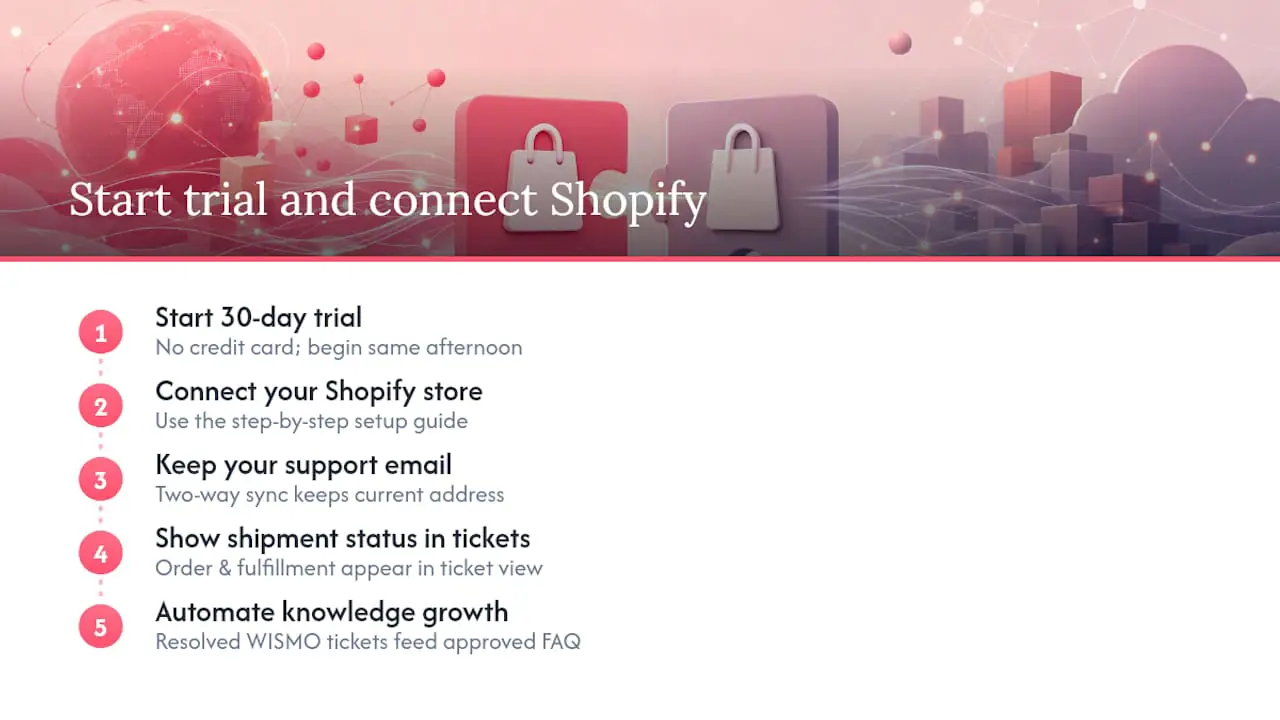
If you want order context inside the helpdesk, Deskhero’s Shopify integration displays customer orders and fulfillment information next to the ticket. Users can see carrier tracking links without searching for the order in a separate Shopify tab.
The step-by-step Shopify setup guide explains how to connect a store. The existing-email helpdesk guide explains how two-way sync keeps replies on the connected support address. After Deskhero generates FAQ suggestions from eligible resolved tickets, Users review and approve them. Only approved public FAQ content can power the AI chat-bot and AI auto-replies.
Start the 30-day free trial, connect Shopify, and test the workflow with routine status questions and real exception cases. No credit card is required.
What Merchants Get Wrong About WISMO Automation
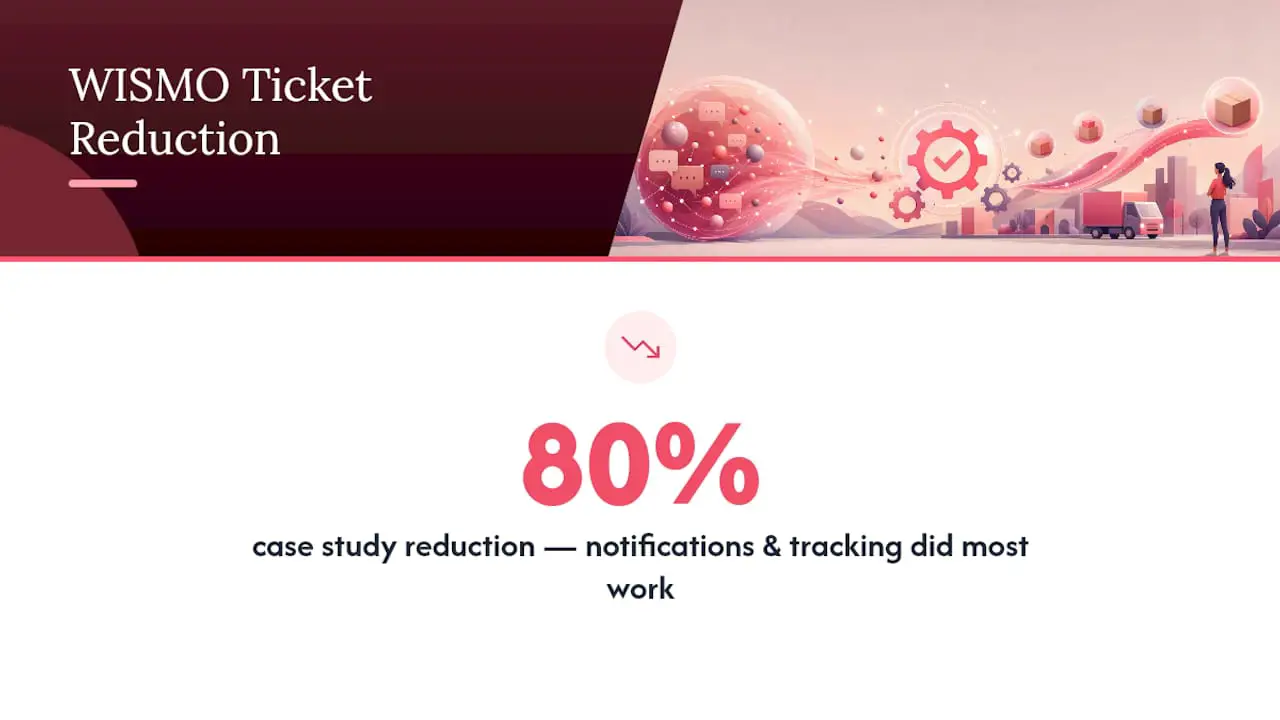
The first mistake is automating before fixing the information customers already receive. If the tracking page is hard to find or notifications are late, a faster support reply treats the symptom rather than the cause.
The second mistake is treating every carrier status as equally reliable. “Label created” does not prove movement, and “delivered” does not settle a missing-package report. Use precise language and define the point where a person investigates.
The third mistake is measuring only contacts that automation closes. Also track repeat contacts, reopened tickets, exception outcomes, and feedback. A lower ticket count is useful only when customers still receive correct answers and a clear path to help.
Sources
- WISMO Ecommerce: Meaning + 5 Strategies
- How to Automate ‘Where Is My Order?’ Tickets on Shopify (Decision Logic + Guardrails) | CorePiper
- Statista - shoppers’ response to poor customer service (USA)
FAQ
What Does WISMO Mean?
WISMO stands for “Where Is My Order?” It is shorthand for customer questions about shipment status, delivery timing, or a missing package.
What Is the Biggest Problem With Shopify Support?
There is no universal biggest problem. For stores with substantial shipping volume, repetitive order-status questions can consume significant support time. Tag and measure your own contacts before deciding where to invest.
How Do I Get 100 Orders a Day on Shopify?
That is a growth question rather than a WISMO workflow. Reaching a daily order target depends on product demand, traffic, conversion, retention, inventory, and fulfillment capacity. Plan the post-purchase experience alongside growth so support volume does not surprise the team.
Does Kim Kardashian Use Shopify?
SKIMS, which Kim Kardashian co-founded, has used Shopify for its storefront and commerce experience. That example does not provide a useful benchmark for another merchant's WISMO volume or support design.
Can Automation Fully Replace a Support Team for WISMO?
No. Tracking and notifications can prevent routine questions, and structured workflows can speed up simple status checks. Delayed, missing, damaged, disputed, or ambiguous deliveries still need human judgment and clear policies.