7-Step Trial Checklist for Support Managers: Google Workspace Helpdesk
A Google Workspace helpdesk is ticketing software that turns your Gmail or Workspace mailbox into a shared, structured support system, not Google’s own support channels. Look for a tool that keeps replies coming from your company address, syncs email in both directions, and adds ticket IDs, service level agreement (SLA) tracking, and reporting to the inbox you already use. Deskhero provides those capabilities without requiring an email migration.
TL;DR:
- Two-way email sync should keep replies coming from the company’s real address and preserve conversation threads.
- Testing should cover direct attachments, Drive links, long reply chains, and finding older conversations.
- Run a trial for one to two weeks with representative traffic. Configure an SLA policy, then deliberately breach a target to verify the warning and notification flow.
- Map User roles and permissions before inviting the team. Test private notes and customer-facing replies carefully, especially when access changes.
- Review the requested OAuth scopes, attachment storage, retention terms, and available exports against your organization’s requirements.
Table of Contents
- What Makes a Google Workspace Helpdesk Different From a Shared Inbox?
- Which Google Workspace Integration Features Should You Test First?
- How Do You Run a Trial for a Google Workspace Helpdesk?
- How Does Deskhero Meet These Integration Checks?
- How Should You Manage User Access and Permissions?
- What Security and Compliance Questions Should You Ask?
- What Usually Goes Wrong in Google Workspace Helpdesk Setups?
- What’s the Smartest Way to Actually Run This Trial?
- Start Your Google Workspace Helpdesk Trial Today
- Sources
- FAQ
What Makes a Google Workspace Helpdesk Different From a Shared Inbox?
A shared inbox lets a team collaborate on one mailbox. A helpdesk gives every message a ticket ID, a status, and a lifecycle. That structure makes it possible to filter work, track ownership, and report on support performance.
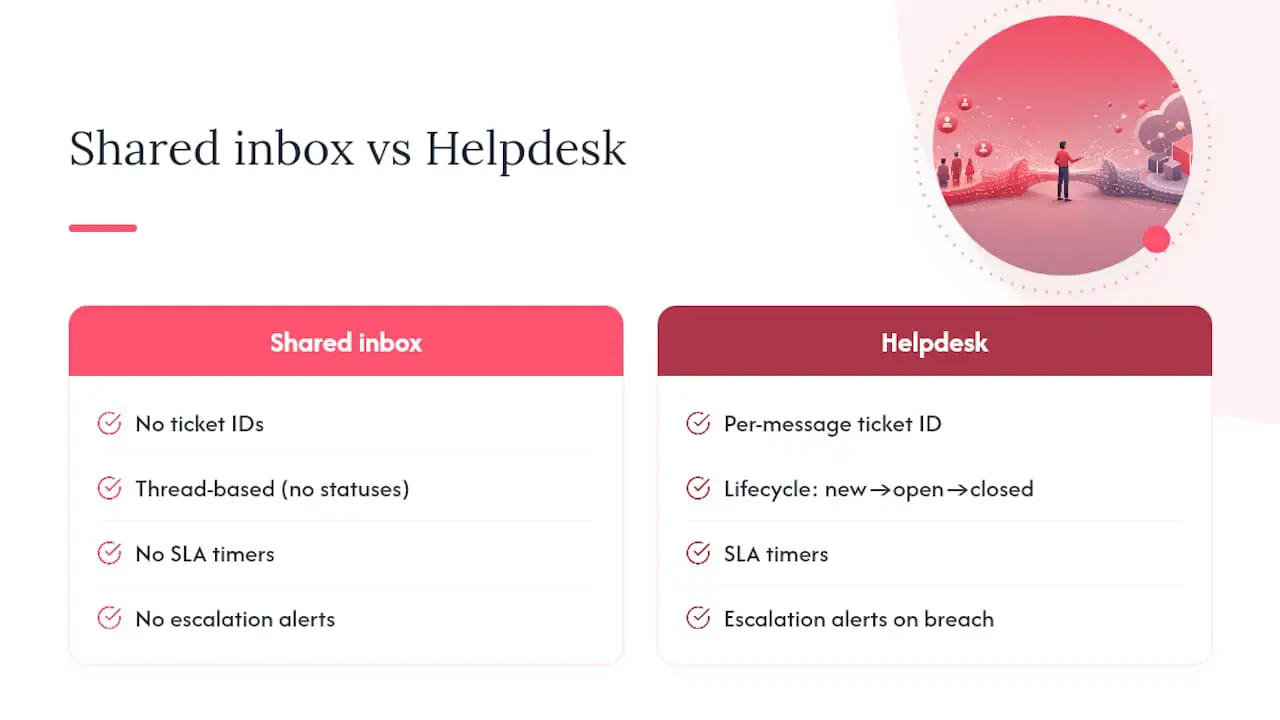
SLA tracking becomes important when a team has promised response or resolution times. A helpdesk can apply deadlines, show which tickets are at risk, and notify the responsible people. A basic shared inbox may show unread messages without the same policy-based countdowns.
Reporting is another difference. A ticketing system can measure response and resolution times, incoming volume, and workload by User or group. With an ordinary mailbox, teams often have to assemble those figures manually.
A shared inbox can still be enough for a small team handling a modest number of messages without formal response targets. Once volume rises, SLA commitments appear, or managers need consistent reporting, a Gmail shared inbox may need the structure of a helpdesk around it.
Gmail shared mailbox decision guide
Which Google Workspace Integration Features Should You Test First?
Do not assume every product described as a Google Workspace helpdesk supports the same workflows. Test the functions your team depends on before committing.
- Two-way email sync: replies sent from the helpdesk should arrive from your company address, and replies on an existing conversation should remain attached to the same ticket.
- Attachment handling: check direct uploads, screenshots, PDFs, and Drive links. Confirm that older conversations can be found and their attachments still open.
- SSO and access management: verify Google sign-in, invitations, role changes, deactivation, and offboarding. Do not assume that Workspace groups are synchronized unless the vendor documents that feature.
- Fit with existing habits: a shared-inbox workflow can reduce context switching, but adoption depends on the actual interface. Watch how quickly trial Users can assign, reply to, and find tickets.
- Calendar and meeting links: if the team schedules calls from support conversations, test whether invitations and links work cleanly from a ticket.
- Workspace-specific dependencies: if your process relies on Gmail labels, Drive folders, or other Google metadata, test each dependency explicitly. Workspace branding alone does not guarantee those integrations.
Pro Tip: Use a small set of representative conversations, with sensitive data removed where necessary. Include a long thread, a direct attachment, a Drive link, and at least one message that should trigger routing or an SLA policy.
How Do You Run a Trial for a Google Workspace Helpdesk?
Run the trial for one to two weeks with representative traffic. A structured test makes it easier to compare products and spot workflow gaps.
- Pick representative tickets and invite one or two Users who will work in the system regularly.
- Verify two-way sync by checking the sender and reply headers on a test conversation and confirming that the thread stays attached to one ticket.
- Test files and links with direct attachments, PDFs, screenshots, and Drive links. Record what works and what requires a workaround.
- Configure an SLA policy and breach a target on purpose. Check the countdown, at-risk state, and notifications received by the assignee or group.
- Validate the User workflow: assign a ticket, add a private note, reply to the requester, reassign the ticket, and confirm that each action appears clearly.
- Test each AI mode separately. Review draft suggestions as a User, then confirm that customer-facing chat and auto-replies answer only from approved public FAQ content and hand unresolved questions to a person.
- Export ticket data or statistics and check that identifiers, timestamps, filters, and SLA fields match the records you reviewed.
Document the result of each step. Sync errors, unclear permissions, and AI answers without a reliable knowledge boundary should be treated as serious findings.
How Does Deskhero Meet These Integration Checks?
Deskhero connects a Google Workspace mailbox to a structured helpdesk while keeping the existing email address.
- No email migration: connect the existing Gmail or Google Workspace mailbox through OAuth. Inbound messages become tickets, and replies are sent from the connected address.
- Ticket structure and two-way sync: conversations have ticket IDs, statuses, timestamps, assignees, groups, private notes, and SLA fields. Replies on the same conversation join the existing ticket.
- Clear AI knowledge boundaries: the chat-bot and AI auto-replies use only the approved public FAQ and hand unresolved questions to a person. User-facing draft suggestions can use the wider workspace knowledge pool, including answered tickets, internal knowledge, scraped pages, and approved FAQ content.
- Operational controls: automatic replies are opt-in, labeled, and recorded. Deskhero also supports Google and Microsoft SSO, multiple interface languages, automation rules, a Shopify customer card, fixed Statistics views, a topics cluster, and a REST API.
Start the 30-day trial and follow the connect a Google Workspace mailbox guide while you work through the checklist. The trial does not require a credit card.
How Should You Manage User Access and Permissions?
Map access before inviting the full team. A helpdesk contains customer messages, private notes, integrations, and configuration settings, so broad permissions should be deliberate.
Deskhero has Owner, Admin, and User roles. Owners control billing, workspace exports, termination, and Owner promotions. Admins manage Users, groups, and configuration. Users work tickets and have read-only access to most configuration. Groups further limit which tickets and knowledge a User can access.
Google SSO provides a sign-in option, but do not assume it automatically mirrors Google Workspace groups or offboarding. During the trial, remove a test person from the identity provider and separately verify their status in the helpdesk. Also confirm that private notes and customer-facing replies are visually distinct and included in the right permission boundaries.
Use group membership and the built-in roles to grant only the access each person needs. Recheck those settings whenever responsibilities change or someone leaves the company.
What Security and Compliance Questions Should You Ask?
Connecting a helpdesk to Google Workspace gives a third party access needed to read and send mailbox messages, so review the integration before enabling it for production traffic.
Inspect the exact OAuth scopes requested and compare them with the documented integration behavior. Ask which actions are recorded, who can see the audit history, and how automatic replies are identified. In Deskhero, automatic actions are labeled and logged in the ticket timeline.
Check data residency and retention terms, how attachments are protected, and which exports are available. If your organization handles regulated data, confirm the vendor’s current contractual and technical commitments against your own requirements. Obtain the relevant documentation rather than relying on a general marketing statement.
Finally, test the exit path. Deskhero workspace Owners can request a full export of tickets, conversations, and attachments, delivered as EML files in zip archives. Confirm that this format and the export frequency meet your needs before committing.
What Usually Goes Wrong in Google Workspace Helpdesk Setups?
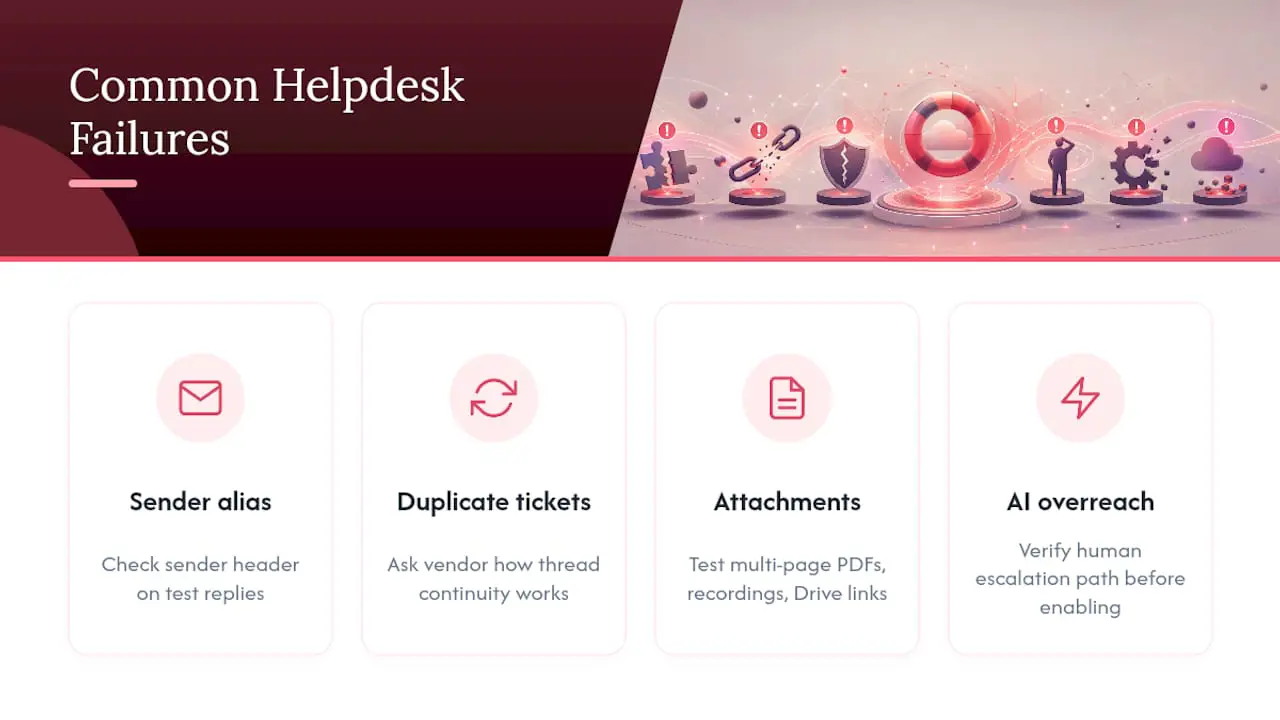
Sender configuration is an easy place to make mistakes. Check the sender and reply headers, not only the inbox display, to confirm that replies use the address customers expect.
Threading should also be tested. Reply to an older conversation and confirm that the new message joins the existing ticket instead of creating a duplicate.
Attachments and Drive links behave differently. Test direct uploads, multi-page PDFs, images, and shared links, including files whose access is restricted to your organization.
Finally, test AI boundaries. A chat-bot or auto-reply should not answer beyond its approved customer-facing knowledge. Confirm that uncertain questions are handed to a person and that the resulting ticket contains enough context for a useful follow-up.
What’s the Smartest Way to Actually Run This Trial?
Limit the shortlist to two or three tools. That leaves enough time to run the same workflow in each product instead of comparing feature lists alone.
Run the core tests during normal working hours with representative volume. Record the outcome against one scorecard so that a polished demo does not outweigh sync reliability, clear permissions, and day-to-day usability.
If keeping the existing company address and avoiding an email migration are priorities, start with products that explicitly support two-way Google Workspace sync. Then verify the actual headers, threading, and offboarding behavior during the trial.
- Jimmie
Start Your Google Workspace Helpdesk Trial Today
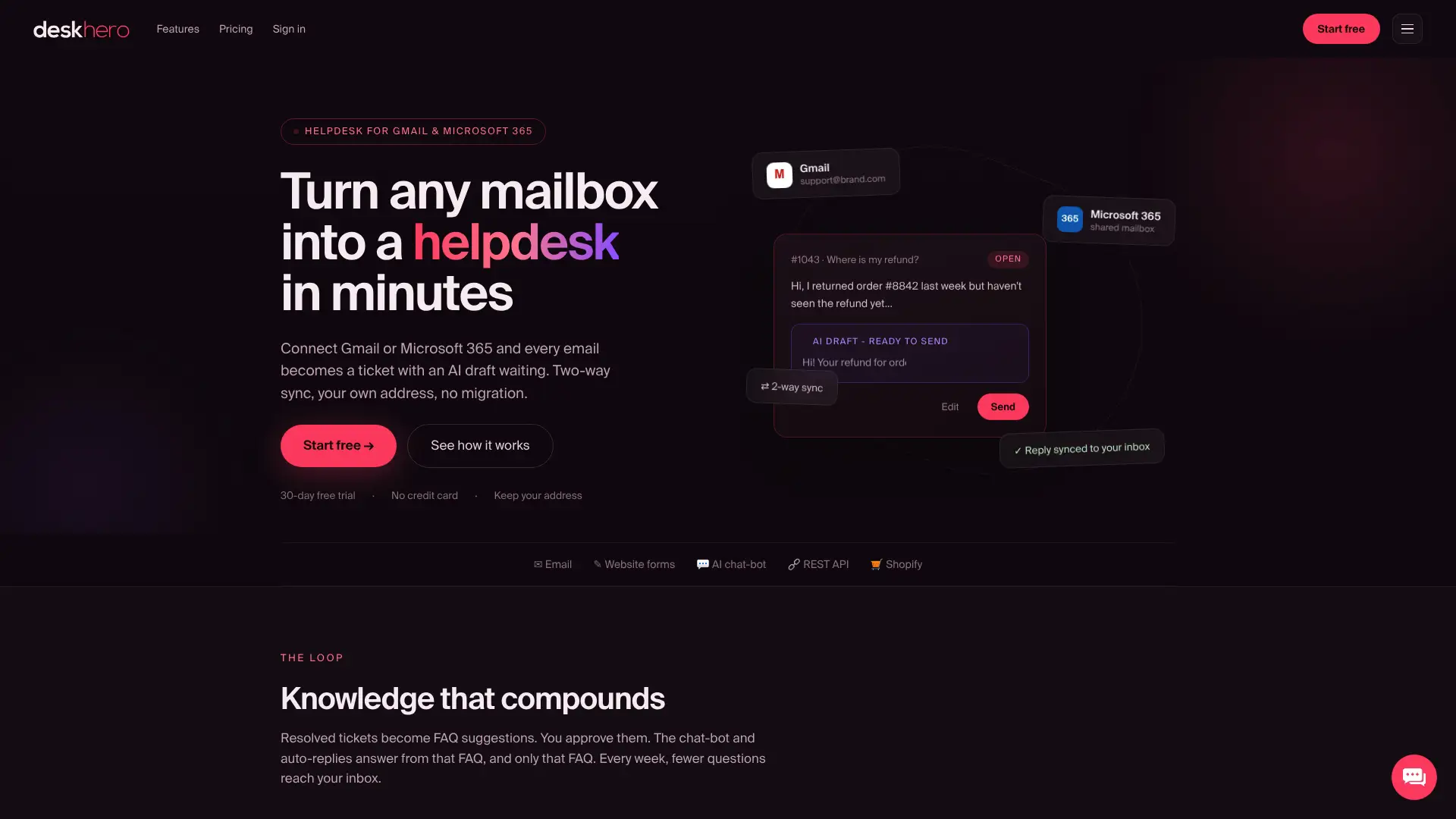
Deskhero connects a Gmail or Google Workspace mailbox, keeps the company email address, and adds structured tickets, SLA policies, and fixed Statistics views without an email migration. Its chat-bot and auto-replies use only approved public FAQ content. Draft suggestions for Users can draw on the wider workspace knowledge pool, and automatic actions remain opt-in and logged.
The fastest way to judge the fit is to use representative tickets. Start the 30-day free trial and follow the Google Workspace mailbox guide above. If you run a Shopify store, test the Shopify customer card during the same trial.
Sources
- Help Desk vs Shared Inbox: How to Choose
- Shared Inbox: What It Is, Why You Need One, and How to Choose | Skode
FAQ
Is a Shared Inbox Ever Enough for Google Workspace Support?
Yes, for low ticket volume or teams that need collaborative visibility without SLAs or detailed reporting. Once you need response-time tracking, routing, or consistent reports, a structured helpdesk becomes useful.
Will Replies Still Come From My Company Email Address?
With Deskhero’s two-way Google Workspace sync, replies are sent from the connected company address. Verify the sender and reply headers during your trial.
How Do I Know the AI Isn’t Inventing Answers?
Test each AI mode separately. Deskhero’s customer-facing chat-bot and auto-replies use only the approved public FAQ and hand unresolved questions to a person. User-facing draft suggestions can use the wider workspace knowledge pool and should be reviewed before sending.
Do I Need to Migrate My Email to Use a Google Workspace Helpdesk?
No. Deskhero connects to the existing Gmail or Google Workspace mailbox, so you can keep the address and mailbox in place.
What Should I Test First in a Trial?
Start with two-way sync, sender headers, and threading. Those checks confirm that customers see the expected address and that replies stay with the right ticket.